
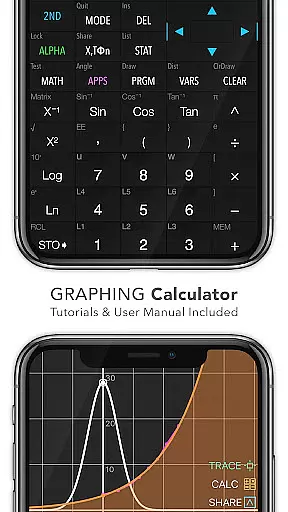
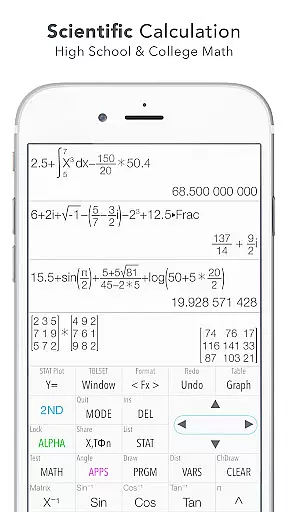
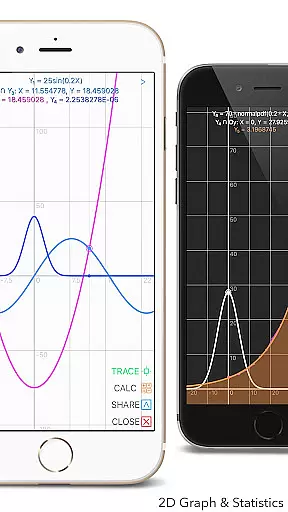
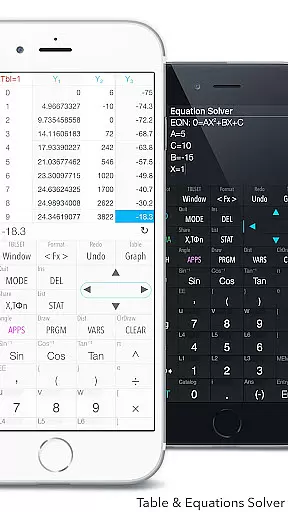
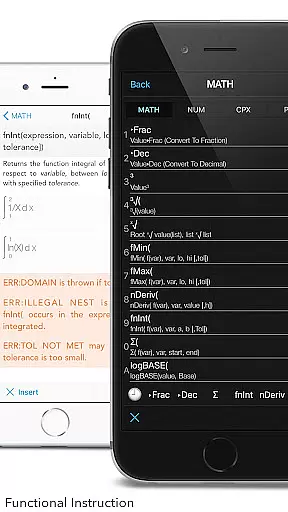
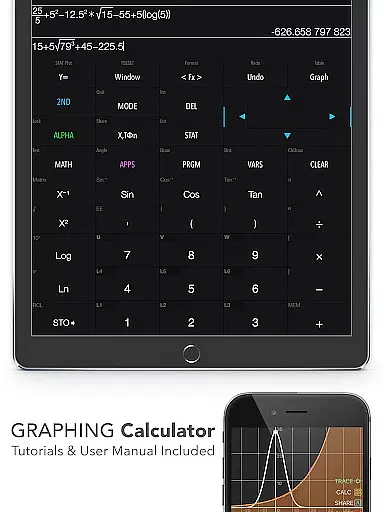
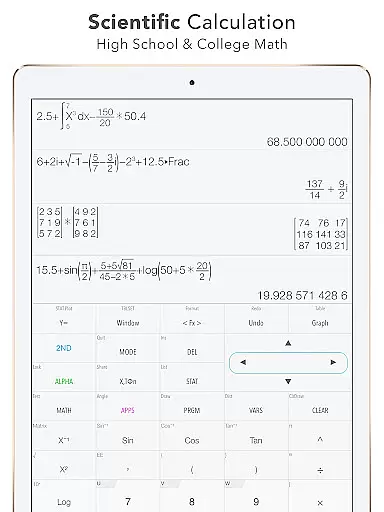
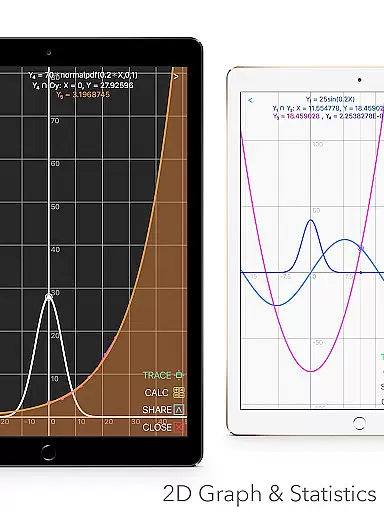
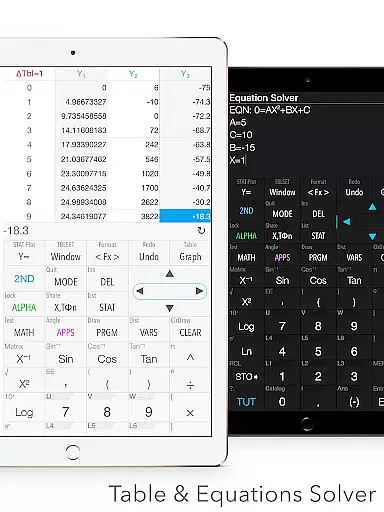
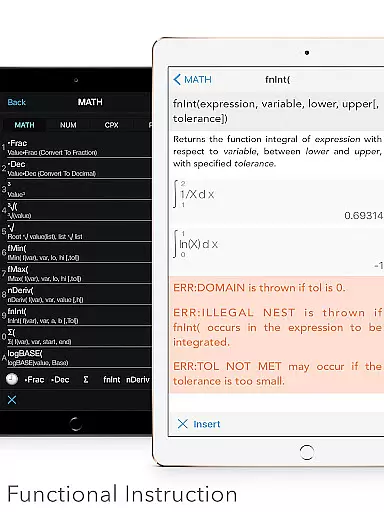
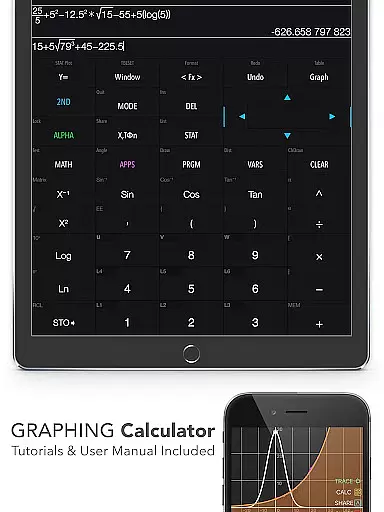
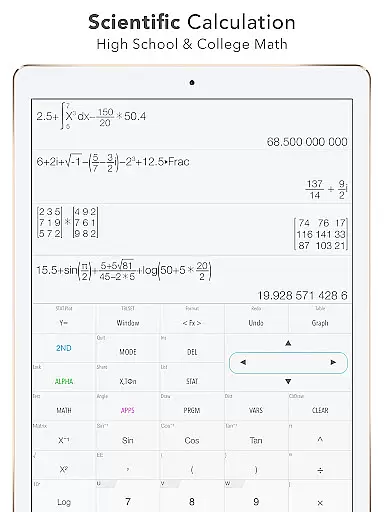
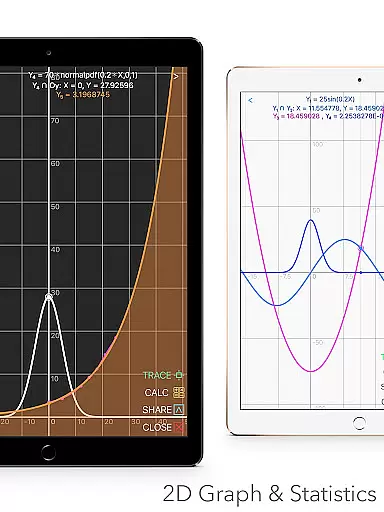
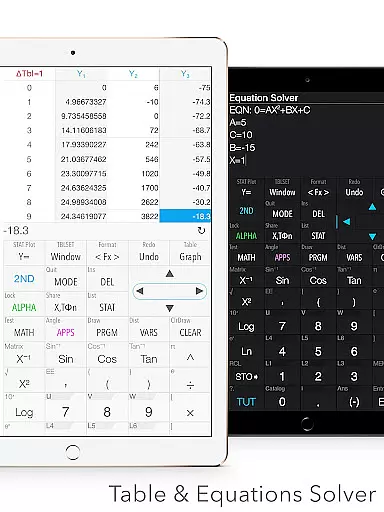
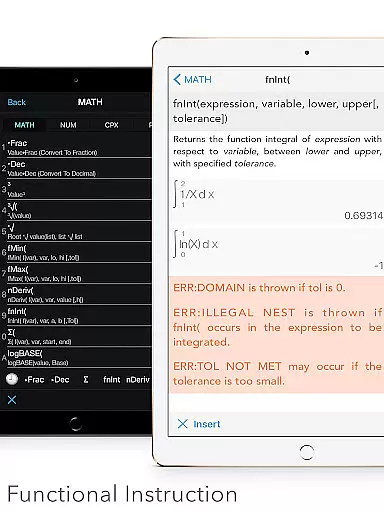
Graphing Calculator Plus represents the pinnacle of advanced calculation tools available on mobile devices, specifically designed for students, educators, and professionals in math-heavy fields. This app mirrors the functionality of traditional graphing calculators like the TI-84 but enhances them with modern mobile capabilities. It offers a comprehensive suite of mathematical functions, including 2D graphing, statistical analysis, matrix operations, and programming support.
The calculator's interface is intuitive yet powerful, featuring dual themes for user comfort and an extensive library of built-in documents that guide users through various calculations. Whether you're solving equations, performing regressions, or analyzing matrices, this app provides precise results every time. Its versatility makes it suitable for both academic and professional environments, ensuring users can tackle everything from basic arithmetic to complex calculus.
One standout feature is its ability to handle financial calculations using the TVM solver, making it invaluable for economics and finance students. The app also supports over 15 number bases and includes geometry and chemistry tools, broadening its appeal across multiple disciplines. With regular updates promising even more features, Graphing Calculator Plus is an indispensable tool for anyone serious about mathematics.
Graphing Calculator Plus distinguishes itself through a robust set of features tailored for diverse mathematical needs. At its core, the app boasts a powerful MATH CORE and MATH DISPLAY support, enabling seamless handling of complex calculations while presenting them in an easily readable format. Users can perform basic operations alongside advanced functions such as trigonometric computations, logarithms, and exponential analyses without any hassle.
A significant advantage lies in its graphing capabilities. The app allows simultaneous graph plotting with smooth zoom and transformation options, accommodating parametric, polar, and sequence graphs. Additionally, it identifies key points such as intersections, minima, and maxima, providing detailed traces for enhanced understanding. For those involved in statistics, the app offers comprehensive regression models and hypothesis testing functionalities, catering to both simple and complex data sets.
Beyond traditional calculator functions, Graphing Calculator Plus includes specialized modes like Number Base-N, which supports up to 64-bit integers and binary operations. The inclusion of a financial calculator and geometry/chemistry apps further extends its utility. These features collectively ensure that users have access to a versatile toolset capable of addressing virtually any mathematical challenge they might encounter.
In the realm of education, content accuracy is paramount for effective learning. Graphing Calculator Plus ensures precision by offering a comprehensive suite of calculation tools that are rigorously tested and proven to deliver correct results every time.
This app mirrors the functionality of renowned hardware calculators like the TI 84 and TI 83, which have long been trusted by students and professionals alike. With its powerful MATH CORE and MATH DISPLAY support, users can tackle everything from basic arithmetic to advanced calculus with confidence.
Graphing Calculator Plus goes beyond mere calculations by providing built-in documents and tutorials that guide users through various mathematical concepts and calculator functions. This educational support helps demystify complex mathematics and empowers learners to fully grasp the material at hand.
Moreover, the inclusion of over 40 common constants and a robust set of matrix operations means that all computations are grounded in authoritative mathematical standards. Users can trust that their explorations into statistics, regression analysis, or even programming will be based on reliable information.
Graphing Calculator Plus offers personalized learning paths by equipping users with customizable features tailored to individual needs. The app's Y-Var and custom function capabilities (F1, F2, F3) allow learners to define their own functions, fostering an environment where they can learn at their own pace and according to their specific interests.
With dual themes available, students can choose a visual setup that best suits their comfort level and thus enhance concentration while studying. Furthermore, the history tape view enables users to track their progress over time, reinforcing memory retention and understanding.
The ability to edit and export expressions and results supports self-directed learning journeys. Learners can save their work for later review or share it with peers and instructors for collaborative study sessions, creating a dynamic and interactive educational experience.
Finally, as new updates roll outu2014including geometry and chemistry applicationsu2014users will find increasing opportunities to tailor their learning experiences across different scientific disciplines. These evolving features ensure that each useru2019s path remains unique and engaging.
User-friendly interface
Comprehensive math functions
Advanced graphing tools
Regular feature updates
Dual theme options
Premium price point
Occasional bugs reported
Steeper learning curve
Limited offline support
Heavy on system resources

Ignite curiosity, spark learning: All babybus videos &games
 4.30
4.30
Learning the ancient Viking language made simple
4.70
Master the NRP with 700+ questions, rationales, and updated NREMT scenarios.
3.00
Hasbro's Classic Board Game - Make Cavity Sam better or get the buzzer!
3.50
Prepare for the BCBA / BCaBA exam. Study ABA with the ABA Wizard app.
4.60
The FE Clock is a way to track sun & moon around the circle of the earth.
4.30
Hasbro’s classic CANDY LAND game is now a gorgeous interactive storybook app.
2.30
Memorize anything efficiently with AnkiDroid! Many pre-built decks available.
4.80
Courses, certificates, degrees
4.50
Short Lessons for Better Finances, Health, Skills, Jobs & Relationships.
4.80
A realistic sky map to observe stars, planets, satellites and constellations!
4.80
Engage in learning science and math with the award-winning PhET simulations!
4.70
Intuitive Transformer Lab - By a Lineman, For Linemen & Apprentices
4.50
Practice Casino Roulette Payouts for Table Game Dealers and Croupiers
4.40
Turns you phone or tablet into TI graphing calculator (ROM required).
4.20
An aviator’s preparation, study and test tool for FAA Knowledge Exams.
4.10
FAR/AIM, FAR for Flight Crew and FAR for Aviation Maintenance Technicians
3.80
A collection of favorite stories from Daniel Tiger's Neighborhood
2.00
Animals pop up and make sounds—learn names and noises in Peekaboo Barn!
4.4


User Reviews