






Facebook is a leading social networking platform that connects people worldwide. It allows users to explore interests, connect with communities, and share their world in unique ways. The app's core features include Marketplace for shopping, personalized Feed curation, Meta AI assistance, engaging Reels content, and interactive search capabilities.
Beyond basic networking, Facebook empowers users to build meaningful connections through specialized groups, private messaging, and multimedia sharing options. Its robust communication tools support video and voice calls, while creative features like AI-generated stickers and advanced editing tools enable rich self-expression. The platform's comprehensive privacy controls let users manage their digital presence effectively.
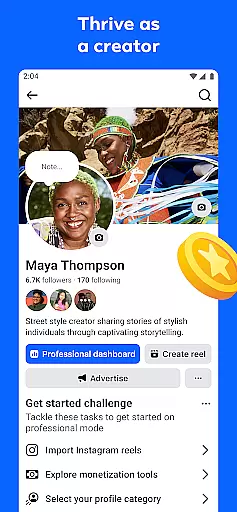
Particularly valuable for small business owners, Facebook serves as both a marketing platform and community-building space. They can showcase products through Marketplace, engage with customers via Groups, and promote their brand through creative content formats while maintaining control over their audience reach and privacy settings.
Facebook distinguishes itself through its comprehensive feature set designed for modern social interaction. The Marketplace function revolutionizes online shopping by connecting buyers and sellers within local communities. Users can refine their Feed experience using sophisticated preference settings, ensuring they see the most relevant content while filtering out unwanted posts.
The platform's integration of Meta AI provides instant information access, enhancing user productivity. Its Reels feature offers professionally produced and user-generated short-form videos tailored to individual interests. Advanced search functionality delivers interactive results that go beyond traditional text-based queries, making content discovery more engaging.
Communication tools stand out with multiple layers of interaction possibilities. From public posts to private messages, group discussions to one-on-one calls, Facebook supports various communication styles. The platform's creative suite enables users to produce professional-quality content through AI-powered image generation, story creation tools, and comprehensive video editing capabilities, all accessible directly from mobile devices.
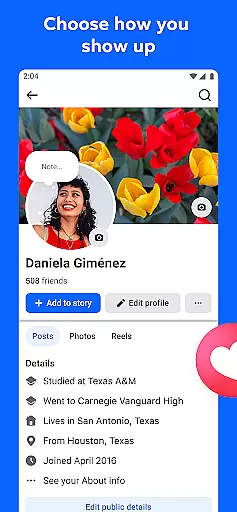
User profile customization is a crucial aspect of any social platform, allowing individuals to express their identity and control their online presence. Facebook offers extensive options for users to personalize their profiles, from choosing profile pictures and cover photos to detailed 'About' sections.
The platform ensures authenticity through its verification processes. This includes confirming user identities via phone numbers or email addresses and offering a blue verification badge for public figures and brands, signifying their authenticity. These measures help maintain the integrity of interactions on the platform.
For users, these features mean they can create a space that truly reflects who they are while connecting with others confidently. The ability to manage privacy settings further enhances this sense of security and personalization.
Ultimately, Facebook's approach to profile customization and verification fosters an environment where genuine connections can flourish. Users benefit from having control over their digital footprint while being able to trust the identities of those they interact with.
Connection discovery refers to the mechanisms through which a platform suggests potential contacts or communities that align with a user's interests and relationships. On Facebook, this process is powered by sophisticated algorithms analyzing various factors such as mutual friends, shared interests, and interaction patterns.
The platform provides multiple avenues for connection discovery. Users can find friends via synced contact lists, discover groups centered around specific topics, and connect with like-minded individuals through events or pages. These recommendations are tailored based on individual activities and preferences.
This feature significantly enriches the user experience by facilitating meaningful interactions. Whether itu2019s rekindling old friendships, joining niche communities, or networking professionally, Facebook makes it easier to expand oneu2019s social circle in relevant ways.
By prioritizing personalized suggestions, Facebook not only helps users grow their networks but also enhances engagement within the platform. This creates a vibrant ecosystem where people can continuously find new value and connections.
User-friendly interface
Extensive community reach
Versatile content formats
Robust privacy controls
Integrated AI assistance
Potential data privacy concerns
Regional feature limitations
Ad-heavy interface
Complex algorithm changes
Learning curve for new tools

Video call and chat, live stream and making friends around the world!
 4.60
4.60
Match, chat & date with singles nearby. The dating app to find true love
4.50
Meet Strangers Online, Live Video Chat & Make Random Video Calls on Joi!
4.30
Watch super live shows 24/7, chat & meet friends in Plamfy social networking app
4.70
Dating & make friend to chat, meet, flirt, and make real connections!
4.60
Unlimited calls & texts | WiFi voice line plus group txt | Call & text now
4.50
Go Live, Chat & Meet New People! Friends. And more than friends.
3.80
Connection Beyond Content
4.50
Free texting (SMS) to US, Canada & more. Free new number. Call free & Text free.
4.30
Date single & make friend
4.60
live inside your fandom
4.60
Watch 24/7 great live stream, or go live to boost your social followers!
4.50
Global short video platform: epic effects, trending videos & vibrant community!
4.40
Live video chat to connect with people around the world. Video chatting on Olive
4.40
Calling and texting app. 2nd virtual line plus new phone number. Txt & talk now.
4.40
Online group games like Mafia, Word War, Scattergories, Ludo, Uno, and many more
4.30
Second phone number for phone calls & texts. Text & SMS me now with a 2nd number
4.20
Sell unwanted items and buy preloved stuff in your local community.
4.10
Swipe, Meet & Chat Real People
3.80


User Reviews