
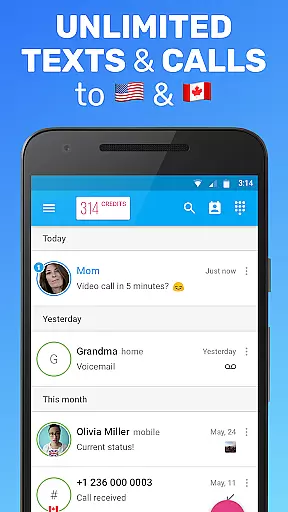

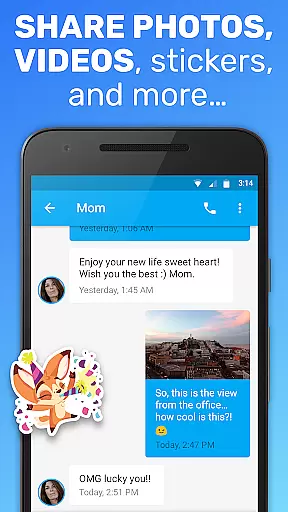
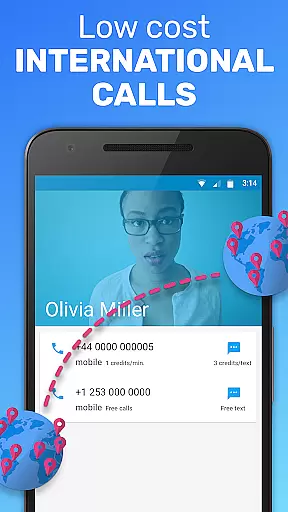
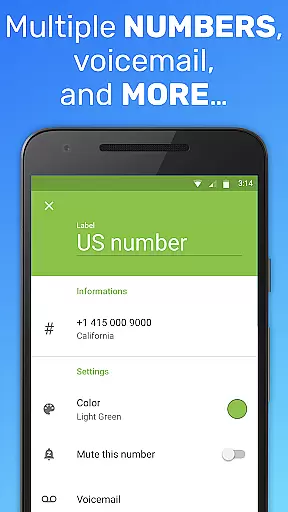
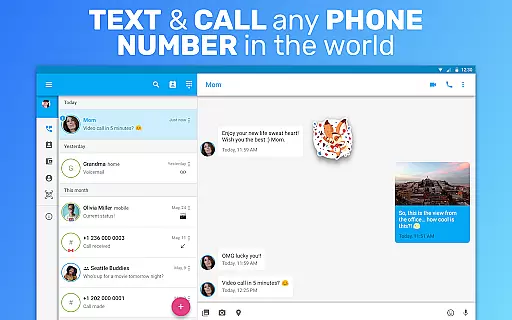
Text Me is a versatile social communication app that offers free texting, calling, and multimedia sharing services across the USA and Canada. The app provides users with a real phone number, enabling them to make voice calls, send texts, and even engage in group chats without any charges. It stands out by allowing users to turn their Android tablets into communication devices, expanding the ways you can stay connected.
One of the key highlights of Text Me is its ability to operate entirely on Wi-Fi, eliminating the need for a cellular data plan. This feature makes it an ideal solution for those seeking a secondary or burner number for anonymous communication. Whether you're looking to avoid international calling fees or simply want a separate number for personal use, Text Me delivers both functionality and privacy.
The app's true value lies in its comprehensive feature set that caters to various communication needs while ensuring user privacy. With unlimited free calls and texts within the USA and Canada, cheap international rates, and customizable settings, Text Me proves to be a robust tool for staying connected without compromising your personal information.
Text Me boasts an impressive array of features designed to enhance user experience in social communication. One standout feature is the provision of a real, anonymous phone number that allows users to make calls and send texts without revealing their identity. This function is particularly useful for those who require temporary or secondary numbers for privacy reasons.
In addition to basic calling and texting, Text Me supports multimedia messaging (MMS), voicemail, call forwarding, and even video calls. These features ensure that users can communicate in multiple formats, whether it's sending pictures, engaging in group chats, or forwarding important calls. The app also includes advanced customization options such as personalized signatures, text tones, and wallpapers, giving users control over their communication style.
Privacy and security are prioritized with features like passcode protection, text filtering, and the ability to hide conversations. Users can also preview messages on a locked screen and share GPS locations via text. With compatibility across major platforms like Google Voice and TextNow, Text Me ensures seamless integration into existing communication ecosystems while maintaining its unique offerings.
User profile customization is a crucial aspect of any social application, allowing users to express their individuality and establish trust within the community. Text Me offers an extensive range of customization options that enable users to personalize their profiles according to their preferences.
With Text Me, users can create and manage a real phone number for free, which serves as their identity on the platform. This feature not only provides anonymity but also ensures authenticity verification through the use of genuine USA and Canada phone numbers. Users have the flexibility to choose whether they want to remain anonymous or disclose their identity when making calls or sending texts.
The app further enhances user experience by offering customizable text tones, call tones, voicemail greetings, and backgrounds. These personal touches help in creating a unique presence on the platform while maintaining privacy controls such as passcodes and hidden conversations. Such comprehensive customization empowers users to tailor their interaction style without compromising security.
By integrating these features seamlessly into its interface, Text Me guarantees that each user's profile reflects their personality accurately while upholding stringent standards of authenticity verification. This dual focus on personalization and security fosters a trustworthy environment where meaningful connections can flourish.
Connection discovery is an essential feature in social apps, enabling users to find and connect with others effortlessly. Text Me excels in this area by providing robust tools that facilitate seamless connection discovery among its users.
One of the standout features of Text Me is its ability to turn Android tablets into fully functional communication devices. By assigning a real USA or Canada phone number to each device, it allows users to make calls and send texts from both phones and tablets. This versatility broadens the scope of connection possibilities, ensuring users are always reachable regardless of their device.
In addition to basic connectivity, Text Me supports advanced functionalities like group messaging and video calls. Group chats allow multiple participants to engage in dynamic conversations, fostering stronger community bonds. Meanwhile, video calling adds a personal touch to interactions, making them more engaging and lifelike.
Furthermore, Text Me incorporates intelligent filtering systems for texts and calls, ensuring that users receive only relevant communications. Features like unread message reminders and text message previews on locked screens enhance accessibility and convenience. Overall, Text Meu2019s sophisticated connection discovery mechanisms ensure that users can easily find and maintain valuable relationships within the app.
User-friendly interface
Free US and Canada calls
Anonymous texting
Unlimited free texts
Customizable settings
Limited free SMS offer
No iOS compatibility
Fair usage policy
Requires Wi-Fi
International call costs

Global short video platform: epic effects, trending videos & vibrant community!
 4.40
4.40
Watch, Edit, Upload and Share Gaming Clips
4.00
This is to support the developer of Infinity for Reddit. No exclusive features.
4.2
Video call, live video chat & talk to strangers. Meet people on Omega!
3.60
Follow the Truth! Join America's leading free-speech social platform.
3.10
Instant messaging — simple, fast, secure, and synced across all your devices.
4.00
SuperLive is a super popular video-streaming social network
4.60
Connection Beyond Content
4.50
Create & share photos, stories, & reels with friends you love
3.90
Watch super live shows 24/7, chat & meet friends in Plamfy social networking app
4.70
Dating & make friend to chat, meet, flirt, and make real connections!
4.60
live inside your fandom
4.60
A video app from OpenAI - AI video generation by the maker of ChatGPT
4.60
Live video chat to connect with people around the world. Video chatting on Olive
4.40
Social App Used By Millions
4.40
Meet Strangers Online, Live Video Chat & Make Random Video Calls on Joi!
4.30
FREE calling and texting (SMS texts + MMS) in US & Canada with FREE phone number
4.30
The official Skool app. Stay connected to your communities on the go.
4.20
Instant video chat with cool people. Live video call & make friends with Monkey!
3.80


User Reviews