
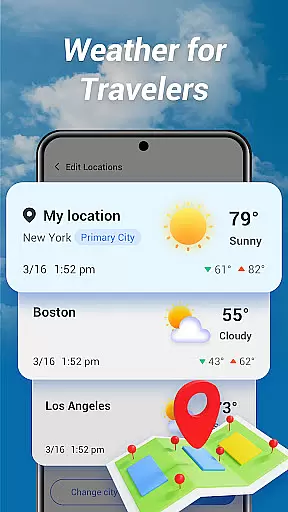
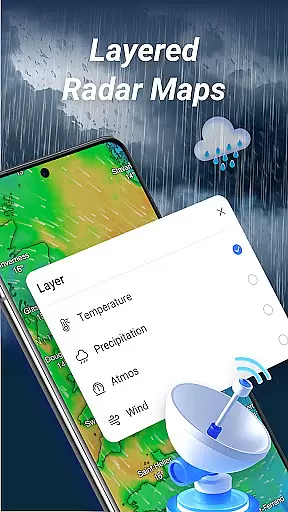
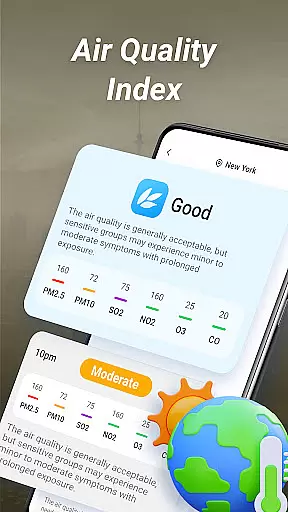
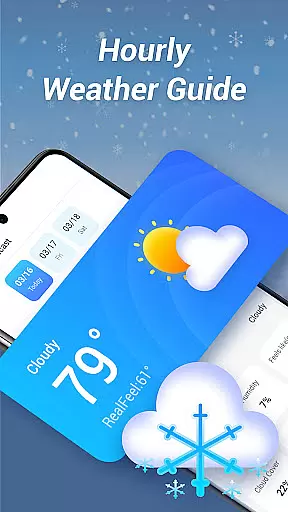
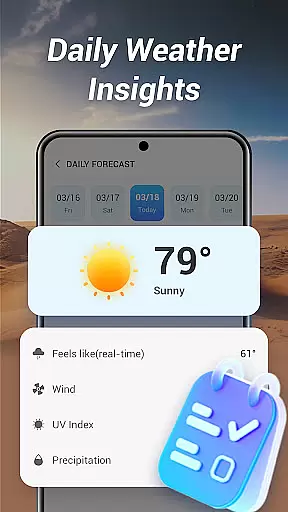
Good Weather is a comprehensive weather application designed to provide users with real-time weather updates and forecasts. The app offers global and local weather information, ensuring you are prepared no matter where you are. With features like layered live radar maps, air quality index (AQI) monitoring, and detailed hourly forecasts, it delivers essential data for both everyday planning and travel.
The app stands out with its clean, user-friendly interface that emphasizes clarity and usability. Whether you need to track storms, monitor temperature changes, or simply get a daily summary of the weather, Good Weather provides reliable tools to keep you informed. Its live radar maps allow you to visualize weather patterns with options to view temperature, humidity, and pressure layers, offering deeper insights into current conditions.
Designed for both casual users and those who require detailed climate data, Good Weather ensures you stay ahead of weather changes. From receiving timely alerts about significant weather events to accessing clear and concise daily summaries, this app proves invaluable for anyone looking to plan their day with confidence.
Good Weather boasts an array of features tailored to meet diverse user needs. One of its standout capabilities is the layered live radar map, which allows users to track rain, wind, and storms in real time. By switching between different map layers such as temperature, humidity, and pressure, users can gain deeper insights into weather patterns, making it easier to plan outdoor activities or travel.
In addition to its advanced radar technology, the app provides real-time air quality index (AQI) updates and weather alerts. These notifications ensure that users are always aware of any significant changes in weather conditions or air quality, helping them make informed decisions about their day. The hourly weather forecast feature further enhances this by delivering updates on temperature, wind speed, humidity, and cloud cover every hour.
Good Weather also excels in simplicity and clarity. Its daily weather summary offers a concise overview of the day's weather, removing unnecessary clutter while focusing on essential information. This makes it easy for users to quickly grasp the day's forecast without being overwhelmed by excessive details. Combined with a sleek design optimized for clarity, these features create a powerful yet user-friendly weather tool.
Accurate weather forecasting is essential for planning daily activities and ensuring safety during adverse conditions. Good Weather delivers precise real-time forecasts by leveraging advanced meteorological algorithms and reliable data sources.
The application provides global and local weather updates, ensuring users receive accurate information whether they are at home or traveling abroad. Its live radar maps offer layered insights into temperature, humidity, and pressure, enhancing the depth of the forecast.
Users benefit from hourly updates on critical metrics such as feels-like temperature, wind speed, and cloud cover. These frequent updates ensure that individuals can make informed decisions based on the latest available data.
By combining cutting-edge technology with a user-friendly interface, Good Weather establishes itself as a trustworthy tool for both casual users and professionals who rely on dependable weather information.
A comprehensive weather app must provide forecasts across both time and space to meet diverse user needs. Good Weather excels in this area by offering extensive temporal and spatial coverage for its forecasts.
With global weather tracking, users can access real-time updates not only for their current location but also for any destination worldwide. This feature is particularly valuable for travelers who need to stay prepared in unfamiliar environments.
The app's live radar functionality allows users to visualize weather patterns over large geographic areas. By switching between different data layers, such as rain, wind, and air quality, users gain a complete understanding of environmental conditions.
This broad forecast range empowers users to plan effectively for short-term activities and long-term trips, making Good Weather an indispensable companion for navigating various weather scenarios.
User-friendly interface
Accurate real-time data
Comprehensive weather maps
Detailed hourly forecasts
Global coverage
Limited customization options
Occasional data delays
No offline functionality
Ads in free version
Advanced features require subscription

Live local weather updates: various widgets & radar maps & hourly forecast.
 4.70
4.70
A powerful tool for ultimate weather awareness
3.50
Weather for Indiana, Kentucky and Ohio
4.90
Accurate weather forecast, daily weather changes are easy to grasp
4.90
Get accurate rainfall and snowfall totals for pinpoint locations on a map.
4.60
Powerful US and worldwide earthquake feed with earthquake alerts and maps.
4.60
A professional, comprehensive and accurate weather forecast app
4.90
Local weather forecast app, your personal 7*24 local weather forecast assistant.
4.90
All-in-one weather radar launcher with rain, temperature maps & local forecast.
4.30
Weather Forecast, Trending News, Hurricane & Storm Tracker, Alerts & Live Radar.
4.80
Hurricane Tracker, Rain Map
4.80
Nuts Weather, your ideal choice for knowing weather forecast & weather radar
4.70
Track lightning strikes with our thunderstorms map, radar and lightning alarm.
4.70
Powerful US and worldwide earthquake feed with earthquake alerts and maps.
4.70
Your ultimate app for accurate local weather information!
4.60
Local weather forecast, reliable daily weather report
4.30
Accurate weather forecast and beautiful weather & clock widgets
4.20
Stay Ahead Of Changing Weather Conditions
4.00
Your local weather app with storm radar, rain tracker, weather maps & AQI.
4.2


User Reviews