
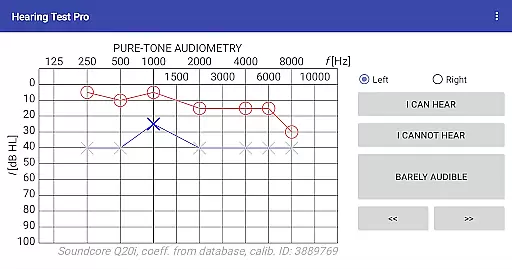
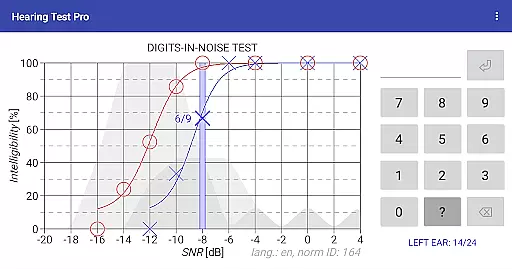
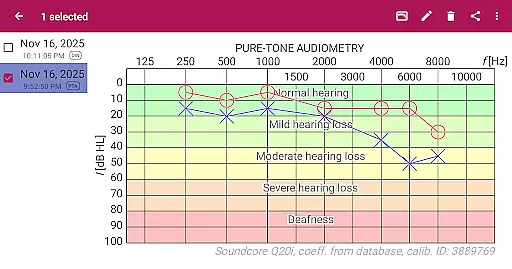
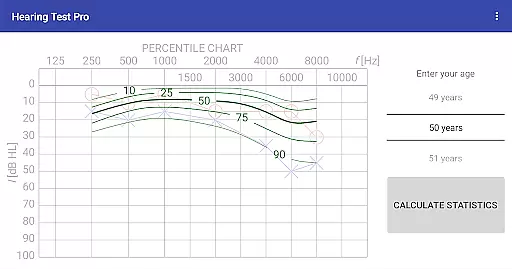
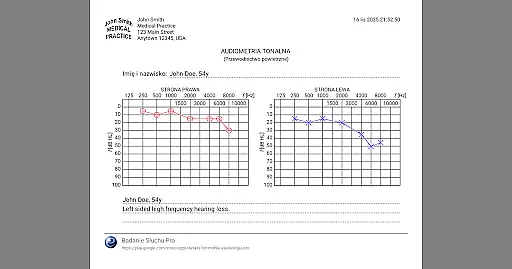
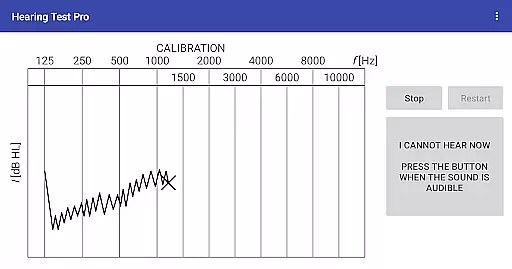
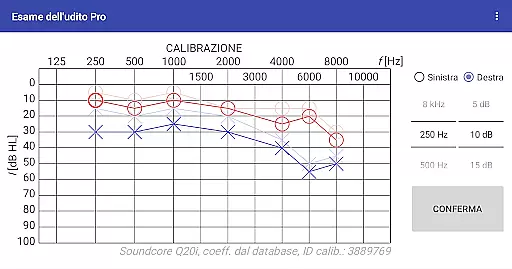
Hearing Test Pro is a comprehensive mobile solution designed for users to assess and monitor their hearing capabilities. The app provides two primary testing methods: pure-tone audiometry and the digits-in-noise test, which evaluate both the degree of hearing loss across different frequencies and speech intelligibility in noisy environments. These tests help establish individual hearing thresholds and offer insights into how well users can recognize speech amidst background noise.
In addition to its core testing features, Hearing Test Pro includes advanced functionalities such as high-frequency audiometry, classification of hearing loss, and comparison with age-related norms. Users can also calibrate their devices manually, ensuring accurate results even when using non-standard headphones. With options like result printing, note-taking, and calibration adjustments based on clinical audiometer data, this app serves as an essential tool for individuals seeking detailed auditory assessments.
Designed for both personal and professional use, Hearing Test Pro is particularly beneficial for audiologists, healthcare providers, and patients who require regular monitoring of hearing health. Its ability to store results locally or sync them via cloud services ensures that users have flexible access to their data, making it easier to track changes over time and make informed decisions about hearing care.
Hearing Test Pro stands out with its diverse range of specialized features tailored to deliver precise and reliable hearing evaluations. One of its key offerings is pure-tone audiometry, which uses bundled headphones and predefined calibration coefficients from an extensive database to determine the quietest sounds a user can hear at various frequencies. This feature not only helps identify the extent of hearing loss but also allows for personalized adjustments through manual calibration controls available in the Pro version.
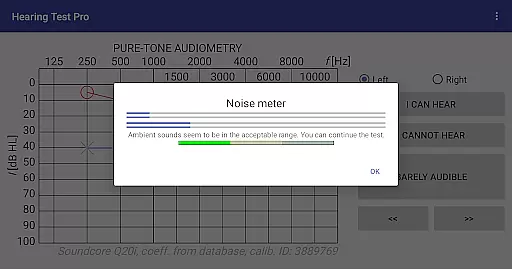
The app's digits-in-noise test further enhances its utility by assessing speech intelligibility. By presenting digit triplets against background noise, it measures how effectively users can discern spoken words in challenging auditory environments. Coupled with a built-in noise meter, these tests ensure optimal conditions for accurate results. Additional tools such as high-frequency audiometry, classification systems for different types of hearing impairments, and comparisons with normative data provide a holistic view of one’s auditory health.
For professionals requiring more robust data management, the Pro version offers offline access to test results through a local database, seamless synchronization across devices via cloud storage, and enhanced control over stimulus presentation during tests. Such innovations empower users to maintain consistent records, share findings effortlessly, and customize their testing experience according to specific needs.
In the realm of medical applications, content credibility is paramount. Hearing Test Pro establishes its authority by offering scientifically-validated hearing assessments. The pure-tone audiometry and digits-in-noise tests are grounded in audiological practices, ensuring that users receive professional-grade evaluations.
The app's reliance on predefined calibration coefficients from a database for pure-tone audiometry underlines its commitment to accuracy. Furthermore, features like classification of hearing loss and comparison with age-related norms are indicative of a deep integration of expert knowledge, providing users with context for their test results.
Additional functionalities such as high-frequency audiometry and calibration adjustment reinforce the app's dedication to precision. Users can trust that their hearing assessments are not only convenient but also align closely with clinical standards, making Hearing Test Pro a reliable tool for monitoring auditory health.
While Hearing Test Pro does not facilitate teleconsultations directly, it enhances the quality of potential virtual healthcare interactions through precise self-assessment tools. By enabling users to conduct thorough hearing evaluations at home, the app ensures that any subsequent teleconsultations can be more focused and informed.
The ability to store test results locally or synchronize them across devices via the cloud empowers users to share accurate, up-to-date information with healthcare providers. This seamless data accessibility supports high-quality remote consultations, allowing clinicians to make well-informed decisions based on comprehensive auditory profiles.
Moreover, advanced features exclusive to the Pro version, such as manual stimulus control during tests, further augment the detail and reliability of shared information. With Hearing Test Pro, users and professionals can engage in teleconsultations equipped with robust, clinically-relevant data, thus elevating the overall standard of remote auditory care.
Comprehensive hearing tests
Advanced calibration options
Cloud synchronization
Offline result storage
Manual stimulus control
Complex for beginners
Limited free features
Requires calibration
Premium version costly
Dependent on headphone quality

Health Care at Your Fingertips
 4.60
4.60
A comprehensive medical disease app.
5.00
Sync your blood glucose device, log values automatically and tame your diabetes!
4.60
Amplify surrounding sounds, conversations, TV or lectures for louder hearing.
4.70
HealtheLife lets you easily manage your health online.
3.20
ECG modules improve rhythm ID. ACLS is a simulator for cardiac arrest scenarios.
4.5
Search by insurance, see real-time openings & verified reviews, get care fast.
4.80
Discover the source of pain with Muscle Trigger Point Anatomy.
4.70
Get Rx fast at the pharmacy, schedule health care, and shop ExtraCare savings.
3.30
CPR Timer for High Performance AHA BLS / ACLS
5.00
myVCA is your tailor-made guide to raising a healthy and happy pet.
4.90
Want to make it easier to manage your health? We’re with you, wherever you are.
4.70
Get your lab results on your smartphone with MyQuest.
4.40
Download OctaApp for easy access to your plasma donation info
4.40
Manage your health care in one easy place
4.40
Voice pitch monitor for speech therapy, LSVT, Parkinson's, singing & trans
4.30
Crush your paramedic exam with NREMT-style tests, ECGs, and top-tier prep!
3.90
Easy access to benefits and rewards
3.70
MySafeRide simplifies booking and managing rides for health plan members.
3.50


User Reviews