

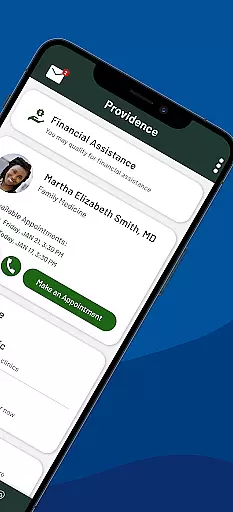
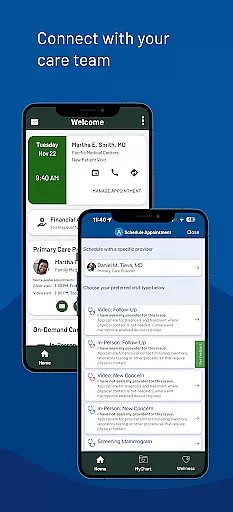
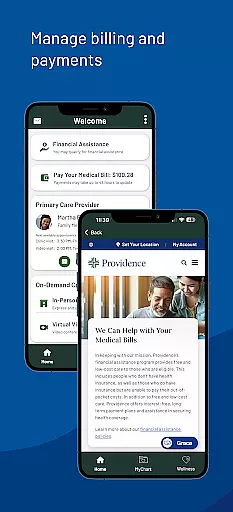
Providence is a comprehensive medical app that provides users with 24/7 access to healthcare services, resources, and programs. The app allows you to manage your healthcare needs conveniently from your mobile device. Whether it's booking appointments, accessing medical records, or paying bills, Providence streamlines these processes for ease of use.
One standout feature is the ability to connect with your care team virtually, making healthcare more accessible than ever. You can also receive personalized health recommendations and important reminders tailored just for you. With its intuitive design and robust functionality, Providence is an essential tool for anyone within the Providence healthcare network.
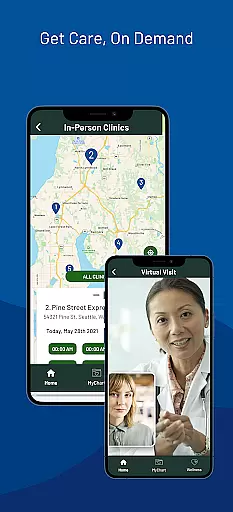
The app offers a wide array of features designed to enhance user experience and provide seamless healthcare management. Key functionalities include virtual consultations through ExpressCare, which allows users to get immediate medical attention without leaving their homes. Additionally, users can view wait times and queue remotely for local urgent care clinics.
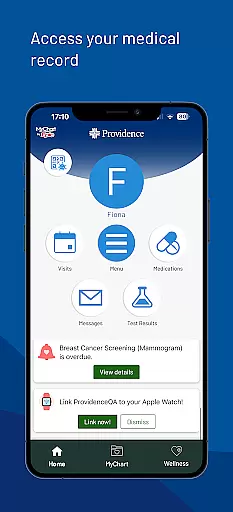
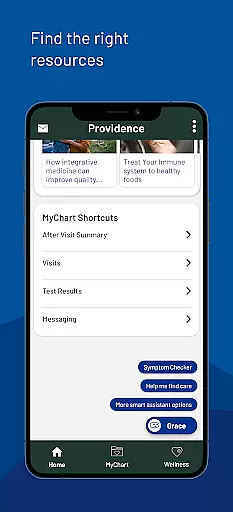
Another significant feature is the easy access to medical records. Users can retrieve lab results, read visit notes, and share their information securely. The app also includes a chatbot named Grace, which helps users navigate self-service options and find relevant resources quickly. These features collectively ensure that users have a comprehensive and efficient healthcare management tool at their disposal.
In the realm of digital health services, the credibility of medical content is paramount. The Providence app ensures that all information presented to users is thoroughly vetted by healthcare professionals and experts in their respective fields. This guarantees that whether you are reading about treatment options or exploring new health programs, the guidance you receive is reliable and trustworthy.
The app provides access to your medical records, including lab results and visit notes, all of which are sourced directly from your interactions with healthcare providers within the Providence network. This direct line to your health data means you can trust the accuracy and relevance of the information at your fingertips.
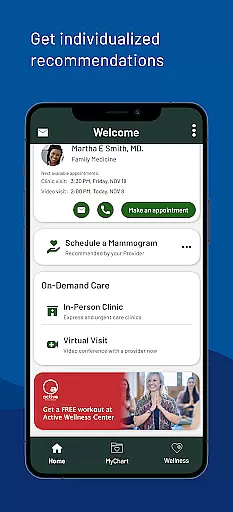
Moreover, individualized recommendations for health programs and resources are crafted based on expert analysis and tailored to fit your personal health profile. This personalized approach not only enhances user engagement but also fosters a deeper understanding of one's health conditions and management strategies.
Teleconsultation has become an essential component of modern healthcare delivery, and the Providence app excels in providing high-quality virtual visits. Through its ExpressCare feature, users can connect with healthcare professionals via virtual appointments, ensuring timely medical advice without the need for physical travel.
The app facilitates finding local urgent care clinics, checking wait times, and even joining a queue before leaving home. This seamless integration of telehealth services into daily life significantly reduces the barriers to accessing care, making it easier for individuals to prioritize their health.
Furthermore, the ability to send messages and view instructions from your care team enhances the continuity of care beyond the virtual visit itself. By maintaining open lines of communication, patients can feel confident in managing their health journey with the support of dedicated professionals just a tap away.
User-friendly interface
Comprehensive healthcare management
24/7 access to services
Personalized health recommendations
Secure medical record access
Limited to Providence network
Requires MyChart account
Occasional login issues
Some features region-specific
Potential privacy concerns

Spruce is the leading platform for HIPAA-compliant communication and care.
 4.90
4.90
Amplify surrounding sounds, conversations, TV or lectures for louder hearing.
4.70
The Better Pharmacy Experience
4.90
Easy access to benefits and rewards
3.70
Remote, medical-grade heart care at your fingertips
4.70
Take on apraxia and aphasia with a powerful video-driven speech therapy app.
4.60
Boost reading, writing, speaking and listening with a scientifically proven app.
4.70
The doctor will see you now
4.70
Access health information and communicate with your care team anytime, anywhere.
4.80
Elegant, easy-to-use period tracker for fertility, PMS symptoms, and more
4.90
Manage your healthcare through the FollowMyHealth® Universal Health Record.
4.80
Sync your blood glucose device, log values automatically and tame your diabetes!
4.60
Enjoy 200%+ volume booster with bass booster, equalizer and headphone supported.
4.60
Identify pills, search different drugs, get drug information and much more!
4.50
Assess and treat left neglect more effectively in stroke and brain injury rehab.
4.30
The Client Portal app empowers you to manage care from one secure place
4.10
Update medical records, view upcoming appointments, message your provider & more
3.80
MySafeRide simplifies booking and managing rides for health plan members.
3.50
MHealth is the mobile version of MEDITECH’s Patient and Consumer Health Portal.
3.10


User Reviews