
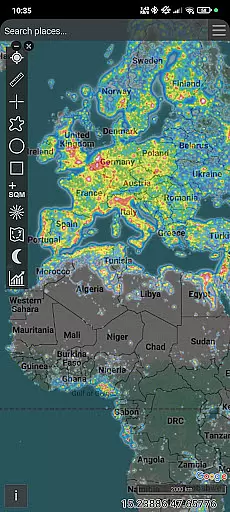
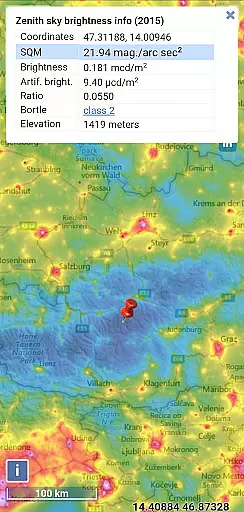
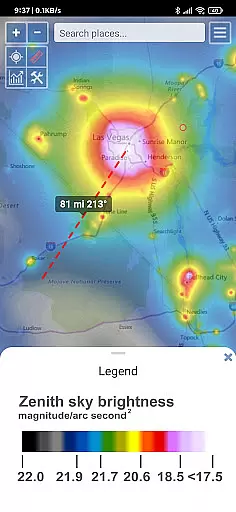
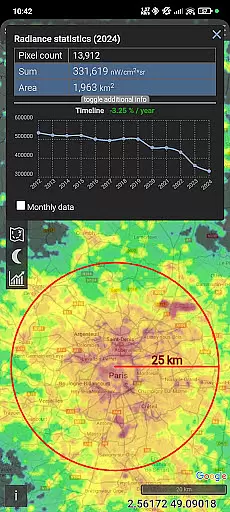
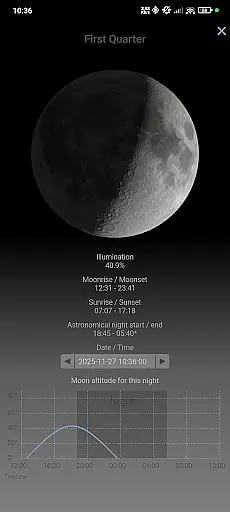
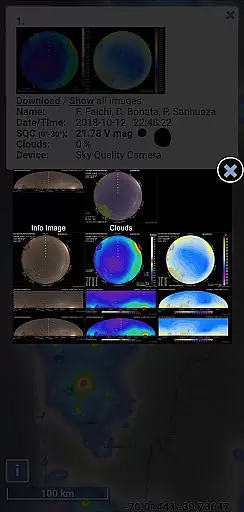
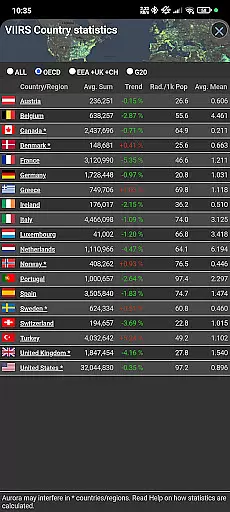
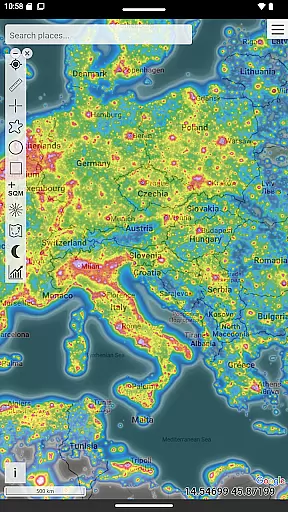
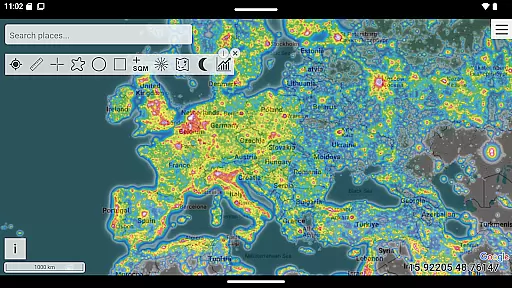
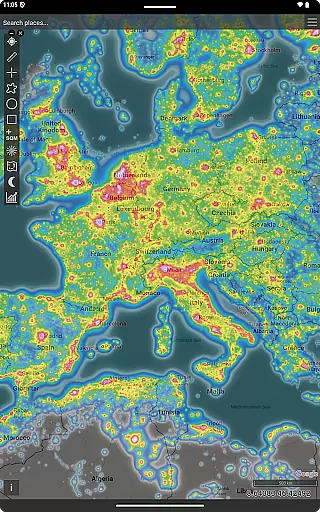
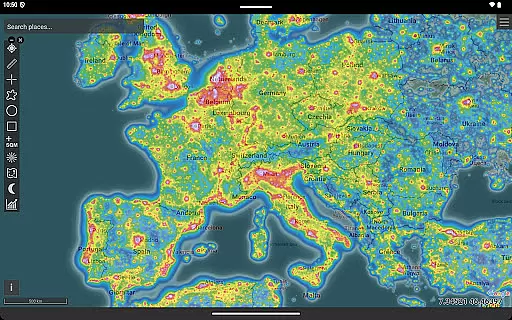
Light Pollution Map is an essential tool for anyone interested in exploring the darkest places nearby. By combining high-resolution VIIRS satellite data with an interactive global map, this app allows users to explore sky brightness and compare light pollution levels effortlessly. Whether you're an astronomer, astrophotographer, or simply a curious stargazer, this app provides access to the most accurate and up-to-date night-time light data available.
The app's standout feature is its ability to help users plan the perfect dark-sky trip or astrophotography session. With detailed overlays, various mapping tools, and MPSAS (magnitude per square arc second) estimation, users can easily find ideal locations for their activities. The inclusion of historical VIIRS data also enables tracking changes in light pollution over time, making it invaluable for both hobbyists and professionals.
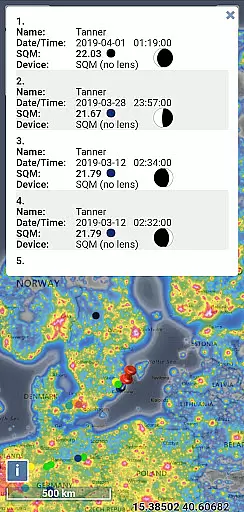
One of the key strengths of Light Pollution Map is its rich set of features tailored for diverse needs. The app offers an interactive light pollution map powered by VIIRS (Black Marble 2.0) satellite radiance, providing unparalleled accuracy in evaluating artificial sky glow. Users can switch between multiple datasets and utilize additional layers such as Aurora prediction, Clouds, and user-submitted SQM measurements.
Another notable aspect is the variety of mapping tools available. These include point/area info, moon info, brightness simulation, finding the closest dark site, and even adding your own SQM measurements. The app supports offline usage with World Atlas 2015 caching, ensuring accessibility even without an internet connection. Its intuitive interface, smooth controls, and fullscreen mode make navigation seamless, while the clean design respects user privacy by avoiding ads and tracking.
Map accuracy is essential for any navigation or location-based application, and Light Pollution Map excels in this area by providing highly precise data. The app uses high-resolution VIIRS satellite information, ensuring that users receive the most accurate representation of night sky brightness available.
This level of precision is achieved through the integration of NASA's VIIRS Day/Night Band data, which is trusted by research institutions and environmental agencies worldwide. Such reliable data allows users to make informed decisions when planning activities like astrophotography or stargazing.
For enthusiasts and professionals alike, having access to an accurate map means they can effectively locate the darkest spots for their celestial observations. This accuracy not only enhances user experience but also supports scientific research on light pollution.
Route planning within Light Pollution Map involves identifying optimal paths to areas with minimal light interference. This feature is particularly beneficial for astronomers and photographers who require dark skies for their work.
The app offers various tools such as finding the closest dark site and simulating sky brightness, which aid in meticulous trip preparation. Users can leverage these tools to ensure they reach their destinations efficiently while accounting for factors like moon phases and aurora predictions.
By integrating comprehensive route planning capabilities, the app empowers users to explore remote locations confidently. Whether it's for camping under starlit skies or capturing stunning images of the Milky Way, effective route planning significantly enriches the overall experience.
User-friendly interface
Accurate VIIRS data
Offline functionality
Multiple overlay options
Privacy-focused design
Premium price point
Steep learning curve
Limited free features
No real-time updates
Heavy on system resources

Start your next adventure confidently using our Accurate Compass App
 3.70
3.70
Route schedules, maps, and real-time tracking of MTA buses in New York City.
4.20
Voice GPS with driving directions, offline maps navigation GPS for safe travel
4.50
Phone Tracker and GPS Location Sharing
4.20
LIRR and Metro-North tickets and trips
4.80
Get route map navigation with 3D satellite view, and live earth camera streaming
3.70
GPS Navigation: Get map directions and find the shortest routes to avoid delays!
4.00
Live Satellite view app for find GPS navigation Direction and live location map
3.70
Navigate MTA, NJ Transit, MBTA, SEPTA, BART, MARTA, CTA & 900+ cities
4.60
Parcel map, property lines, owner, acres, land use, zoning and more from Regrid.
4.60
Instant diesel discounts - save big with each fill up!
4.40
GPS navigation offers route finder, compass, translator, currency converter, etc
4.30
Lets explore the world's famous places by using Live Cams, GPS & Satellite View.
4.20
Use GPS Maps and GPS Voice Navigation to find your way and get directions
4.10
Easy, Moderate and difficult offroad adventures.
4.00
MapQuest is your go-to app for maps, GPS, voice navigation & live traffic.
3.80
Gas Station & Fuel Rewards Points
3.70
Navigate via GPS Maps of GPS Voice Navigation, driving directions to find routes
3.60
Fully offline 1:50k New Zealand topographical map North Island
4.4


User Reviews