
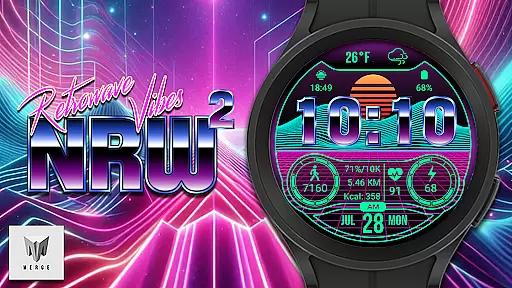
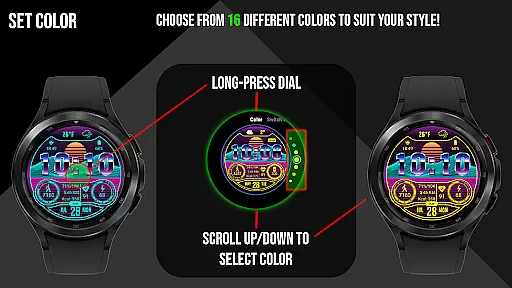
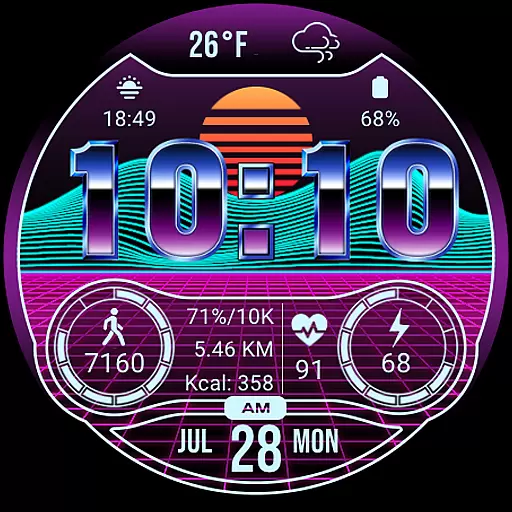
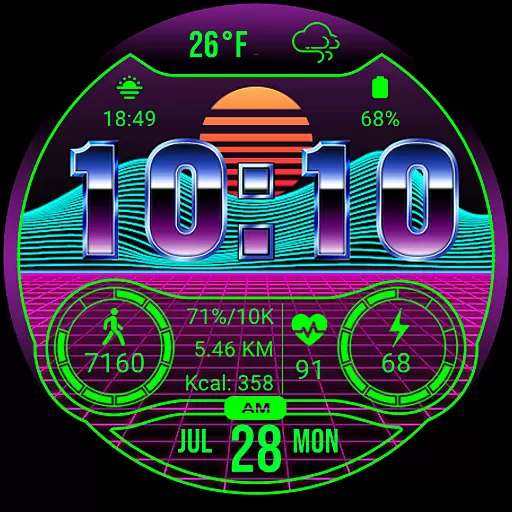
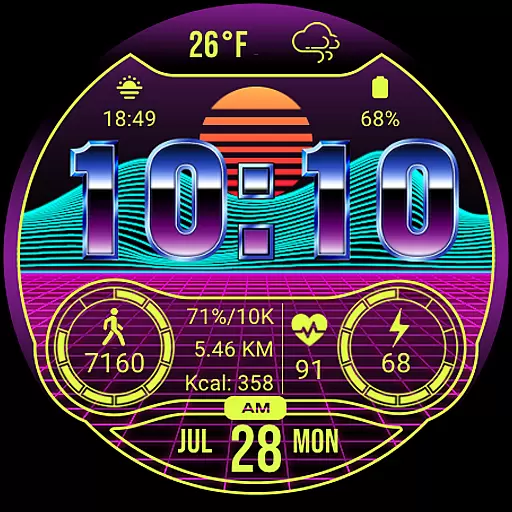
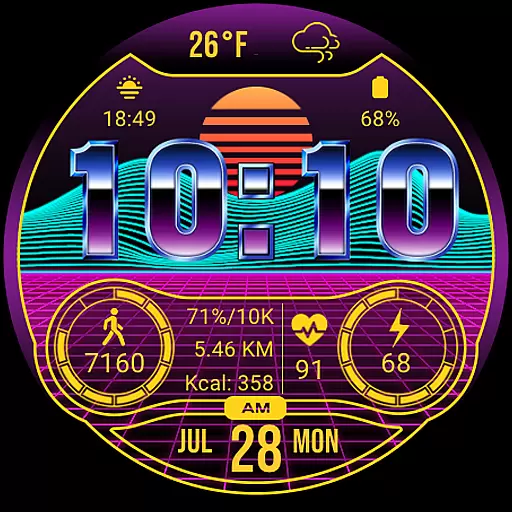
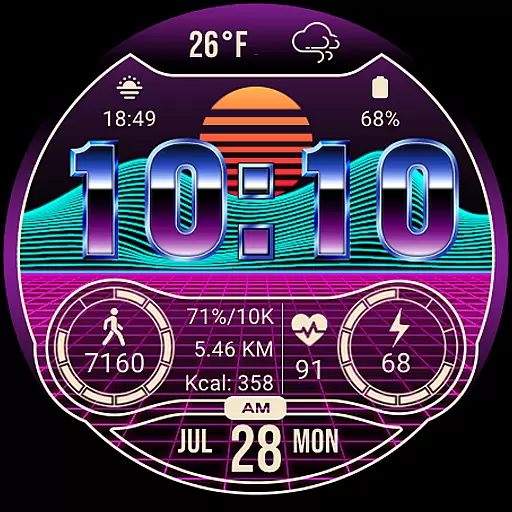
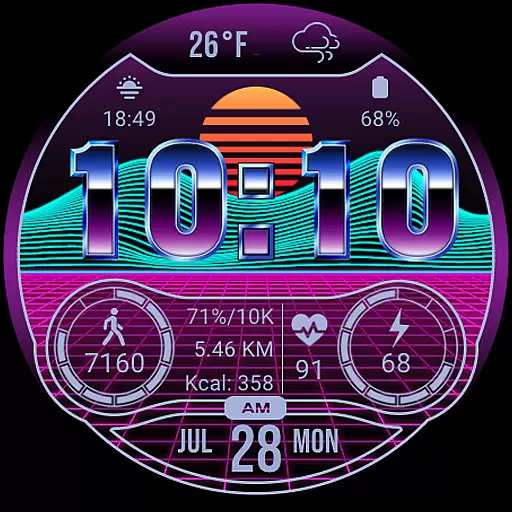
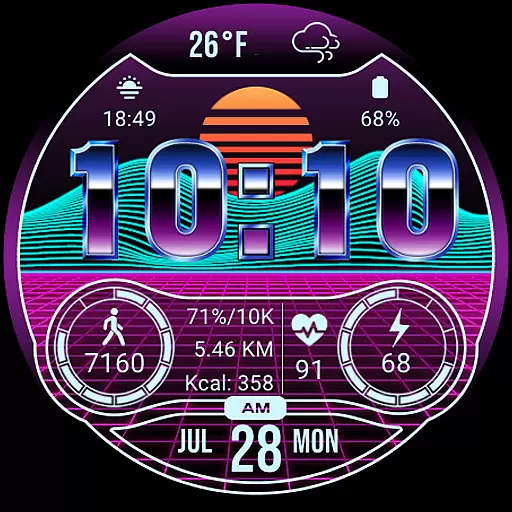
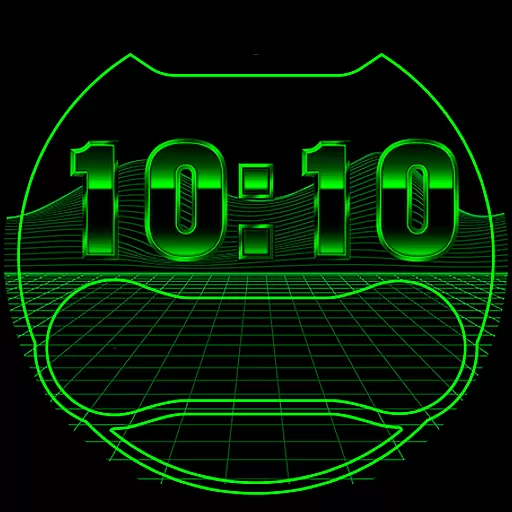
Merge Labs NRW2 is a smartwatch face designed for fans of Retro wave and Synth wave aesthetics. This unique watch face brings a distinctive style to your Wear OS device, offering not only visual appeal but also practical functionality. It features a custom 'chromed' font by Merge Labs and includes built-in weather temperature and icons. With 17 color options, users can personalize their experience while accessing essential information such as battery level, daily step count, heart rate, and more.
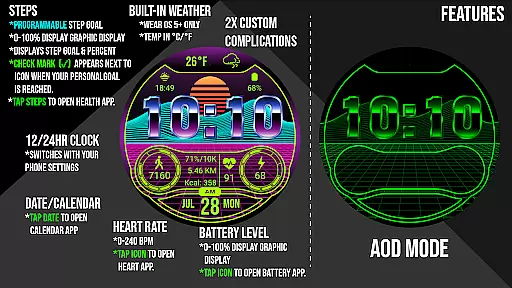
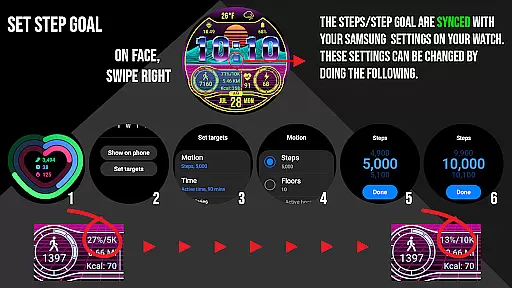
The watch face displays numerical battery levels with graphic indicators and syncs daily step goals through health apps like Samsung Health. It also shows calories burned and distance traveled in either kilometers or miles. Additionally, the heart rate feature allows users to monitor their BPM directly from their wrist. The clock format adjusts according to the device's settings, displaying either 12-hour or 24-hour time. Users can further customize their experience using the 'Customize' menu, which includes options like blinking colon on/off.
Merge Labs NRW2 stands out with its array of features tailored for both style and utility. One notable feature is the custom-made 'chromed' font exclusive to Merge Labs, giving the watch face a unique look that taps into the Retro wave/Synth wave vibe. Weather enthusiasts will appreciate the built-in custom weather temperature display and icons, accessible by tapping the weather area to open the Weather App.
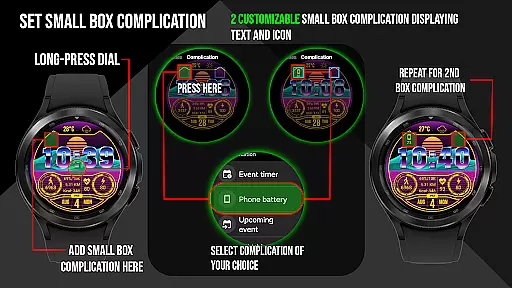
This smartwatch face offers 17 different color choices, allowing users to match their personal style. Two small box customizable complications support both text and icon formats. Battery management is simplified with a displayed numerical battery level and graphic indicator, which opens the watch battery app when tapped. Fitness tracking includes a daily step counter with a graphic indicator synced via Samsung Health or default health apps, along with calories burned and distance traveled metrics. Heart rate monitoring is available at a tap, launching the default Heart Rate App. The clock format adapts to the device’s settings, and additional functions like KM/Miles can be set within the 'Customize' menu.
In the realm of wearable technology, lifestyle category coverage is crucial for a comprehensive user experience. Merge Labs NRW2 offers an extensive suite of features that cater to various aspects of daily life, ensuring users have access to essential information at a glance.
This smartwatch face provides 17 different color options and customizable complications, allowing users to tailor their watch to their personal style. The inclusion of weather temperature and icons, along with the ability to open the Weather App by tapping the weather area, ensures that users are always informed about environmental conditions.
Health and fitness metrics are prominently displayed, including daily step counters, calorie burn, distance traveled, and heart rate monitoring. These features sync with health apps like Samsung Health, offering a holistic view of the user's wellness journey. Additionally, the tap-to-open functionality for associated apps enhances accessibility and convenience.
With its Retro wave/Synth wave aesthetic, Merge Labs NRW2 not only delivers practical utility but also appeals to fans of this unique music and fashion genre, making it a standout choice in the lifestyle category.
Content authenticity and expert credibility are vital components of any digital product, especially when it comes to health-related data provided by wearable devices. Merge Labs NRW2 demonstrates a strong commitment to these principles through its meticulously designed features and integrations.
The watch face includes a custom-made 'chromed' font and built-in weather icons, both crafted by Merge Labs, ensuring originality and consistency in design. This attention to detail extends to the display of health metrics such as heart rate (BPM), daily steps, calories burned, and distance traveled, which are all sourced from reliable health apps like Samsung Health.
Furthermore, Merge Labs NRW2 allows users to interact directly with their data by tapping on specific areas to launch related apps, such as the Weather App, Steps/Health App, and Heart Rate App. This seamless integration not only enhances user engagement but also reinforces the credibility of the information presented.
By providing clear instructions and visual indicators, such as a checkmark to denote achieved step goals, Merge Labs NRW2 ensures that users can trust the accuracy and reliability of their health and lifestyle data, fostering confidence in their daily routines.
Unique Retro wave design
Comprehensive health tracking
Customizable color options
Integrated weather updates
User-friendly interface
Limited to Wear OS
No advanced fitness metrics
Requires third-party apps
Not suitable for all styles
Battery usage may vary

What is my face shape? Find out your face shape from picture, see fitting frames
 3.90
3.90
Big bold hybrid watch face with 30 colors, 5 fonts & 5 complications.
4.4
A uniquely designed isometric digital watch face made for Wear OS
4.5
See wait times and check into a hair salon ahead of time with Online Check-In.
4.80
Zodiac & Horoscope Launcher: Daily Sign Predictions & Astrology
4.40
Communicate with your vehicles and Powerwalls anytime, anywhere
3.60
Colorful selection floral watch face with gyro for Wear OS
4.60
PARAVOX 4 is a professional ITC paranormal research application.
4.50
LineLearner, the quick way to learn lines.
2.90
Made To Order Faves
4.70
The all-new Cync app. The simple, connected app for Cync and C by GE.
4.50
This app is intended to support professional EMDR therapy.
4.50
Cute Adorable Animals now on your wrist with our Wear OS watch face!
4.40
Subwoofer school’s in session! You’ve now enrolled into KICKER U.
3.80
Big bold digital watch face with 30 colors, 6 complications and AOD.
4.1
Duo Watch Face (animated)
4.3
Bring the warm colors of fall directly to your wrist with Autumn Leaves!
4.0
The cutest Autumn watchface featuring the adorable Mr. Squirrel
4.1
Wear your favorite memories, loved ones, pets or travel photos on your watch
4.3


User Reviews