
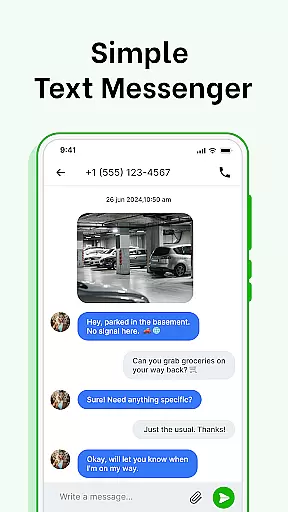
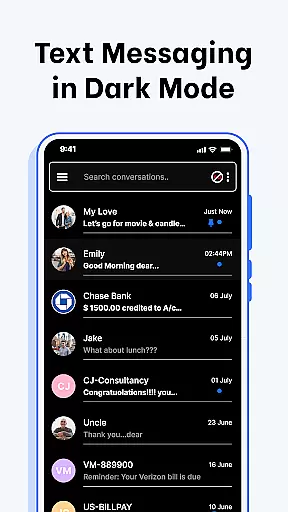
Messenger SMS - Text Messages is a feature-rich communication app designed to enhance your messaging experience. The app allows users to send quick SMS messages, schedule texts, and personalize their conversations with expressive emojis, stickers, and GIFs. With built-in organization tools, it automatically categorizes messages into Personal, Transactions, OTPs, and Offers, making inbox management effortless.
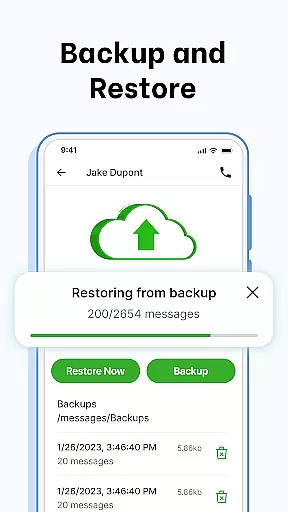
One of the standout features is its customization options. Users can tailor notification alerts, choose chat bubble colors, and set up swipe actions for better inbox organization. Additionally, the app supports secure backup and restore functionality, ensuring that conversations are safely stored. Whether you need to schedule a birthday wish or block unwanted contacts, Messenger SMS provides a comprehensive solution for all your texting needs.
This app is particularly useful for individuals who rely on text messaging for both personal and professional communication. By combining traditional SMS capabilities with advanced features like delivery confirmation and voice calls, it ensures reliable and efficient communication. Messenger SMS is compatible with a wide range of Android devices, making it accessible to a broad audience.
Messenger SMS offers an array of innovative features that cater to various messaging needs. One of the key highlights is the ability to customize notification alerts. Users can control notification previews, ringtones, wake screen settings, and vibration patterns for individual contacts and chats, providing a personalized messaging experience.
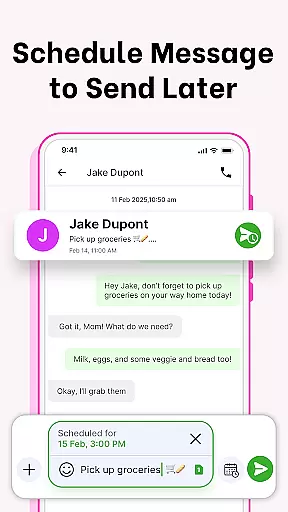
The app also includes a message scheduler, allowing users to plan and automate their communications. Whether it's sending work reminders or birthday wishes, scheduling messages in advance adds convenience to everyday interactions. Furthermore, the SMS Backup and Restore feature ensures that important conversations are never lost, offering peace of mind with just one click.
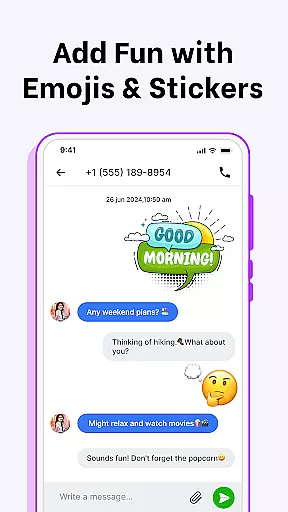
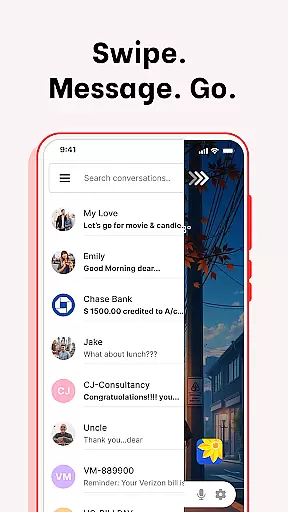
Expressive communication is another strong suit of Messenger SMS. With a vast library of emojis, stickers, and GIFs, users can add flair to their messages. The app also supports swipe actions, enabling quick management of the inbox by archiving, deleting, or marking messages as read or unread. These features collectively enhance user engagement and streamline the messaging process.
Real-time messaging speed and reliability are crucial for maintaining seamless communication in any messaging app. Messenger SMS - Text Messages ensures that your messages are delivered instantly, allowing you to stay connected with friends, family, and colleagues without delays.
The app employs advanced technologies to optimize message transmission speeds. Whether you're sending a quick text or engaging in an extended conversation, the app maintains consistent performance. This reliability is particularly important for time-sensitive communications such as work reminders or birthday wishes.
With delivery confirmation features, users can be confident that their messages have been successfully sent and received. This peace of mind enhances the overall messaging experience, making it more dependable. The combination of fast delivery and confirmation notifications ensures that users never miss an important message.
Moreover, the app's compatibility with a wide range of devices, including Samsung, Xiaomi, and Google, guarantees that users experience consistent performance regardless of their hardware. This cross-device reliability makes Messenger SMS a versatile choice for all your communication needs.
Media sharing support is an essential feature for modern messaging apps, enabling users to share photos, videos, and other files effortlessly. Messenger SMS - Text Messages excels in this area by providing robust support for various media formats, enhancing the way you communicate and express yourself.
The app allows you to send high-quality images and videos without compromising on speed or quality. With built-in optimizations, media files are compressed just enough to ensure fast transmission while maintaining clarity. This balance between speed and quality ensures that your shared memories look as vivid as possible.
In addition to traditional media, the app supports expressive elements like emojis, stickers, and GIFs. These features allow you to add personality and emotion to your conversations, making them more engaging and fun. Whether you're celebrating a special occasion or simply brightening someone's day, these tools help convey your feelings effectively.
Messenger SMS also integrates voice calls directly within the app, offering a comprehensive communication solution. By combining text, media, and voice capabilities, the app provides a versatile platform for staying connected. This integration simplifies switching between different modes of communication, ensuring you always have the right tool at your fingertips.
User-friendly interface
Customizable notifications
Scheduled messaging
Secure backup
Voice call integration
Limited iOS support
Occasional bugs
Ads in free version
Large app size
Requires permissions

 3.90
3.90
BiP is a fast, secure, free messaging and HD video calling app!
4.10
Fast and simple walkie talkie app
4.20
Enjoy secure messaging & calling. Safe Messenger: group chats, calls, messages.
4.20
Browse fast on Opera Mini, with Data Saving, News, Football Scores, and Download
4.60
Stay in touch with the people who matter most.
4.60
A customizable phone number in the cloud
4.20
Build your web browser around you with private search, and more.
4.60
Group Chat That’s Fun & Games
4.30
A browser that does more than load page, like keeping your privacy safe.
4.70
Messenger, an MMS & SMS messages app with Blockers, Driving mode & Private box
4.60
Connect and browse the internet with a fast VPN proxy server and IP blocker.
4.50
Experience real private browsing without tracking, surveillance, or censorship.
4.50
Federated instant messaging for your mobile device (Jabber, XMPP, Snikket)
4.10
WazzapMigrator: transfer your WhatsApp history from iPhone to Android
4.00
Tether to Windows, OS X, Linux PCs or Android tablets. No root. No tether fees.
3.90
Secure Messaging App to Enhance Messenger Texting Experience and Organize SMS.
3.50
A Browser with powerful ad blocker to help focus on what really matters.
3.00
Bringing the functionality of Winlink to your Android device
4.0


User Reviews