


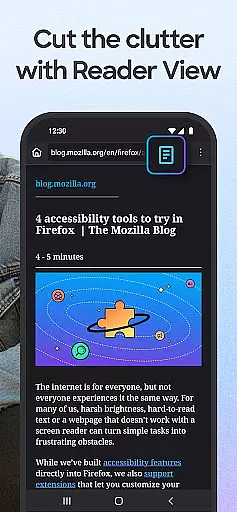
Firefox Fast & Private Browser is a top-tier communication tool designed to provide users with a secure and customizable browsing experience. As a privacy-focused browser, it offers automatic tracker blocking, enhanced tracking protection, and private browsing modes that ensure your online activities remain confidential. The application is suitable for users who prioritize security while maintaining speed and efficiency in their internet usage.
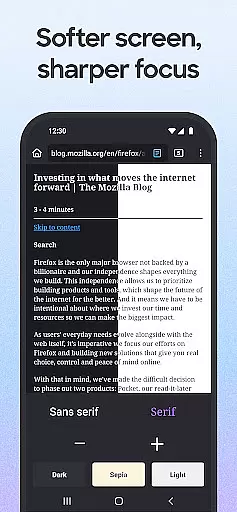
The browser's user-friendly interface allows for easy tab management and seamless synchronization across devices through a Mozilla account. Whether you're on mobile or desktop, Firefox ensures that your passwords, bookmarks, and open tabs are accessible wherever you go. Additionally, features like dark mode help conserve battery life while reducing eye strain during extended browsing sessions.
With over 20 years of commitment to user privacy and security, Firefox continues to innovate by offering tailored search engine options, helpful add-on extensions, and multimedia controls that enhance productivity. Its dedication to remaining non-profit and independent sets it apart from other browsers, making it an ideal choice for those seeking a reliable and ethical browsing solution.
Firefox Fast & Private Browser stands out with its comprehensive feature set designed to enhance user privacy and browsing efficiency. One of its key features is the automatic tracker blocking, which prevents social media trackers, cross-site cookie trackers, crypto-miners, and fingerprinters from monitoring your online behavior. This functionality not only protects your data but also speeds up page loading times by eliminating unnecessary scripts.
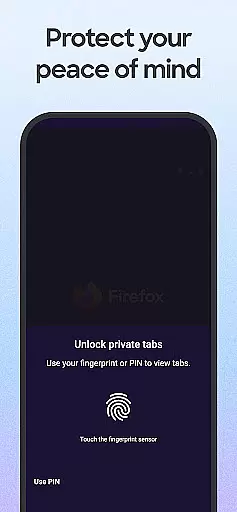
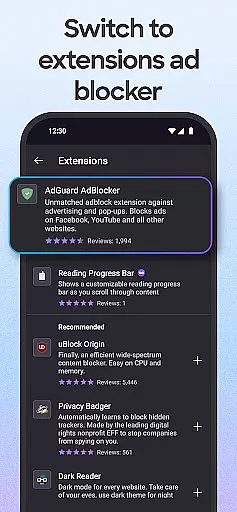
Another notable feature is the Enhanced Tracking Protection, which can be set to 'strict' mode for even more robust privacy safeguards. Users can customize their search engine preferences and choose from various ad blocker extensions to eliminate unwanted pop-ups and ads. The private browsing mode adds an extra layer of security by automatically deleting your browsing history when you close the app, and it can auto-lock with face, fingerprint, or PIN authentication.
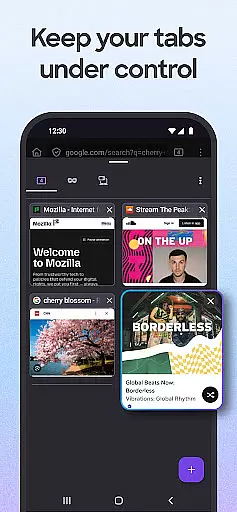
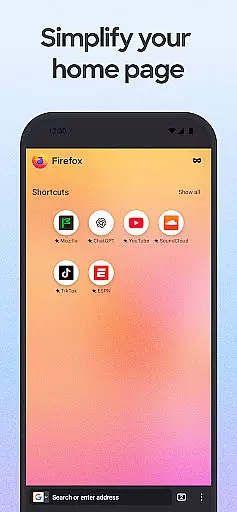
Firefox also excels in usability with its easy-to-manage tabs, password management system, and multimedia controls. You can organize multiple tabs using thumbnail or list views and sync them across devices via a Mozilla account. The browser suggests and securely stores passwords, offers tailored search engine options, and includes a home screen with recent bookmarks and popular articles. These features collectively create a personalized and efficient browsing experience that prioritizes both privacy and convenience.
Real-time messaging speed is crucial for any communication platform, and Firefox Fast & Private Browser excels in this area by ensuring that your interactions on the web are as swift as possible. The browser's optimized performance allows users to send and receive messages without noticeable delays, providing a seamless communication experience.
Firefox achieves this reliability through its advanced network management and data processing capabilities. By prioritizing essential communications and minimizing latency, it ensures that every message reaches its destination promptly. This is particularly beneficial when using web-based messaging services or applications where timing can be critical.
For users, this means they can rely on Firefox not only for browsing but also for staying connected with others. Whether you're chatting with friends, collaborating with colleagues, or engaging with online communities, the real-time messaging feature keeps you engaged without interruptions or frustrating lag times.
Moreover, the stability of Firefoxu2019s architecture supports consistent message delivery even during high-traffic periods. This reliability fosters trust among users who depend on their browser to maintain active and responsive communication channels throughout their daily activities.
Media sharing support is an integral part of modern web browsers, allowing users to exchange images, videos, and other multimedia content effortlessly. Firefox Fast & Private Browser enhances this experience by offering robust media sharing capabilities that cater to both casual surfers and professionals alike.
The browser supports a wide range of file formats, making it versatile for different types of media sharing needs. Whether you're sending large video files or high-resolution images, Firefox handles these tasks efficiently without compromising on speed or quality. Its compatibility with various platforms ensures that shared media retains its integrity across devices.
Additionally, Firefox provides intuitive tools for managing media uploads and downloads. Users can easily drag and drop files into chat windows or upload them directly from their device libraries. This ease of use encourages more dynamic interactions online, whether for personal enjoyment or professional collaboration.
By integrating strong privacy protections, Firefox also guarantees that your shared media remains secure. With features like automatic tracker blocking and enhanced tracking protection, users can share confidently knowing their data is safeguarded against unauthorized access or misuse.
Strong privacy protections
Customizable search options
Efficient tab management
Secure password handling
User-friendly interface
Limited native integrations
Occasional performance lags
Fewer default extensions
Requires account sync
No built-in email client

Identify unknown numbers, block spam calls, customize calls with cool themes.
 4.60
4.60
Messages: Fast, simple SMS app with scheduling and smart features.
4.00
Fast Dialer & Contact Manager with Caller ID and Spam Protection
4.00
A softphone with crystal clear SIP Calling & Reliable VoIP dialer
4.00
SMS Messenger is a lightning-fast messaging app.
4.20
Get through your inbox faster with the mail app designed to simplify your life.
4.40
Simple tool for businesses to talk to their customers.
4.40
Caller ID, Spam Call & SMS Blocker
3.80
Group Chat That’s Fun & Games
4.30
Useful. Social. Expressive.
4.70
Welcome to the future of phone service.
4.60
Messenger, an MMS & SMS messages app with Blockers, Driving mode & Private box
4.60
Stay in touch with the people who matter most.
4.60
Our Black Friday sale is here. Unlock special discounts on Proton Mail now.
4.30
Google's fast and secure browser
4.10
Measure BHP, Torque & 0-60 Clear car OBD faults View engine data in Google Earth
4.00 3.90
3.90
Message and video call your family and friends in HD!
3.80
TeamSpeak - Secure Chat for Gaming & Business
3.10


User Reviews