
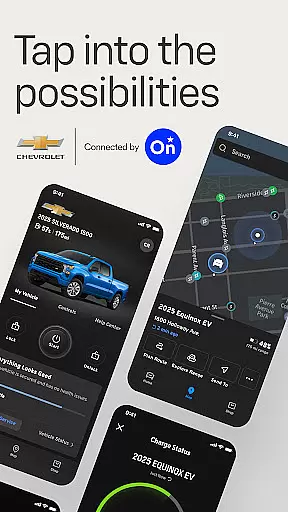
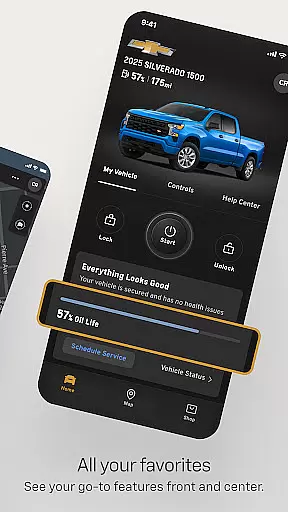
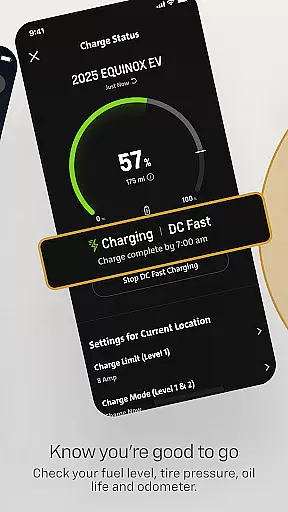
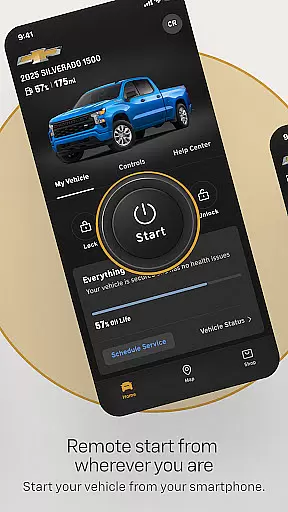
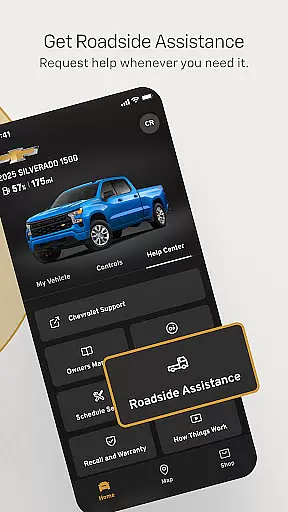
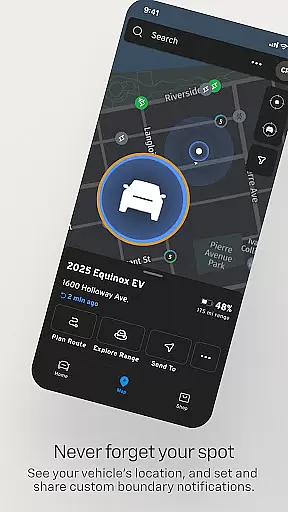
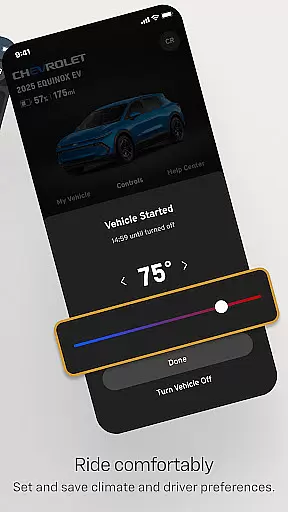

myChevrolet is a comprehensive vehicle management app that allows users to control and monitor their Chevrolet from their mobile device. The app provides key features such as remote start, climate control settings, and vehicle location services. It also offers maintenance tracking including fuel level, tire pressure, oil life, and odometer readings. Additionally, users can schedule service appointments and request Roadside Assistance directly through the app.
This app is particularly useful for Chevrolet owners who want to streamline their vehicle management process. By providing real-time access to essential vehicle functions and diagnostics, myChevrolet enhances the ownership experience by offering convenience and peace of mind. Whether you need to warm up your car on a cold morning or quickly locate it in a crowded parking lot, this app puts control at your fingertips.
The myChevrolet app stands out with its robust set of features designed to make vehicle ownership more convenient. One of the standout capabilities is the remote start function, which allows users to start their vehicle from anywhere, ensuring a comfortable cabin temperature before they even enter the car. The app also includes climate control settings, enabling users to adjust the interior temperature remotely.
Another significant feature is the vehicle locator, which helps users find their parked car using GPS technology and provides walking directions. Maintenance monitoring is another critical aspect, where users can check their fuel level, tire pressure, oil life, and odometer readings. Furthermore, the app simplifies service scheduling and offers easy access to Roadside Assistance, making vehicle upkeep straightforward and stress-free.
The myChevrolet app offers a comprehensive suite of features that cater to various aspects of vehicle ownership, making it an essential tool for Chevrolet drivers. This application goes beyond basic functionalities by integrating advanced vehicle controls and maintenance tracking, which are crucial elements in the lifestyle category.
Users can remotely manage their vehicle's environment through climate control settings, locate their car with GPS accuracy, and receive important vehicle health updates including fuel levels and tire pressure. These capabilities ensure that users have all necessary information at their fingertips, enhancing both convenience and safety.
In addition to vehicle management, the app provides easy access to roadside assistance and service scheduling, demonstrating its commitment to supporting drivers in every possible scenario. Such extensive coverage of lifestyle needs makes the myChevrolet app a standout choice for modern vehicle owners looking to simplify their automotive experience.
Authenticity and reliability are paramount when it comes to vehicle management applications, and the myChevrolet app excels in these areas. Developed in collaboration with OnStar, a leader in vehicle connectivity, the app ensures that all provided information is accurate and trustworthy.
Each feature within the app, from remote start to maintenance alerts, is designed based on expert knowledge of Chevrolet vehicles. This guarantees that users receive precise data about their car's status and performance, directly sourced from the manufacturer.
Furthermore, the inclusion of verified roadside assistance services and detailed disclosures regarding functionality limitations underscores the app's dedication to transparency and user trust. By prioritizing content authenticity and leveraging expert insights, the myChevrolet app establishes itself as a credible companion for Chevrolet owners worldwide.
User-friendly interface
Comprehensive vehicle controls
Convenient maintenance tracking
Remote start functionality
Direct access to Roadside Assistance
Limited to select Chevrolet models
Requires data connection
Functionality varies by region
Potential subscription fees
Dependent on OnStar system

What is my face shape? Find out your face shape from picture, see fitting frames
 3.90
3.90
This minimalist yet classic board design brings a futuristic twist to your wrist
4.20
Use your device sensors to detect energy and convert it into spoken words.
4.10
Unique "Isometric" style digital watch face for Wear OS
4.50
Make money, get paid cash rewards & gift cards for every survey. Earn today!
4.60
Creativity and savings for kids, beginners and experts in arts and crafts
3.50
Simple, stylish & fresh watch face. Customize colors, gradients & complications.
4.70
The App can control Roborock vacuum cleaners from anywhere with rich features.
4.60
Earn money for every survey and game you play, and get real rewards every time
4.50
Play. Earn. Repeat. Get rewarded for playing mobile games. Welcome to Mobius!
4.80
Stay connected with your loved ones & vehicles | Share live GPS location updates
4.60
A smart Siddur with halachic times
4.50
Play fun games, complete quick surveys, and earn money. It's fun and easy!
4.40
SmartHQ: Your Connected Home Command Center
4.10
Spirit Communicator is a real paranormal ghost hunting app with many fun modes.
3.90
Unique informative Dial with Live Moon Phase at a glance!
3.60
Easily manage your child's playtime, spending messaging and more.
3.50
Turn your watch into a key fob for your Tesla
2.90
Big bold hybrid watch face with 30 colors, 5 fonts & 5 complications.
4.0


User Reviews