
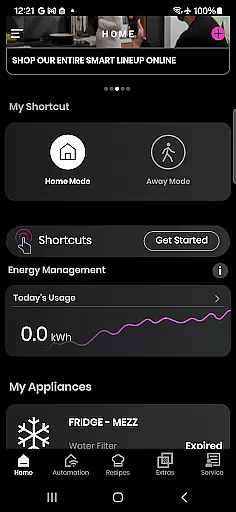
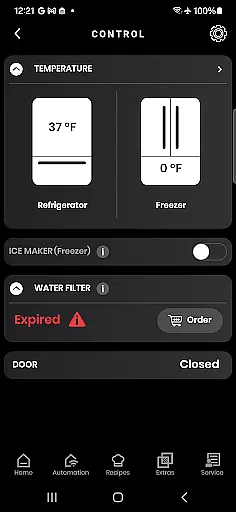
SmartHQ is a comprehensive lifestyle application that allows users to effortlessly control and monitor their smart appliances from leading brands such as GE Appliances, Profile, Café, Monogram, Fisher & Paykel, and Haier. The app serves as a central hub for managing various smart home devices, ensuring convenience and peace of mind.
With its remote control capabilities, SmartHQ enables users to manage their appliances from anywhere, providing real-time monitoring and control. The app also supports voice integration with Amazon Alexa and Google Assistant, allowing for hands-free management. Additionally, users can stay informed through timely notifications, receive software updates, and personalize their experience by creating shortcuts and downloading new modes.
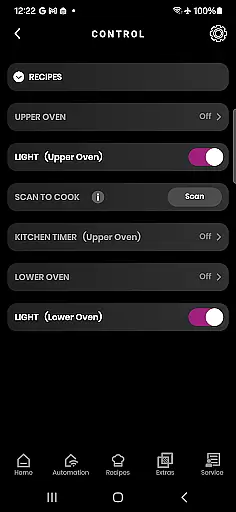
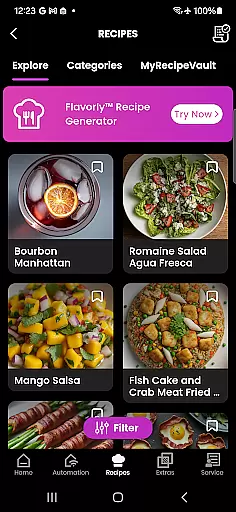
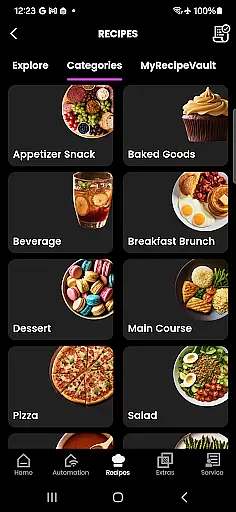
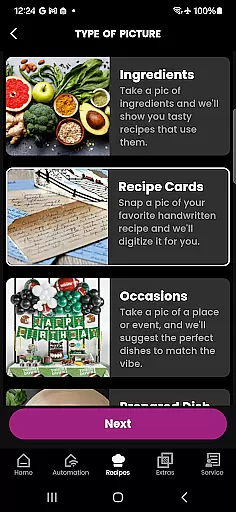
The app offers enhanced cooking experiences with features like Flavorly AI recipe generation, oven progress monitoring via built-in cameras, and pairing with smart cookware and probes. It also facilitates convenient product registration, expert help through the SmartHQ Assistant, proactive service alerts, diagnostics tools, and scheduling technician visits. These features collectively contribute to a smarter, more connected home environment.
SmartHQ stands out with its extensive feature set tailored for smart home management. One of its key features is remote control, which allows users to monitor and manage their appliances from any location, ensuring both convenience and security. This functionality is complemented by voice integration, enabling users to interact with their devices using Amazon Alexa and Google Assistant.
The app provides timely notifications about appliance status, including alerts and updates, ensuring users are always informed. Software updates are seamlessly delivered to keep appliances running efficiently and to introduce new functionalities. Personalization options allow users to create shortcuts for frequently used functions and download new modes, enhancing user engagement and satisfaction.
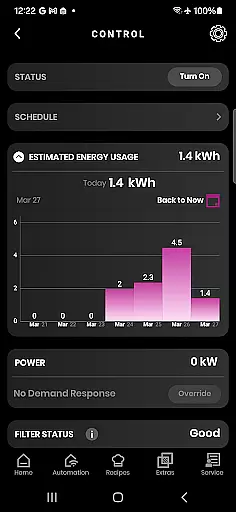
SmartHQ also includes energy and water usage monitoring, offering insights into consumption patterns and helping users make informed decisions. The enhanced cooking experience is supported by Flavorly AI for recipe generation, oven progress tracking with built-in cameras, and compatibility with smart cookware and probes. Additional features include convenient product registration, access to expert help, proactive service alerts, diagnostic tools, and scheduling services, all contributing to a holistic smart home solution.
SmartHQ offers an extensive range of features that cater to various aspects of home management, making it a comprehensive tool for modern living. The app supports smart appliances from multiple brands including GE Appliances, Profile, Cafu00e9, Monogram, Fisher & Paykel, and Haier, ensuring broad compatibility.
With functionalities ranging from remote control and voice integration to energy monitoring and enhanced cooking experiences, SmartHQ covers numerous lifestyle categories. Users can manage their appliances' software updates, receive timely notifications, and even generate cooking recipes using Flavorly AI, providing a holistic approach to home appliance management.
The app also facilitates convenient product registration and access to expert help through the SmartHQ Assistant. Proactive service alerts and easy scheduling for technician visits further enhance its utility, ensuring users have support whenever needed. This wide array of features underscores SmartHQ's commitment to covering all essential facets of a connected home lifestyle.
SmartHQ ensures content authenticity by offering verified information and expert-backed solutions for managing smart appliances. Each feature within the app is designed based on genuine user needs and expert recommendations, enhancing the reliability of the guidance provided.
Users benefit from accurate notifications about their appliances, including alerts and updates that are sourced directly from the manufacturers. The inclusion of the SmartHQ Assistant adds another layer of credibility, as it provides answers to appliance questions backed by expert knowledge, ensuring users receive trustworthy advice.
Moreover, the app's proactive service alerts and diagnostics tools are developed in collaboration with technical experts to address real issues effectively. By integrating these credible resources, SmartHQ not only informs but also empowers users with authoritative content, fostering confidence in their ability to manage household appliances efficiently.
User-friendly interface
Comprehensive device support
Remote monitoring capability
Voice command integration
Proactive maintenance alerts
Limited third-party compatibility
Requires specific hardware
Premium feature costs
Occasional connectivity issues
Country-specific limitations

Take Hobby Lobby with you wherever you go!
 3.40
3.40
Easily manage your child's playtime, spending messaging and more.
3.50
A watch face with transparency and fluid visuals inspired by liquid glass design
4.4
Zodiac & Horoscope Launcher: Daily Sign Predictions & Astrology
4.40
My Diary - Daily Journal with lock: Diary journal app and secret diary with lock
4.80
Creativity and savings for kids, beginners and experts in arts and crafts
3.50
LineLearner, the quick way to learn lines.
2.90
The Wyze app is your gateway to a smarter life and a safer home.
4.40
Earn money for every survey and game you play, and get real rewards every time
4.50
See wait times and check into a hair salon ahead of time with Online Check-In.
4.80
Get roadside help, discounts, travel tools & more — AAA is with you everywhere.
4.80
Smart & Healthy Living
4.60
Premium floor cleaning robots
4.50
This app is intended to support professional EMDR therapy.
4.50
The Work of Byron Katie— the mobile app for inner peace.
4.40
What is my face shape? Find out your face shape from picture, see fitting frames
3.90
Communicate with your vehicles and Powerwalls anytime, anywhere
3.60
Duo Watch Face (animated)
4.2
Immerse yourself in the serenity of lavender fields and white butterflies
4.2


User Reviews