
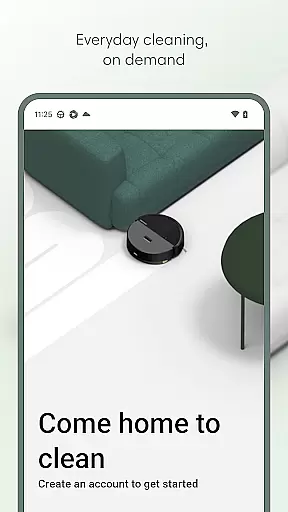
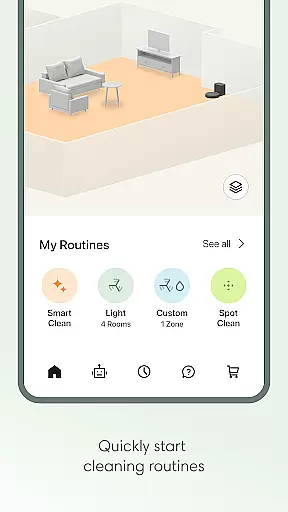
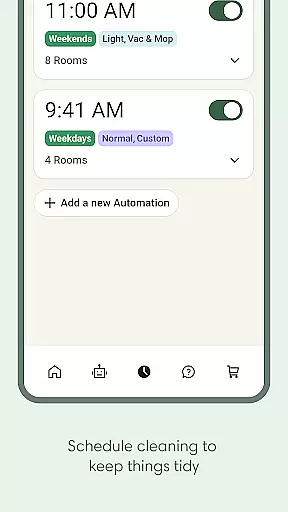
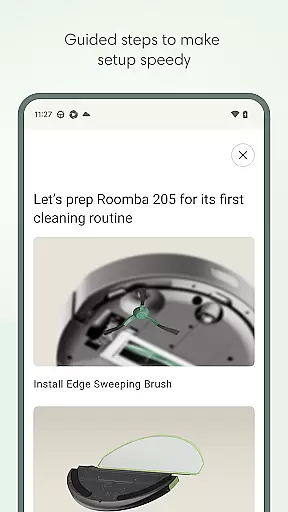
Roomba Home is a comprehensive lifestyle app designed to elevate your home cleaning experience. Compatible with Roomba 100, 200, 400, 500, and 700 series robots sold after March 2025, this app offers intuitive control over your robotic vacuum cleaner. Users can easily start, stop, or schedule cleaning sessions, adjust settings, and create personalized cleaning routines.
The app provides advanced features such as detailed home mapping, real-time cleaning insights, and smart home integrations. With voice control compatibility through Alexa, Siri, or Google Assistant, managing your cleaning tasks has never been easier. The proactive maintenance dashboard ensures your robot stays in optimal condition, offering intelligent recommendations for seamless daily use.
Roomba Home stands out with its robust feature set tailored for modern home cleaning needs. The app's Routine Builder allows users to effortlessly create customized cleaning schedules, selecting specific rooms and adjusting cleaning settings like suction power and mopping intensity. This level of customization ensures each room is cleaned exactly how you prefer.
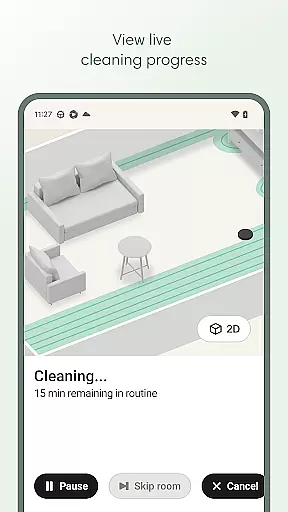
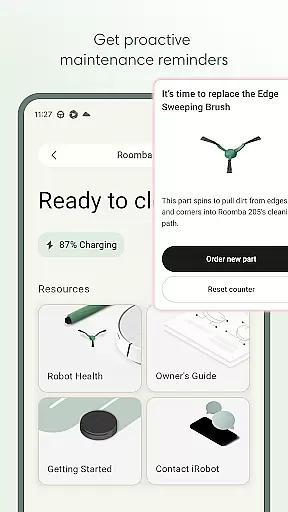
One of the standout features is the ability to save up to five detailed maps of your home. You can label rooms, add zones, and mark furniture locations for targeted cleaning control. Real-time insights provide visibility into where and how your robot is cleaning, allowing you to manage it on the go. Additionally, the Health Dashboard monitors both the robot and accessory health, providing timely maintenance alerts and troubleshooting tips.
The Roomba Home app offers comprehensive lifestyle category coverage by integrating multiple essential home management features into one intuitive platform. This application is designed to elevate your cleaning routine through seamless smart home integration and advanced cleaning customization options.
With compatibility across various Roomba series, the app provides users with detailed control over cleaning schedules, routines, and settings. Whether you need to vacuum, mop, or both, the app allows precise adjustments to suction levels, mopping liquid amounts, and cleaning passes. This ensures every user can tailor the cleaning process to their specific needs and preferences.
Beyond basic cleaning functions, the app includes proactive product maintenance alerts and real-time cleaning insights. These features help users maintain optimal performance of their Roomba devices while providing complete visibility into the cleaning process. The inclusion of voice control through Alexa, Siri, and Google Assistant further expands its lifestyle coverage by enabling hands-free operation.
Roomba Home app demonstrates strong content authenticity and expert credibility through its manufacturer-backed development and rigorous compatibility standards. As an official iRobot product, the app delivers verified and reliable information about Roomba devices, ensuring users receive accurate operational data and maintenance recommendations.
The application's detailed setup guides and intelligent recommendations are crafted by cleaning technology experts. These features help users optimize their cleaning routines based on proven methodologies and professional best practices in home maintenance.
Furthermore, the app's Health Dashboard and maintenance notifications are developed based on extensive research and engineering expertise. This technical foundation ensures that all provided information and suggestions are both accurate and beneficial for maintaining peak device performance. The integration with smart home systems also reflects current industry standards for home automation technology.
User-friendly interface
Advanced cleaning customization
Real-time cleaning insights
Voice control compatibility
Proactive maintenance alerts
Limited to newer Roomba models
Requires 2.4 GHz Wi-Fi network
No 5GHz network support
Premium features may need subscription
Initial setup can be time-consuming

Paranormal EVP, Ghost Box, Spirit box, ITC, Haunted, Spirit communication device
 3.70
3.70
Spiritus Ghost Box is an Audio and Visual ITC tool for paranormal research.
4.00
Spirit Communicator is a real paranormal ghost hunting app with many fun modes.
3.90
Customize your Wear OS watch with festive Christmas figures and colors!
4.0
Kasa Smart is your portal to your TP-LINK Smart Home.
4.70
The Miracle Box includes methods used by Steve Huff of Huff Paranormal.
3.20
DailyGift can help you record your habits and get rewards along the way!
4.60
AAA Mobile provides on-the-go access to the services you know and trust.
4.60
Decorate your home screen with custom icons, color widgets, themes & wallpapers
4.70
Daily lessons from A Course in Miracles with scheduled reminders
4.80
Your store’s deals, where you are.
4.80
Simple, stylish & fresh watch face. Customize colors, gradients & complications.
4.70
A smart Siddur with halachic times
4.50
Redecor your home with Home AI interior design, room planner and home designer.
4.50
Zodiac & Horoscope Launcher: Daily Sign Predictions & Astrology
4.40
Material You inspired colors with BIG and Bold looks for Wear OS watches.
4.20
Easily manage your child's playtime, spending messaging and more.
3.50
Unique Dual Colors with 6 Custom Complications for Wear OS watches!
3.40
Celebrate the holidays with Advent Calendar: daily surprises and festive fun!
4.2


User Reviews