
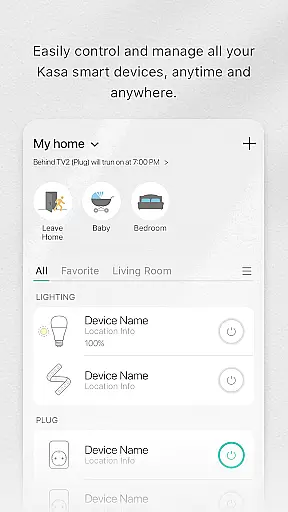
Kasa Smart is a comprehensive home automation app designed to manage TP-LINK smart devices. It allows users to remotely control and schedule smart plugs, switches, bulbs, cameras, routers, and range extenders. With its intuitive interface, the app provides seamless integration of all compatible devices, enabling centralized management from anywhere in the world.
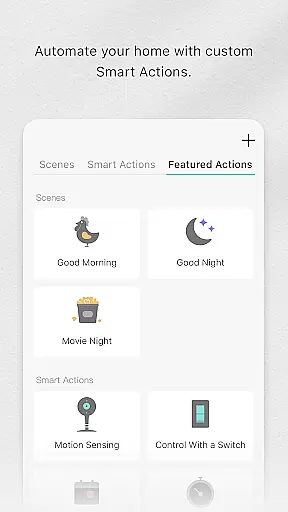
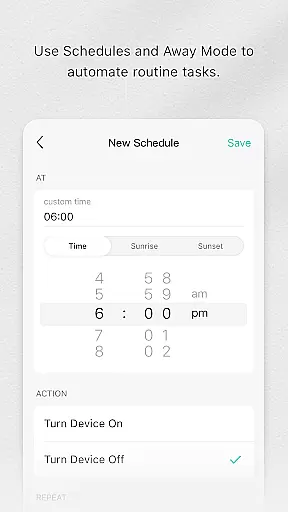
The app's core functionality includes creating schedules, setting timers, and configuring away modes for enhanced security. Users can automate their homes to optimize energy usage while ensuring convenience and safety. Whether you're looking to control lighting, monitor security cameras, or manage network devices, Kasa Smart offers a reliable and efficient solution for modern smart homes.
Kasa Smart stands out with its extensive compatibility across various TP-LINK smart devices, offering users unparalleled flexibility in home automation. The app features advanced scheduling capabilities, allowing precise control over when devices turn on or off. Its Away Mode feature intelligently simulates occupancy patterns to deter potential intruders.
One of the app's key innovations is its ability to create custom scenes and routines that synchronize multiple devices. Users can set up complex automation sequences based on time, location, or environmental conditions. Additionally, the app provides detailed energy monitoring for supported devices, helping users track and optimize their power consumption.
The application's value lies in its user-friendly interface and robust security features. It employs bank-grade encryption to protect user data and device communications. Furthermore, the app supports voice control integration with popular virtual assistants, enhancing accessibility and convenience for users seeking hands-free operation.
In the realm of smart home technology, Kasa Smart stands out by offering comprehensive lifestyle category coverage. This application supports a wide array of TP-LINK smart devices including plugs, switches, power strips, bulbs, cameras, routers, and range extenders.
Users can effortlessly add, configure, monitor, and control these devices from anywhere in the world. The ability to manage different types of smart home products under one platform ensures that all aspects of your digital lifestyle are covered.
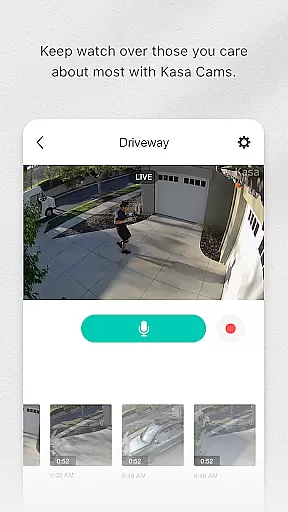
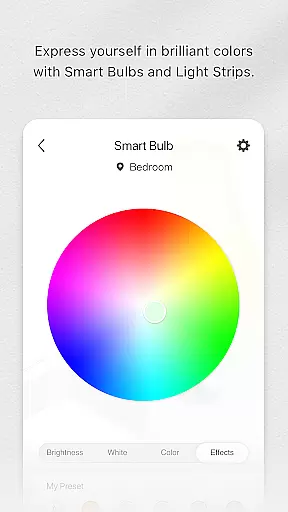
The app's extensive compatibility empowers users to create a fully integrated smart home environment. Whether it's automating lighting, securing premises with IP cameras, or managing network connectivity through smart routers, Kasa Smart provides the tools necessary for an interconnected lifestyle.
Kasa Smart prides itself on delivering content authenticity and expert credibility. Each feature within the app is designed based on genuine user needs and feedback, ensuring that every function serves a practical purpose in daily life.
Expert engineers and designers have meticulously crafted the interface and functionalities to provide reliable performance. With options like scheduling appliances, setting Away Mode, and real-time monitoring, users receive credible solutions tailored for convenience and security.
This dedication to authentic content and professional design guarantees that users not only enjoy seamless integration but also trust the system's reliability when managing their homes remotely.
User-friendly interface
Extensive device compatibility
Advanced scheduling options
Energy monitoring capabilities
Bank-grade security encryption
Limited third-party integration
TP-LINK devices only
No free version available
Requires stable internet
Occasional connectivity issues

Fly your Solo like a boss.
 4.10
4.10
Unique informative Dial with Live Moon Phase at a glance!
3.60
Unique Dual Colors with 6 Custom Complications for Wear OS watches!
3.40
Material You inspired colors with BIG and Bold looks for Wear OS watches.
4.20
Spirit Communicator is a real paranormal ghost hunting app with many fun modes.
3.90
Get the news, events and savings that matter to you with AARP Now.
4.80
No more juggling multiple apps, now you can control everything in one place!
4.60
Just play, earn rewards, fetch gift cards, and turn gaming into real payouts!
4.80
Create slime on your phone and enjoy satisfying and relaxing ASMR games
4.50
A unique and customizable watch face which rotates its layout every minute.
4.80
Pay your rent, submit work orders and much more with the RentCafe Resident App.
4.70
PARAVOX 4 is a professional ITC paranormal research application.
4.50
Your home in your hand
3.80
An Eerie Musical Trigger Toy for Spirits to Play with!
3.50
Turn your watch into a key fob for your Tesla
2.90
Big bold digital watch face with 30 colors, 6 complications and AOD.
4.5
Designed to delight, impress and energize your festive spirit every single day
4.3
Customize your Wear OS watch with festive Christmas figures and colors!
4.3
The cutest Autumn watchface featuring the adorable Mr. Squirrel
4.1


User Reviews