
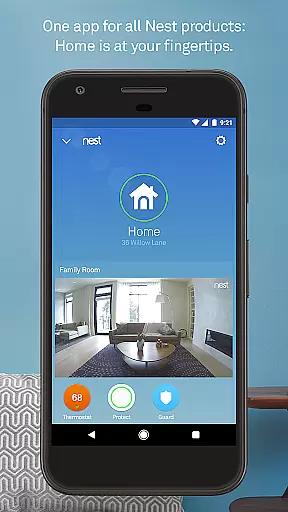
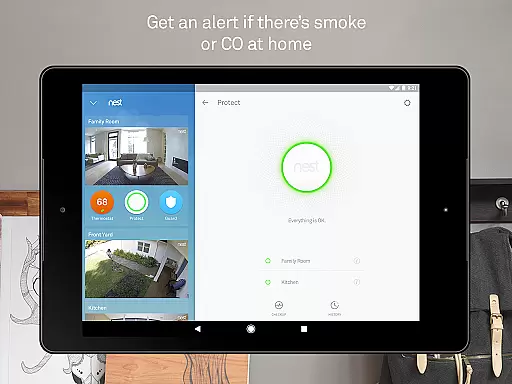
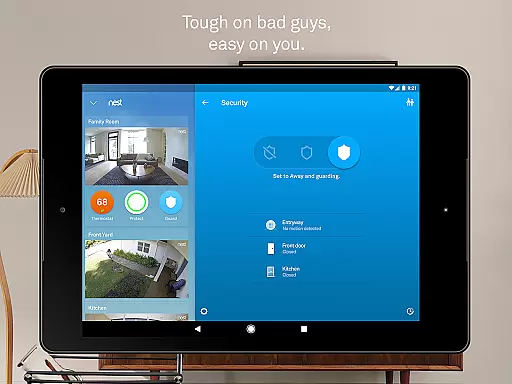
Nest is a comprehensive smart home application that allows users to control and monitor various Nest devices from their mobile devices. The app serves as a central hub for managing thermostats, security systems, smoke detectors, and cameras, providing both convenience and enhanced home safety. With its intuitive interface, users can easily adjust settings, receive important alerts, and automate home functions based on their daily routines.
One of the standout features of the Nest app is its ability to learn user preferences and automatically adjust settings accordingly. For instance, it can regulate home temperature by learning your schedule and can send alerts if unusual activity is detected. This makes the app not only a tool for remote control but also an intelligent assistant that helps optimize energy usage and enhance home security. Whether you're at home or away, Nest ensures your living space remains comfortable, safe, and efficient.
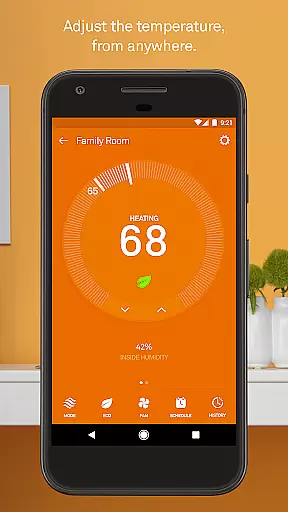
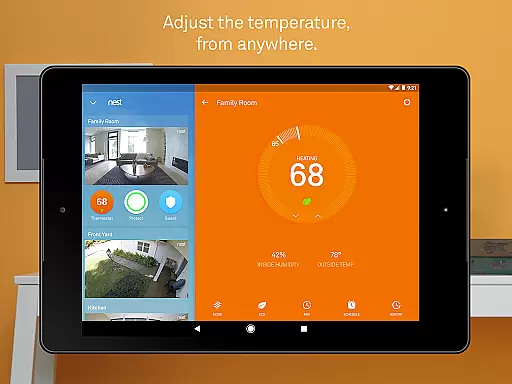
The Nest app offers a wide array of features designed to make home management seamless and efficient. Users can remotely control their Nest Learning Thermostat, adjusting temperatures from anywhere using their smartphone. The app provides detailed energy usage reports and allows users to set up personalized schedules, ensuring optimal comfort while saving on energy bills. Additionally, extreme temperature alerts help prevent potential damage to your home by notifying you before conditions become hazardous.
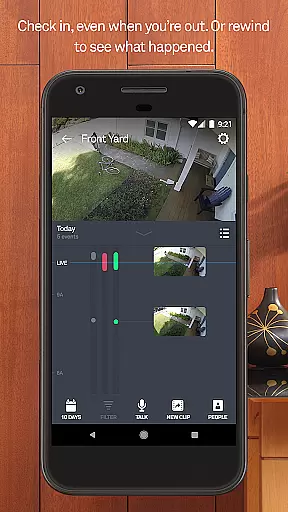
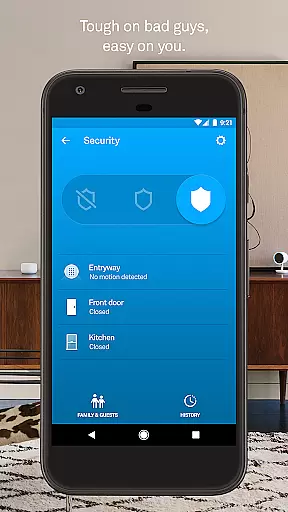
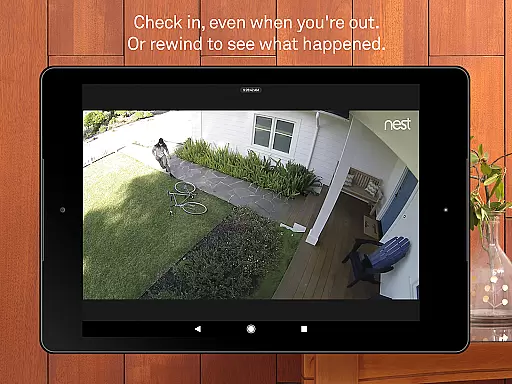
Security is another cornerstone of the Nest app's functionality. It enables users to arm and disarm their Nest Secure alarm system remotely and sends specific security alerts when doors or windows are opened. Integration with Nest Cam allows real-time monitoring and person detection, with the option to subscribe to Nest Aware for extended video history. Furthermore, features like App Silence for alarms and automatic lock functionalities for Nest x Yale Locks showcase the app's commitment to combining convenience with cutting-edge technology.
The Nest app offers comprehensive coverage of essential lifestyle categories, making it an all-in-one solution for smart home management. With features spanning climate control, security systems, smoke and carbon monoxide detection, and video monitoring, the app ensures that users can manage various aspects of their home environment conveniently from their mobile devices.
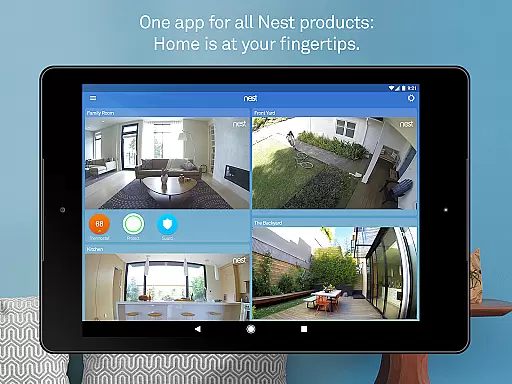
One of the standout aspects of Nest is its ability to integrate multiple functionalities seamlessly. Users can adjust their thermostat, receive alerts from security cameras, and monitor air quality through Nest Protect, all within a single interface. This consolidation not only simplifies daily tasks but also enhances the overall user experience by providing a cohesive ecosystem of interconnected devices.
Furthermore, Nest's attention to detail extends to specific use cases such as person alerts with Nest Cam IQ and familiar face recognition, which add layers of personalization and security. The app also supports remote operations, allowing users to arm their alarm system or check live camera feeds regardless of their location. These capabilities ensure that users have unparalleled control over their living spaces, thus significantly enriching their lifestyle.
Content authenticity and expert credibility are crucial components of the Nest app's value proposition. Developed by Google Nest, the app benefits from the company's extensive expertise in creating high-quality, reliable smart home products. Each feature within the app is designed with precision, leveraging advanced sensors, algorithms, and machine learning to deliver accurate and trustworthy information to users.
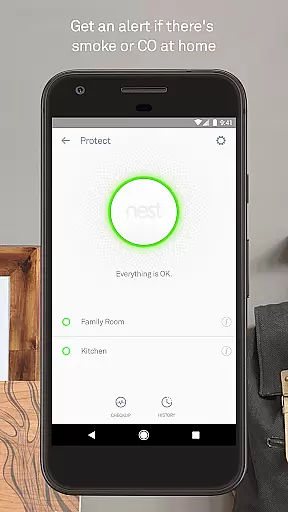
For instance, Nest Protect provides detailed insights into battery status, sensor functionality, and Wi-Fi connectivity, ensuring that users are always informed about the condition of their devices. Additionally, the app's ability to send extreme temperature alerts and notify users of potential security breaches underscores its commitment to delivering credible and actionable content.
Moreover, Nest's integration with professional monitoring services and its subscription-based Nest Aware offering further enhance its reliability. By subscribing to Nest Aware, users gain access to extended video history and advanced alert features, underpinned by Google's robust data handling and privacy standards. This blend of expert engineering and transparent communication fosters trust and confidence among users, reinforcing the app's position as a credible source for smart home management.
User-friendly interface
Comprehensive device integration
Automated scheduling
Remote access capabilities
Energy-saving features
Subscription fees for advanced features
Dependent on stable internet connection
Limited third-party device support
Potential privacy concerns
Higher initial device costs

Daily lessons from A Course in Miracles with scheduled reminders
 4.80
4.80
Stay connected with your loved ones & vehicles | Share live GPS location updates
4.60
Premium floor cleaning robots
4.50
A daily quote for success
4.2
The cutest Autumn watchface featuring the adorable Mr. Squirrel
4.4
An Eerie Musical Trigger Toy for Spirits to Play with!
3.50
Have your Tehillim with you at all times
4.70
Wear your favorite memories, loved ones, pets or travel photos on your watch
4.4
Decorate your home screen with custom icons, color widgets, themes & wallpapers
4.70
A unique and customizable watch face which rotates its layout every minute.
4.80
Your store’s deals, where you are.
4.80
Smart & Healthy Living
4.60
Cute Adorable Animals now on your wrist with our Wear OS watch face!
4.40
Zodiac & Horoscope Launcher: Daily Sign Predictions & Astrology
4.40
Communicate with your vehicles and Powerwalls anytime, anywhere
3.60
Discover how to help puppies stay calm around noise with this helpful app.
4.1
A watch face with transparency and fluid visuals inspired by liquid glass design
4.4
Celebrate the holidays with Advent Calendar: daily surprises and festive fun!
4.2
Futuristic watchface inspired by Back to the Future: sleek, retro, timeless
4.4


User Reviews