
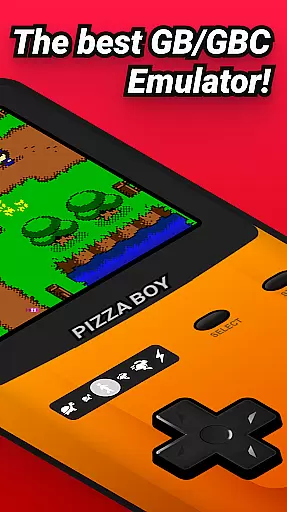

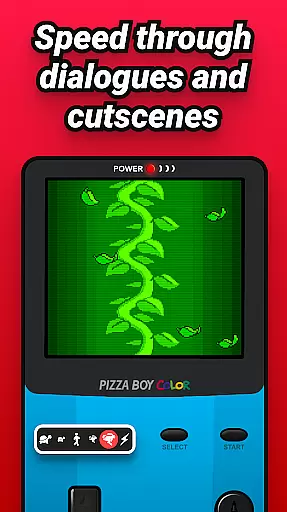
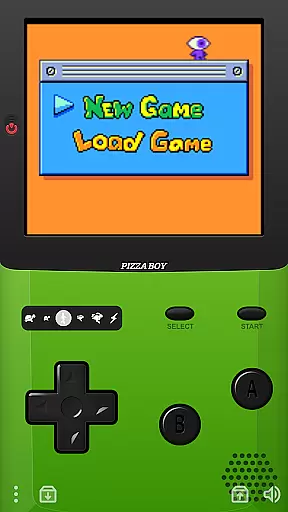

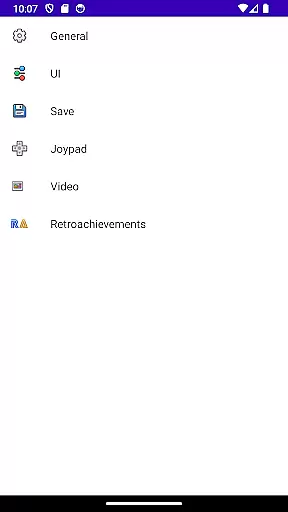
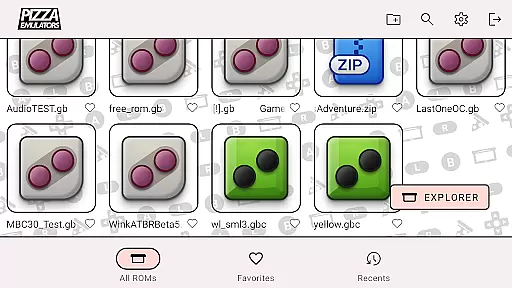
Pizza Boy C Pro is a highly precise 8-bit handheld emulator, designed for arcade gaming enthusiasts who appreciate classic gaming experiences. The app offers an array of advanced features including a beautiful GUI, quick/auto save options, and customizable palettes.
With enhancements like super 8-bit borders, an enhanced settings menu, and improved control systems, Pizza Boy C Pro delivers an authentic emulation experience. It supports BIOS and camera functions, MBC7 with gyroscope support, and fully customizable skins, making it versatile for various user preferences.
This emulator stands out with its precision, being the only one on Google Play that passes all super-hard Blargg tests, ensuring unparalleled accuracy. Written entirely in C, it guarantees incredible performance and low battery consumption, taking full advantage of OpenGL and OpenSL native libraries.
Users can expect 60 FPS even on older hardware, along with save and restore states, slow motion/fast forward capabilities, and total customization of button sizes and positions. Supporting hardware joypads, shaders, and serial link emulation through wifi, Pizza Boy C Pro caters to both casual gamers and hardcore enthusiasts.
Arcade authenticity and nostalgia are essential elements for any retro gaming experience. Pizza Boy C Pro delivers this by providing an accurate emulation of 8-bit handheld systems, ensuring that the classic games feel just as they did originally.
The emulator goes beyond basic functionality by including super 8-bit handheld borders and palettes, which recreate the visual aesthetics of the original hardware. This attention to detail extends to customizable skins with stickers, allowing users to personalize their experience while maintaining that authentic feel.
With features like BIOS support and MBC7 with gyroscope support, Pizza Boy C Pro ensures that even the most complex games run smoothly. These technical capabilities preserve the integrity of the original gaming experience while offering modern enhancements.
By passing all the super-hard Blargg tests, this emulator demonstrates unprecedented precision. Gamers can relive their favorite arcade moments with confidence, knowing that every aspect from graphics to gameplay remains true to the source material.
Control responsiveness is crucial for an immersive and enjoyable gaming experience. Pizza Boy C Pro addresses this by implementing an improved control system that guarantees smooth interactions between the user and the game.
One standout feature is the fully customizable size and position of buttons, enabling players to tailor the interface to their preferences. This customization ensures that controls are intuitive and comfortable, enhancing overall gameplay fluidity.
In addition to customizable controls, Pizza Boy C Pro supports hardware joypads. This compatibility allows gamers to use physical controllers, providing a tactile response that many find superior to touch-based inputs.
Whether playing on old or new hardware, Pizza Boy C Pro maintains a consistent frame rate of 60 FPS. This performance benchmark ensures that there is no input lag, making each action in the game feel immediate and precise, thus elevating the nostalgic arcade experience to new heights.
High precision emulation
Customizable controls
Supports hardware joypads
Advanced cheat manager
Beautiful GUI design
No included ROMs
Not for 32-bit systems
Consumes more storage
Limited to 8-bit games
Some features are complex

Three awesome new levels for The Impossible Game.
 4.30
4.30
BallStack is a vibrant match-3 game where you stack and match colorful balls!
4.3
Flip the bottle! Do tricks and don't let the bottle fall!
4.50
Sit back and relax! Tap to move the black hole, and swallow weapons to win.
4.20
Nostalgia.GBA Pro is a high quality GBA emulator.
4.40
Divine powers at your fingertips! An innovative and frantic shoot-'em-up!
4.0
Epic offline war strategy game - build your city, train your army, conquer
4.20
John GBC is GB/GBC emulator. This emulator is easy to use.
3.80
Jump and fly your way through danger in this rythm-based action platformer!
4.50
Punch your way through the Streets of Rage once again!
4.80
Catch ghosts, shoot monsters and defeat bosses in this RPG idle shooting game.
4.70
Meet Snake Run Race! Slither through an obstacle course in our fun running game!
4.70
Fruit is waiting to be sliced, ninja. Play the hit mobile game !
4.50
Suck the other’s blood and be the longest surviving mosquito!
4.40
Stack the blocks as high as you can!
4.30
Collect layers in running game & build the biggest slinky toy to beat the giant!
4.30
Dig yourself a way to gold, diamonds and success with this addictive mining game
3.90
Protect the balloon! Only 1% of players can reach lvl 100 with all the balloons!
3.70
Infinite Arcade
4.4


User Reviews