
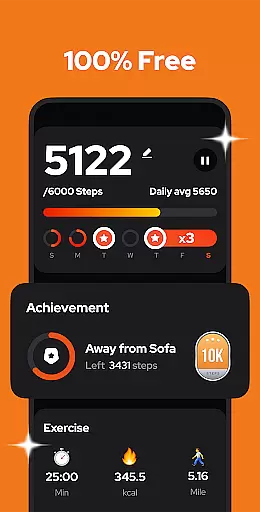
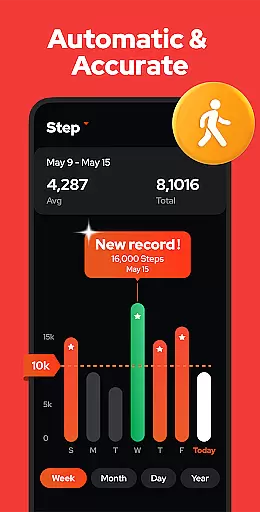
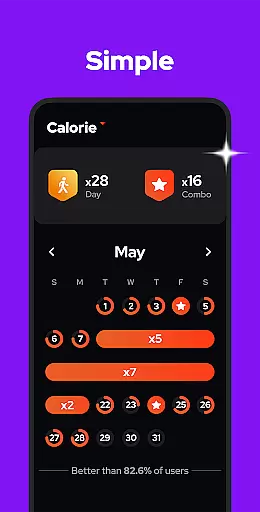
Step Counter - Pedometer is a premier health and fitness application designed to automatically track your daily steps, walking distance, calories burned, and exercise duration with remarkable accuracy. Compatible with all Android devices, this app leverages advanced built-in sensors for precise step counting without the need for GPS or Wi-Fi, ensuring efficient battery usage. Whether you're aiming to hit the recommended 10,000 daily steps or simply monitor your physical activity, this app provides an intuitive interface that makes tracking effortless.
Beyond basic step counting, Step Counter offers insightful graphs displaying your progress by day, week, month, or year. It also features adjustable sensitivity settings, pause and resume functionality, and cloud backup options to safeguard your data. With its commitment to privacy and zero-log policy, users can trust that their information remains secure and private. This app is perfect for anyone looking to maintain an active lifestyle, lose weight, or improve overall health through consistent walking.
Step Counter - Pedometer stands out with its comprehensive set of features tailored for health-conscious individuals. The app's primary feature is its highly accurate pedometer functionality, which works seamlessly in the background without draining your battery. Its offline mode allows users to track their steps without an internet connection, making it ideal for travelers or those in areas with limited connectivity. Additionally, the app provides detailed analytics presented in easy-to-understand graphs, helping users visualize their progress over time.
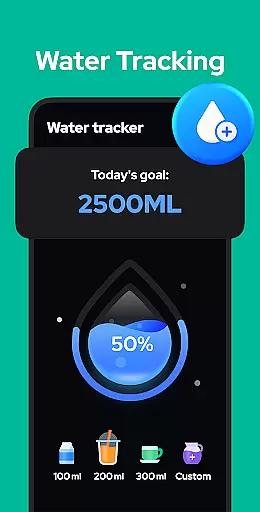
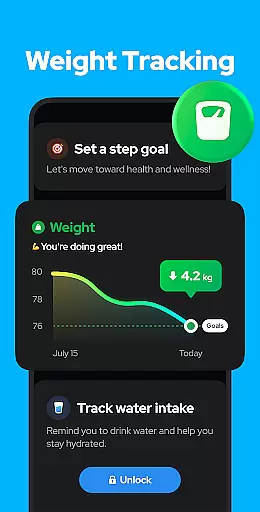
One of the innovative aspects of Step Counter is its customizable settings, allowing users to adjust sensitivity levels for more precise tracking. The pause and resume feature ensures that non-walking activities like driving don't interfere with your step count. Furthermore, upcoming features such as drink water reminders and body weight recording demonstrate the developers' commitment to continuous improvement. These functionalities collectively create a robust tool for anyone seeking to enhance their fitness journey while maintaining complete control over their personal data.
Personalized planning in a health and fitness app refers to the ability to create tailored exercise and wellness strategies based on individual user data. This feature is crucial as it adapts the fitness experience to match personal goals, physical conditions, and preferences.
Step Counter - Pedometer excels in personalized planning by utilizing advanced sensors and algorithms to track daily steps, calories burned, walking distance, and duration with high accuracy. The app allows users to input personal information such as age, weight, and height, which are factored into the calculations for more precise outcomes.
Users benefit from this feature by receiving customized insights into their physical activities. For instance, the app provides graphical representations of weekly, monthly, or yearly progress, enabling users to visualize trends and adjust their routines accordingly.
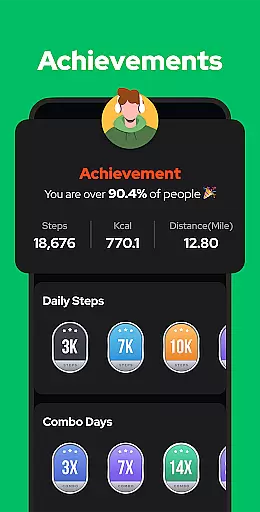
The true value of personalized planning in Step Counter - Pedometer lies in its ability to motivate users towards healthier lifestyles. By setting specific goals like achieving 10,000 steps per day, the app fosters a sense of accomplishment and encourages consistent engagement in physical activity.
Progress visualization is an essential aspect of any health and fitness application, offering users a clear and engaging way to monitor their achievements over time. This feature enhances motivation by providing tangible evidence of improvement and success.
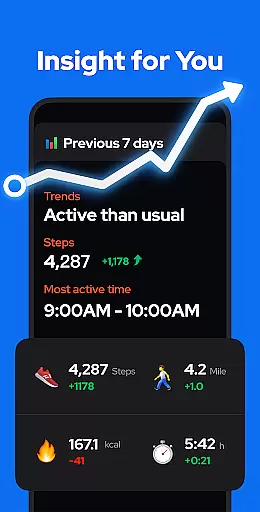
In Step Counter - Pedometer, progress visualization is executed through comprehensive charts and graphs that display various metrics such as steps taken, calories burned, distance covered, and activity duration. These visual tools allow users to analyze their performance on a daily, weekly, monthly, or yearly basis.
One of the standout benefits for users is the ability to recognize patterns and make informed decisions about their fitness routines. For example, seeing a consistent increase in daily steps can inspire users to set higher goals and maintain an active lifestyle.
Ultimately, the progress visualization feature in Step Counter - Pedometer not only tracks physical activity but also empowers users to take control of their health journey. By presenting data in an accessible and visually appealing manner, the app makes it easier for individuals to stay committed to their fitness objectives.
User-friendly interface
Accurate step tracking
Offline functionality
Comprehensive analytics
Privacy-focused design
Limited device compatibility
No wearable integration
Basic visual design
Occasional tracking issues
Few social features

Home workouts for fitness & fast bodybuilding at home - no equipment needed.
 4.90
4.90
Weight loss app: home workout for women to lose weight & burn calories.
4.80
HRV4Training helps you optimize goals and improve performance. No sensors needed
3.30
Measure your Pupil Distance for Eyeglasses and VR headsets in 3 quick steps.
4.70
Personal step counter for you, private and accurate
4.50
Fast Body building & Weight Loss. Home Workouts with Daily Coach, No Equipment.
4.30
Point, scan, and unlock truth in every bite.
4.50
Lazy home workouts with your virtual fitness coach for weight loss.
4.30
Scan food & cosmetic products and evaluate their impact on your health
4.80
Meditation app, head space app provides calm music to help you meditate & sleep
5.00
Show your support for the development of FitNotes - Gym Workout Log
4.90
Wall Pilates at home & Pilates workout for beginners for core and weight loss.
4.80
You deserve easy access to important insurance information. Download for FREE.
4.70
Binaural Beats - Fully Customizable Waves - Pure Sound - No Loops
4.50
The Official Blood Type Diet® App - know your categorized foods anytime.
4.50
Chair Workout: Women's Edition for safe, flexible, and personalized fitness.
4.40
The app helps you address digestive symptoms based on the Fast Tract Diet.
3.50
Insanity blocks of intense physical activity, short breaks of 30 seconds.
4.3
Using Recognise™ has been shown to reduce pain and improve performance
4.0


User Reviews