
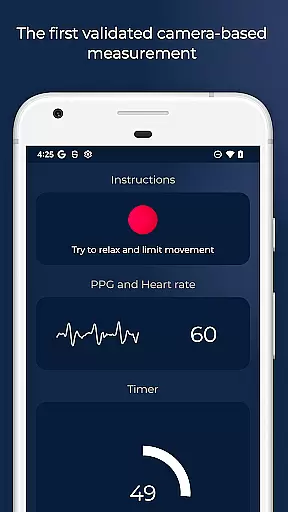
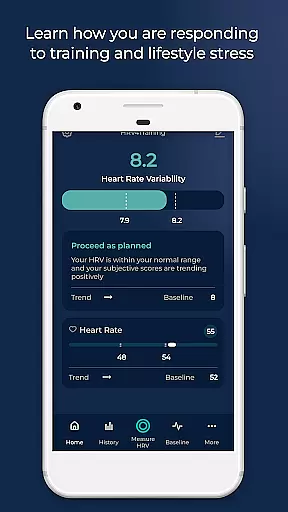
HRV4Training is a scientifically validated HRV app that doesn't require an external sensor. It helps optimize your goals by providing tailored feedback on your physical condition. The app supports Oura ring, Coros watches, and Bluetooth sensors like Polar chest straps.
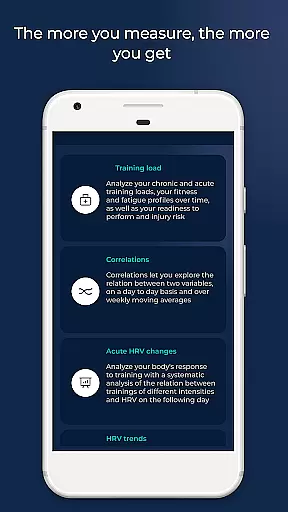
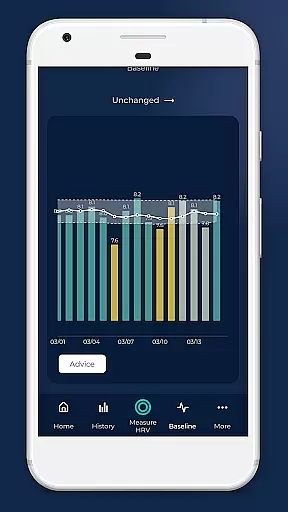
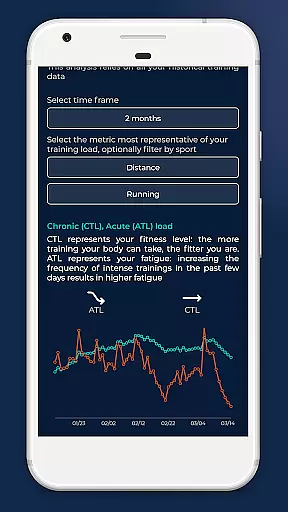
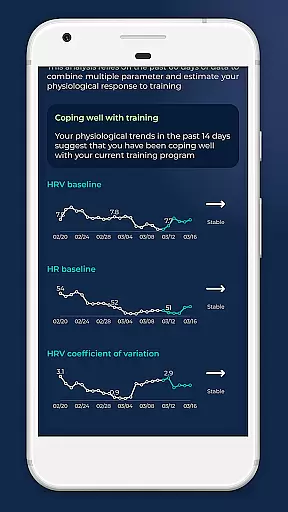
HRV4Training goes beyond simple measurements to provide insights into acute or day-to-day HRV changes, long-term multi-parameter trends, correlations between physiological measurements and annotations, training load analysis, VO2max estimation for runners, Training Polarization analysis, and weekly and monthly summaries to track progress.
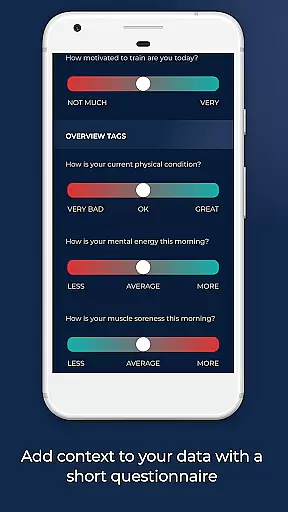
HRV4Training offers a range of features including HRV-based advice to adapt trainings based on recovery measures, TAGS for tracking sleep, mental energy, muscle fatigue, stress, and other parameters influencing physical condition.
The app works with Bluetooth SMART heart rate monitors, offers configurable test durations, shows the PPG signal view for signal quality assurance, extracts and stores various heart rate features, provides population summaries and comparisons, allows data export via email, corrects RR-intervals, and integrates with TrainingPeaks, Strava, and others.
Personalized planning in HRV4Training represents a significant advancement in how users can tailor their fitness regimes according to their physiological data. This feature leverages scientifically validated HRV measurements to offer customized feedback on your physical condition.
The app meticulously analyzes various stressors such as alcohol intake, travel, and training intensity, providing acute or day-to-day HRV changes. By integrating with devices like the Oura ring and Coros watches, it ensures that the advice rendered is based on accurate and comprehensive data collection.
Users benefit from an adaptive training plan that considers objective recovery measures, thus optimizing their performance. The inclusion of TAGS allows for a deeper understanding of factors influencing physical condition, making each plan truly personalized.
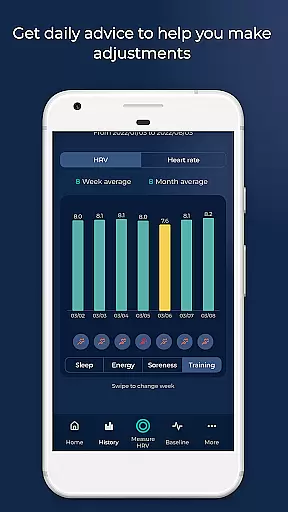
Progress visualization in HRV4Training transforms complex physiological data into understandable insights, aiding users in tracking their fitness journey. The app extracts and stores detailed features such as heart rate, mean of beat-to-beat intervals (AVNN), and high frequency power (HF).
With weekly and monthly summaries, users can easily monitor their progress over time. These visualizations are not just numbers but actionable interpretations that help in optimizing training plans and performance.
Additionally, population summaries and comparisons put personal data into perspective, enhancing motivation through contextual awareness. This level of detailed progress tracking ensures users remain engaged and informed about their health and fitness improvements.
Scientifically validated
Tailored feedback
Comprehensive insights
Wide compatibility
Actionable interpretations
Requires account registration
Signal quality dependent
Premium features may cost extra
Complex for beginners
Limited offline functionality

Your Health Has Met Its App (℠)
 3.90
3.90
Chair Workout: Women's Edition for safe, flexible, and personalized fitness.
4.40
Home workouts for fitness & fast bodybuilding at home - no equipment needed.
4.90
Period Tracker, the easiest way to track your periods!
4.50
Optimization for TRT & Enhanced Athletes
4.5
Beauty Care, Makeup & Skin Care Scanner | Pregnancy App For A Mom | Healthy Baby
5.00
Measure real-time wrist & ambient temperature with your Galaxy Watch (Wear OS)
3.20
Make sense of your health data.
3.80
Monitor blood sugar, gain insights, and manage diabetes with ease.
3.20
When the night comes, we prepare your eyes for deep, sweet dreams
4.70
Measure your Pupil Distance for Eyeglasses and VR headsets in 3 quick steps.
4.70
FODMAP, Gluten, Allergy, Vegan
4.50
Pack of 66 calming lullabies for smooth fall asleep and relaxation
4.10
Monitor, analyze, track, and convert blood sugar & help you control diabetes.
4.10
beat yesterday.
4.00
FitCloudPro takes care of your health every minute.
3.70
Transform your body and soul with DBFFitness, with a 40-day fitness journey.
4.4
Insanity blocks of intense physical activity, short breaks of 30 seconds.
4.0
Using Recognise™ has been shown to reduce pain, and improve performance.
4.0


User Reviews