
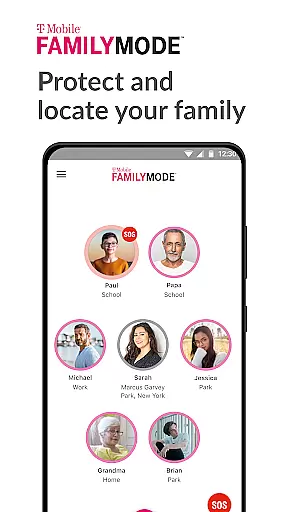
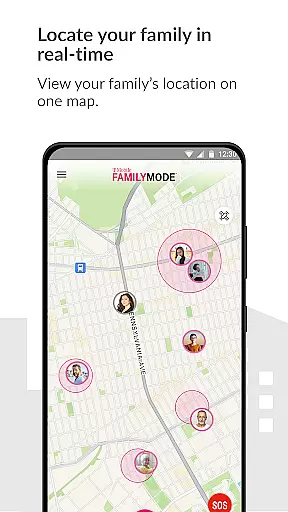
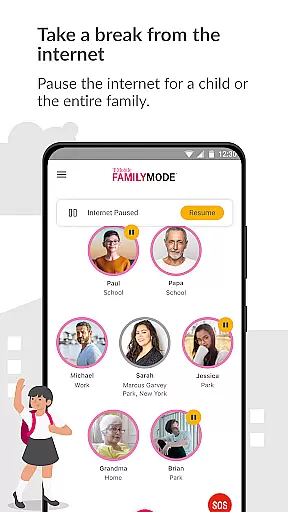
T-Mobile FamilyMode is a comprehensive family safety solution designed to help parents manage their children's digital habits while ensuring their safety. The app allows real-time location tracking of family members, helping you stay connected and informed about your loved ones' whereabouts.
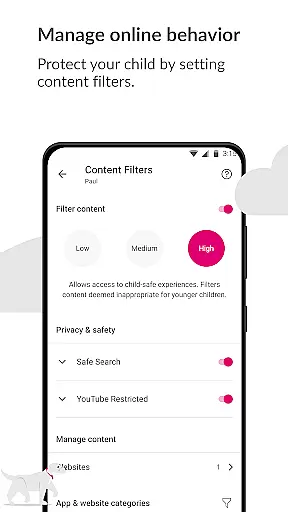
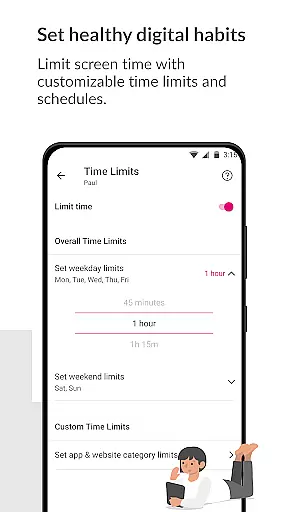
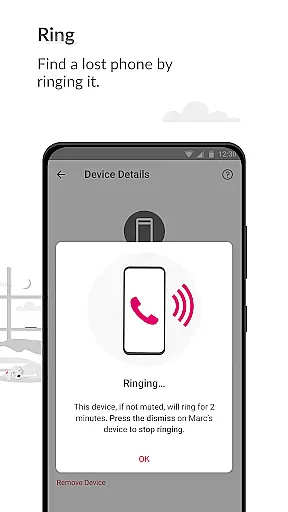
With features like pausing Internet access during dinner time or setting time limits for screen usage, FamilyMode makes digital parenting more manageable. It also includes content filters that ensure kids only access age-appropriate material online. Whether it's rewarding good behavior with extra screen time or finding a lost device by ringing it, this app provides essential tools for modern families.
The app is particularly useful for parents who want to establish healthy digital habits and maintain open communication with their children. By providing real-time alerts and location sharing, T-Mobile FamilyMode offers peace of mind in today's digital world.
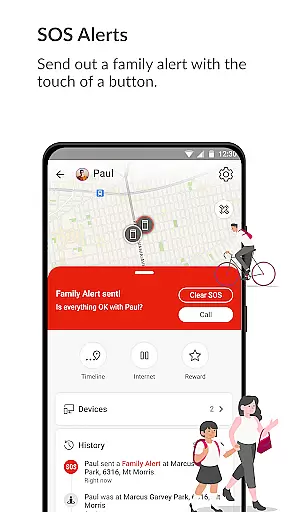
FamilyMode stands out with its robust set of features tailored for parental control and family safety. One of the key functionalities is the ability to locate family members in real-time, which can be crucial in emergency situations. Parents can send out SOS alerts with a single touch, ensuring quick communication when needed most.
The app also enables setting healthy digital habits by allowing parents to define time limits on internet usage, pause connectivity during specific hours, and even reward positive behavior with additional screen time. These features collectively contribute to a balanced approach to digital consumption among children.
Moreover, FamilyMode includes content filters that protect children from inappropriate online material. With both pre-set and customizable filter options, parents have granular control over what their kids can access. This ensures a safer online environment while promoting responsible internet use.
When it comes to parenting applications, the credibility of content and expert validation are paramount. T-Mobile FamilyMode takes these aspects seriously by providing features that are designed with both parental control and child safety in mind. The app allows parents to set healthy digital habits through time limits and content filters, which are crucial tools endorsed by child development experts.
The application's use of Google Accessibility Services API ensures that the parental controls set up on childrenu2019s phones are not only effective but also secure. This API is a globally recognized service that provides a reliable framework for developers to create accessibility tools. By leveraging this technology, FamilyMode guarantees that no information is processed or collected except for what the user defines, ensuring privacy and security for families.
Furthermore, the real-time location tracking feature has been developed to give parents peace of mind without compromising on accuracy or reliability. Parents can locate their family members instantly and receive updates on their whereabouts, thus reinforcing the trustworthiness of the app's core functionalities. These features collectively affirm T-Mobile FamilyMode's commitment to credible parenting solutions.
Growth tracking in parenting apps refers to the ability to monitor and manage various aspects of a child's digital environment and behavior. T-Mobile FamilyMode excels in this area by offering precise tools that help parents track their children's online activities and physical locations. With real-time location services, parents can see where their kids are and the paths they have taken, ensuring accurate growth tracking in terms of movement and safety.
In addition to location tracking, the app provides detailed reports on internet usage, which allows parents to understand their children's online habits better. This data is invaluable for identifying patterns and making informed decisions about screen time allowances and content restrictions. By setting time limits and pausing Internet access when necessary, parents can guide their children toward healthier digital lifestyles.
FamilyMode also supports SOS alerts and device finding features, which contribute to the overall accuracy of growth tracking. These functions empower parents to respond quickly to emergencies and recover lost devices, further enhancing the app's role in safeguarding children's well-being. Through these comprehensive tools, T-Mobile FamilyMode delivers an accurate and reliable system for monitoring and nurturing a child's development in today's digital world.
Real-time location tracking
Customizable content filters
Easy-to-use interface
Comprehensive parental controls
Quick SOS alerts
Limited to T-Mobile users
Requires constant internet
Some features need premium
Occasional bugs reported
Device compatibility issues

Find unique + popular baby names for your little peanut.
 4.30
4.30
Parental Control including Screen time control, GPS tracking, App/Game blocker.
3.90
Cherish every beat - capture your baby's heart sounds with our app
4.30
Pregnancy and baby formula tips for moms, plus Enfamil coupons & cash back
4.10
Keep Your Family Safe with Pollog Family Assistants
4.10
It is a screen time management tool for games and mobile applications
4.50
Keep track of your stored breastmilk
4.40
Advanced baby tracking, expert sleep help & parenting support for every stage.
4.80
Monitor screen time and build healthy habits with Family Safety
3.90
A simple way to track your baby’s breastfeeding, diaper changes, sleep patterns.
4.90
Pregnancy+ App has helped 80m moms track their pregnancy with info & support!
4.80
Kids story books for children. Baby reading books with audio for pre-k toddlers
4.70
The Most Trusted Co-Parenting App.
4.60
Block apps, set screen time limits, and customize usage schedules
4.50
Real-time family location with consent, check-ins & SOS—private by default.
4.40
Babysitting video camera - Turn your two phones or tablets into a single nanny.
4.40
Free symptom & med tracker with expert-reviewed tips.
4.30
The Baby’s Bounty App is your hub to register for our diaper banks in Nevada
3.70
Discover fun videos, kids songs, bedtime stories and games
3.60


User Reviews