



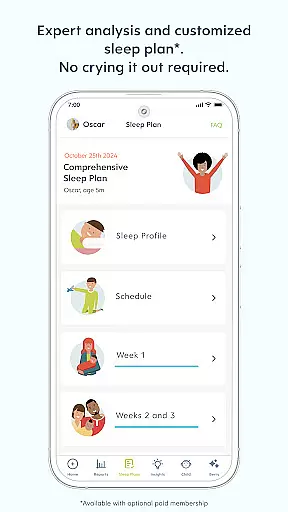
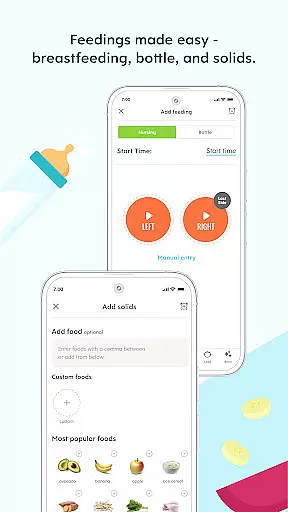
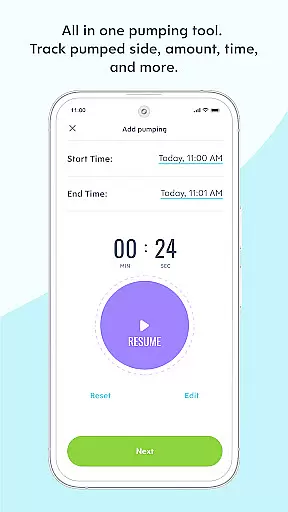
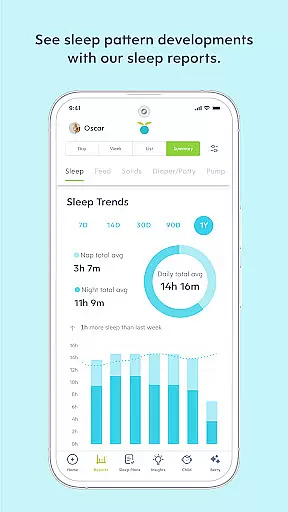




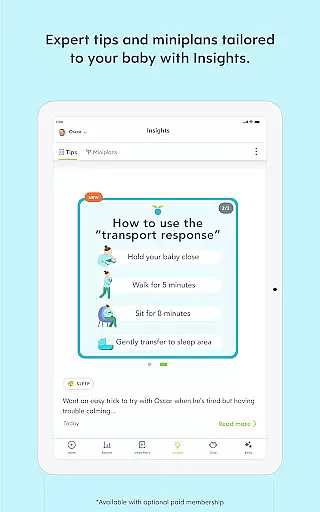



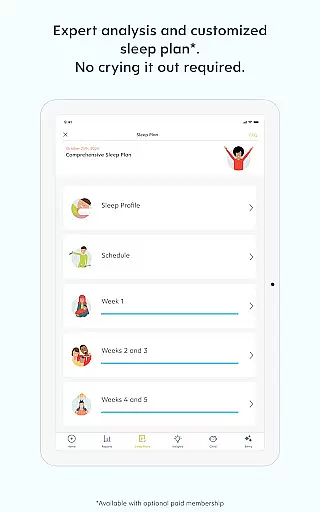
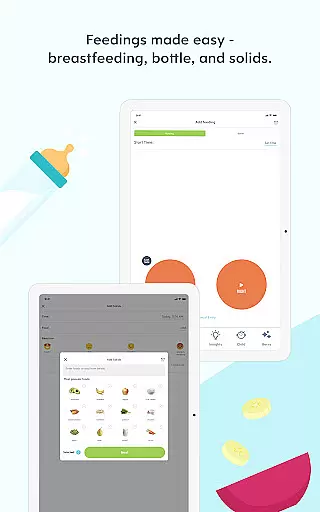

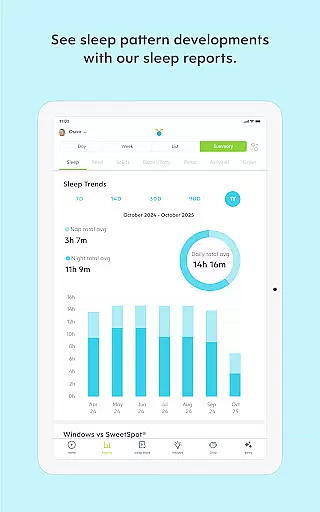
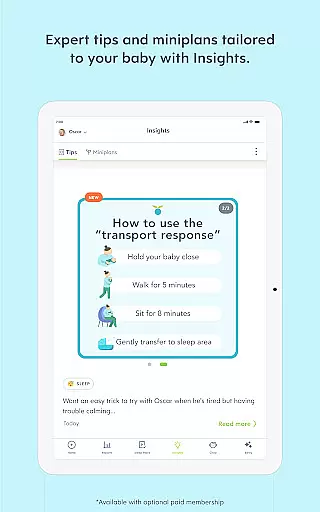
Huckleberry is a comprehensive parenting app designed to support families through every stage of their child's development. Trusted by over 5 million families globally, this award-winning application offers tools for baby tracking, personalized sleep guidance, and expert-vetted parenting advice. The app helps parents manage feeding schedules, monitor developmental milestones, and establish restful sleep routines.
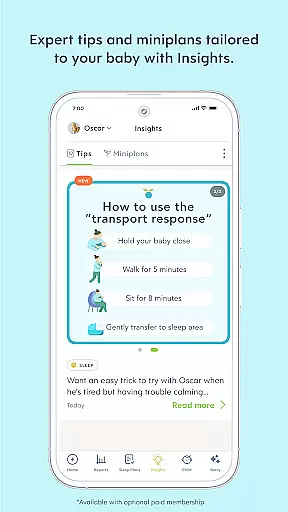
One of Huckleberry's standout features is SweetSpot®, available with Plus and Premium memberships, which predicts ideal nap times based on the baby’s unique rhythms. Additionally, the Berry feature provides 24/7 AI-powered parenting support, offering instant solutions and reassurance whenever needed. With both free and premium membership options, Huckleberry ensures that each family can access the level of support they need.
The app's gentle, evidence-based approach blends trusted sleep science with family-centered solutions, respecting individual parenting styles. Whether navigating newborn sleep patterns or toddler milestones, Huckleberry equips parents with the necessary tools to foster healthy habits and achieve better sleep outcomes.
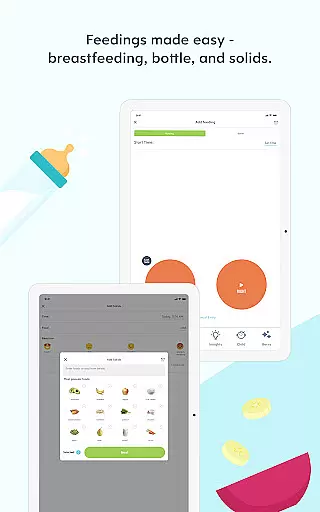
Huckleberry boasts an array of robust features tailored to meet the diverse needs of modern parents. At its core, the app includes a simple one-touch baby tracker that monitors sleep, diaper changes, feedings, pumping, growth, potty training, activities, and medication. This functionality extends to a complete breastfeeding timer that tracks both sides, ensuring accurate monitoring of feeding sessions.
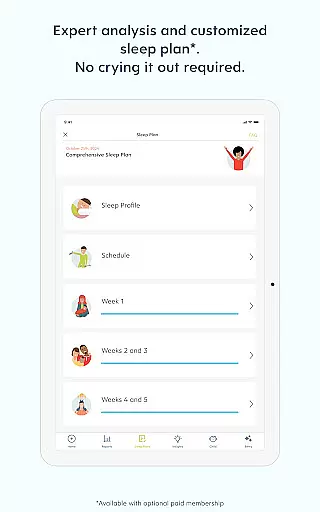
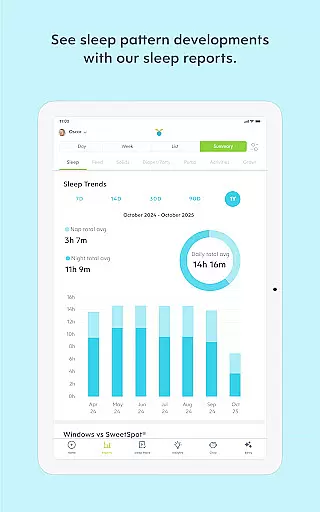
For those seeking advanced capabilities, Huckleberry's Plus and Premium memberships unlock powerful tools like SweetSpot®—which predicts optimal sleep times—and Schedule Creator, allowing parents to design age-appropriate sleep schedules. Enhanced Reports provide data-driven insights into sleep, feeding, and developmental milestones, while AI Logging lets users track their child's day via text, voice message, or photo.
Premium members gain access to Berry, an AI chat feature providing round-the-clock parenting guidance. Custom Sleep Plans offer expert-designed strategies with weekly progress check-ins, ensuring ongoing support as children grow. These innovative features collectively empower parents to navigate the complexities of child-rearing with confidence and ease.
When it comes to parenting apps, the credibility of content and expert validation are paramount. Huckleberry stands out by offering a comprehensive suite of tools that are not only user-friendly but also backed by a team of pediatric experts. This ensures that every piece of advice or guidance provided through the app is reliable and grounded in scientific research.
The app's features, such as the newborn tracker and personalized sleep schedules, are designed based on evidence-based approaches. These tools help parents understand their baby's unique patterns and provide tailored recommendations that respect individual parenting styles. With Huckleberry, families can navigate common challenges like sleep regressions with confidence, knowing they have science-backed solutions at their fingertips.
Huckleberry's commitment to expert validation extends to its AI-powered assistant, Berry. This feature offers 24/7 parenting support, adapting to each family's needs with vetted advice. Whether tracking daily activities or planning age-appropriate sleep schedules, users benefit from an intelligent system that evolves with their child's growth, ensuring continuous, credible support.
Accurate growth tracking is essential for monitoring a child's development and ensuring they are meeting key milestones. Huckleberry excels in this area by providing precise tools that allow parents to log and analyze various aspects of their child's growth. From feeding sessions to diaper changes, the app's one-touch tracker simplifies data entry while maintaining high levels of accuracy.
The app goes beyond basic tracking by offering enhanced reports and insights into a childu2019s trends over time. These analytics empower parents with a deeper understanding of their baby's progress, highlighting areas where intervention might be needed. For instance, sleep summaries and average totals give a clear picture of a child's rest patterns, helping identify potential issues early on.
Moreover, Huckleberry supports multiple profiles, enabling accurate tracking for families with more than one child. The ability to sync data across different devices ensures all caregivers are informed and consistent in their approach. By combining meticulous data collection with insightful analysis, Huckleberry provides peace of mind to parents who want to stay closely connected to their child's developmental journey.
User-friendly interface
Comprehensive tracking tools
Expert-vetted AI support
Customizable sleep plans
Gentle sleep guidance
Premium features costly
Limited free functionalities
Requires constant updates
Occasional syncing issues
Steep learning curve

Free symptom & med tracker with expert-reviewed tips.
 4.30
4.30
SENSORYSOOTHE and SENSORSAFE: Making car seats smarter and families safer.
4.70
All-In-One Pregnancy Tracker, Your Baby's Milestones, Growth Stages & Parenting
4.70
Track your pregnancy & your baby's growth in 3D. Get support from our community
4.60
Little loved one's monitoring, Sleep tracking and Parenting content.
3.80
Kids story books for children. Baby reading books with audio for pre-k toddlers
4.70
Keep track of your stored breastmilk
4.40
Parental control: child monitoring app, screen time control, GPS child tracker
4.40
Track baby’s development & growth week by week with BabyCenter’s pregnancy app!
4.90
Family GPS locator app — child location tracker. GPS kids tracker, family safety
4.70
Live Location, Alerts & 2-Way Voice for Kids and Adults with Special Needs
4.60
GPS tracker app: Simple GPS phone tracker for fast family location tracking
4.60
Reliable phone tracker by number & locate phone app. Protect your family.
4.50
All-in-one pregnancy app, contraction timer, kick counter & due date calculator
4.40
Find unique + popular baby names for your little peanut.
4.30
FamilyMode helps you manage your family’s digital lives—at home or on the go.
4.30
Learn according to the age of your child and consult with other moms.
4.20
Keep Your Family Safe with Pollog Family Assistants
4.10
Screen Time, App and Web Block & Monitoring, Location Tracker
3.60


User Reviews