
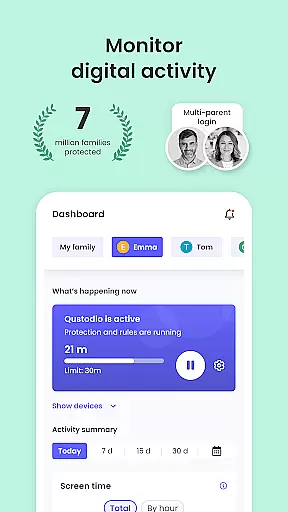
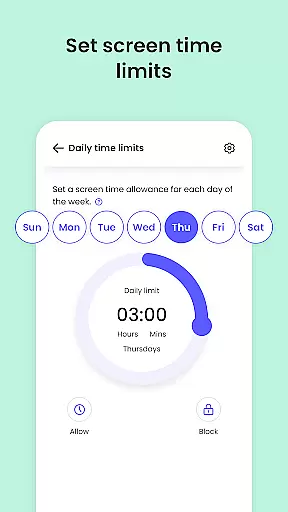
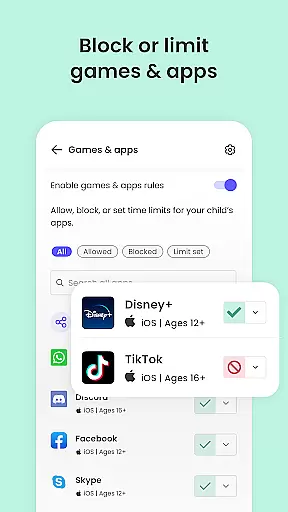
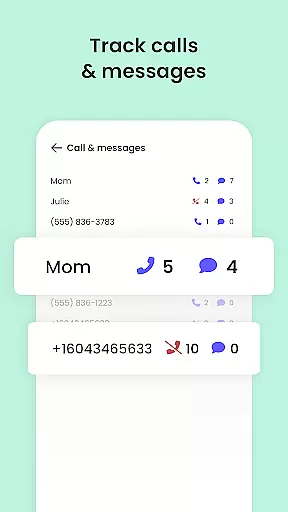
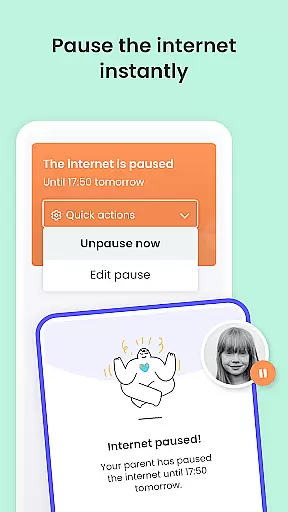
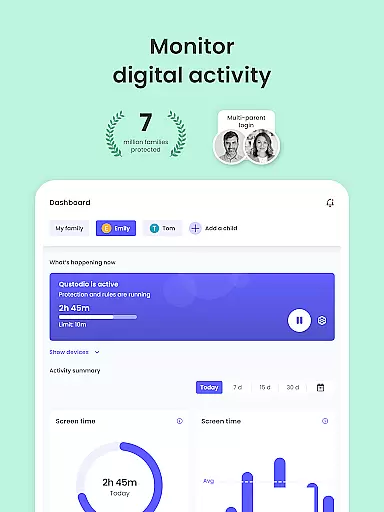
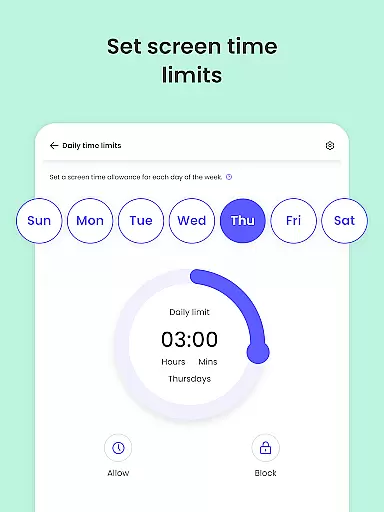
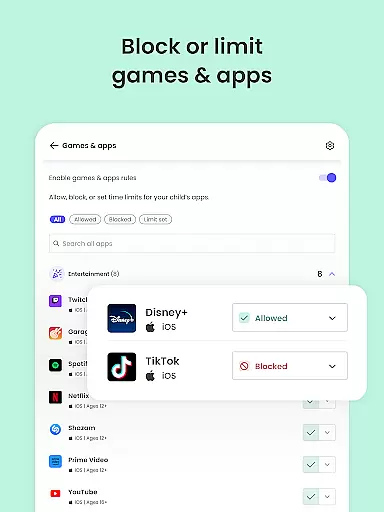
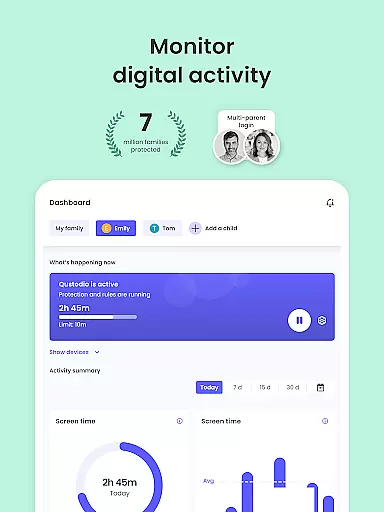
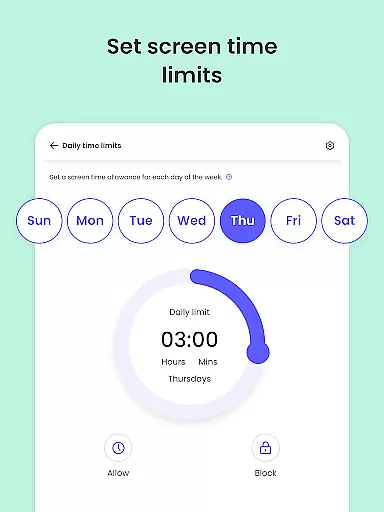
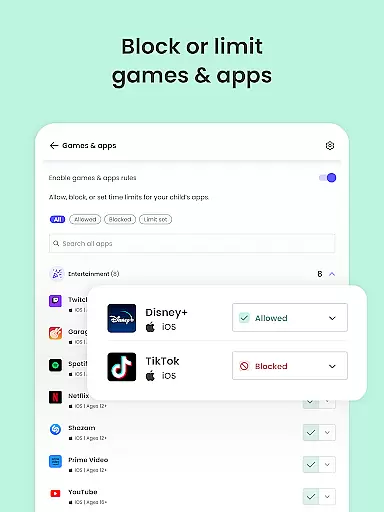
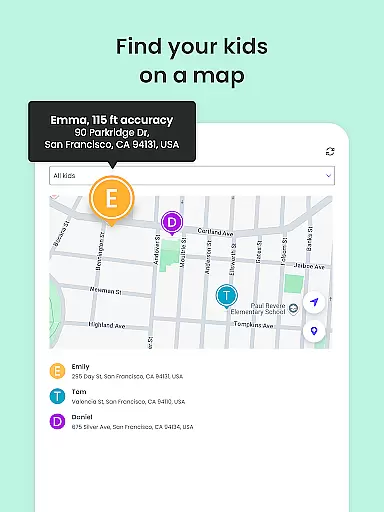
Qustodio Parental Control App is an advanced parenting solution that helps parents manage their children's digital lives effectively. The app offers a comprehensive suite of features including screen time management, content filtering, location tracking, and AI-powered alerts for suspicious online activities. It allows parents to set daily time limits on device usage, block inappropriate websites and apps, and monitor social media interactions across multiple platforms.
The application works as a two-part system where parents install the Qustodio Parental Control App on their devices while the companion Kids App Qustodio gets installed on children's devices. This setup enables seamless cross-platform supervision on Android, iOS, Windows, Mac, and Kindle devices. Parents can access detailed activity reports, receive real-time alerts about potentially harmful content or messages, and even locate their children using GPS tracking.
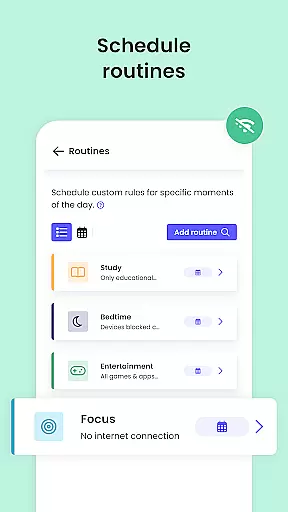
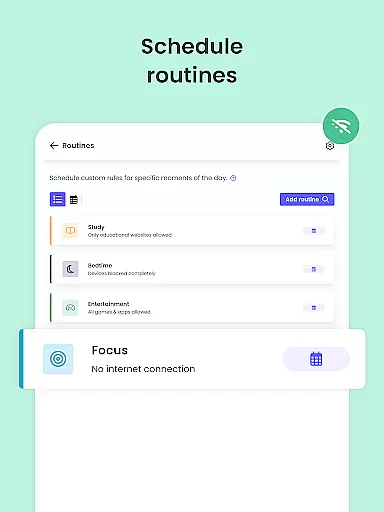
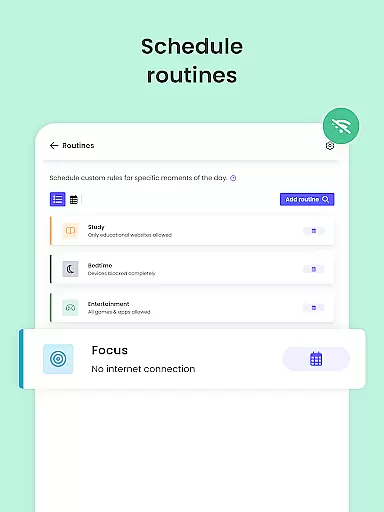
Qustodio's value extends beyond basic parental controls by offering sophisticated tools like panic buttons, custom routines for app usage, and co-parenting features that allow both parents to collaborate in setting digital rules. The app's premium plan provides full access to all features, making it an essential tool for modern families looking to create a safer digital environment for their children while promoting healthy technology habits.
Qustodio Parental Control App distinguishes itself through its comprehensive feature set designed to address various aspects of digital parenting. One of its core strengths lies in its multi-platform compatibility, supporting Android, iOS, Windows, Mac, and Kindle devices. This ensures that parents can maintain consistent supervision regardless of the operating system their children are using.
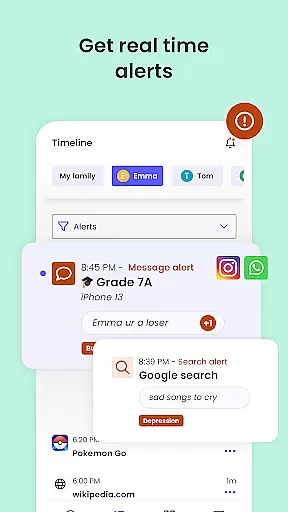
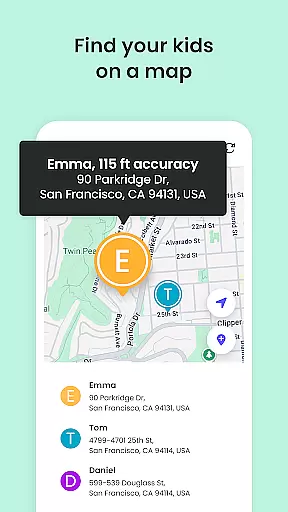
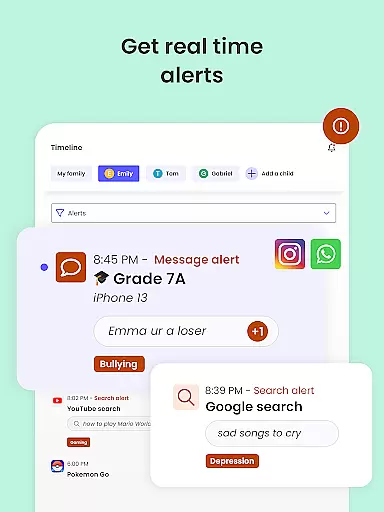
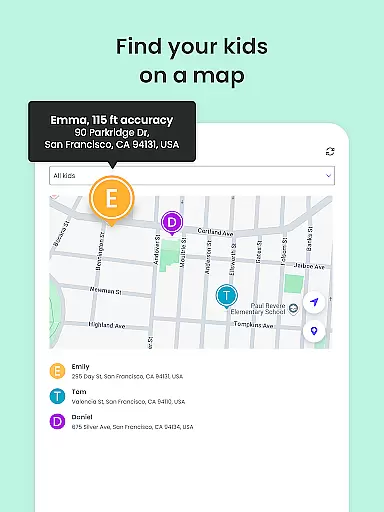
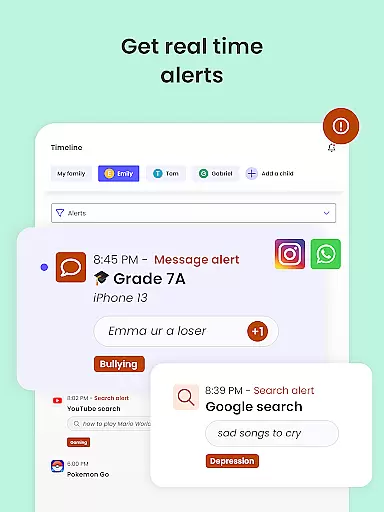
The app's AI-powered monitoring system represents another significant advantage. It automatically scans web searches, social media messages, and SMS communications for potentially harmful content, sending instant alerts to parents when suspicious activity is detected. The location tracking feature uses GPS technology to provide real-time updates on children's whereabouts, while the panic button offers an additional layer of security.
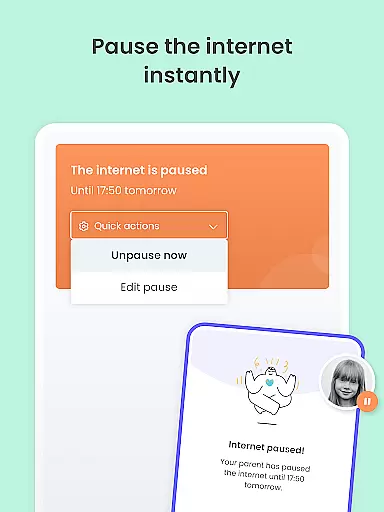
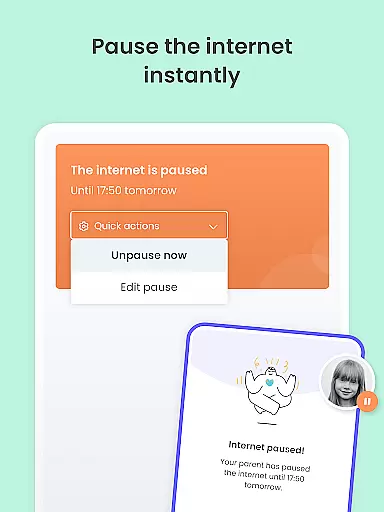
What sets Qustodio apart from other parental control solutions is its sophisticated approach to screen time management. Parents can set precise time limits not just for overall device usage but also for individual apps and categories of content. The app's reporting system delivers detailed insights into children's digital activities, including 30-day activity summaries and regular email reports. These features collectively help parents make informed decisions about their children's technology use while maintaining open communication about digital safety.
When it comes to parenting apps, the credibility of content and expert validation are paramount. Qustodio Parental Control App excels in these areas by providing features that are not only comprehensive but also endorsed by experts in child safety and digital wellness. The app's functionalities, such as screen time management, web filtering, and social media monitoring, are designed based on thorough research and understanding of children's online behavior.
The app offers a robust set of tools for parents to manage their children's digital experiences safely. These include AI-powered alerts for suspicious activities, real-time location tracking, and detailed activity reports. Each feature is crafted with input from child psychologists and digital safety experts, ensuring that they serve the best interest of both parents and children. This expert-backed approach gives users confidence in the reliability and effectiveness of the app's protective measures.
By choosing Qustodio, parents gain access to a solution that has earned recognition, including PC Magu2019s Editorsu2019 Choice award. This acknowledgment highlights the app's commitment to maintaining high standards of content accuracy and expert validation. Parents can trust that the guidance and controls provided by Qustodio are informed by the latest research and best practices in digital parenting.
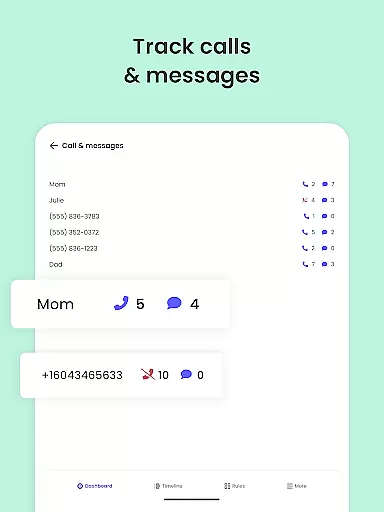
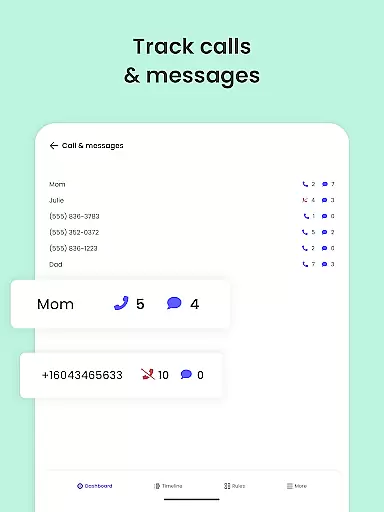
Growth tracking in the context of digital parenting refers to the ability to monitor and assess a child's online activities and development over time. Qustodio Parental Control App provides accurate growth tracking through its comprehensive monitoring features, which offer parents valuable insights into their children's digital lives. The app meticulously records web browsing history, app usage, and social media interactions, presenting this data in easy-to-understand reports.
One of the standout features of Qustodio is its 30-day online activity report, delivered directly to parents' inboxes. These reports provide a clear picture of a child's interests, habits, and potential risks encountered online. Additionally, real-time alerts for questionable search terms or messages enable parents to address concerns immediately. Such precise tracking empowers parents to guide their children's growth in the digital world effectively.
Qustodio's dedication to accuracy extends beyond mere data collection. The app employs advanced algorithms to interpret patterns in children's online behavior, helping parents identify areas where intervention may be necessary. With reliable growth tracking, Qustodio ensures that parents are well-equipped to support their children's healthy development in an increasingly digital environment.
Comprehensive feature set
Multi-platform support
AI-powered monitoring
Real-time alerts
Detailed reporting system
Premium features locked
Complex setup process
Requires companion app
Some features Android-only
Subscription-based pricing

GPS phone tracker: find kids on map. Location tracking and parental control.
 4.50
4.50
Educational resource for parents to inspire creativity in their children.
4.00
Track Pregnancy, Baby Feeding, Sleep, Diaper Changes, Postpartum Health & More!
4.80
Family parental control app: limit screen time, block apps, GPS tracker.
4.20
Lullabies, Night Light & Age-based Routines to help your baby fall asleep
4.3
Babysitting video camera - Turn your two phones or tablets into a single nanny.
4.40
Parental control App for Location, Remote Camera, Screen Mirroring, Block Apps.
4.60
All-In-One Pregnancy Tracker, Your Baby's Milestones, Growth Stages & Parenting.
4.90
Advanced baby tracking, expert sleep help & parenting support for every stage.
4.80
Track your labor contractions
4.90
Introduce real food to baby with First Foods® Database, baby led weaning BLW
4.80
Pregnancy+ App has helped 80m moms track their pregnancy with info & support!
4.80
SENSORYSOOTHE and SENSORSAFE: Making car seats smarter and families safer.
4.70
With BabyCam you can monitor your baby using your mobile phone, tablet, PC or TV
4.40
Fake call application designed for parents and adults to discipline their children through the children's police.
4.20
Keep Your Family Safe with Pollog Family Assistants
4.10
Monitor screen time and build healthy habits with Family Safety
3.90
The Baby’s Bounty App is your hub to register for our diaper banks in Nevada
3.70
A Coloring for the Whole Family! Discover the Joy of Family Love Through Colors!
3.60


User Reviews