
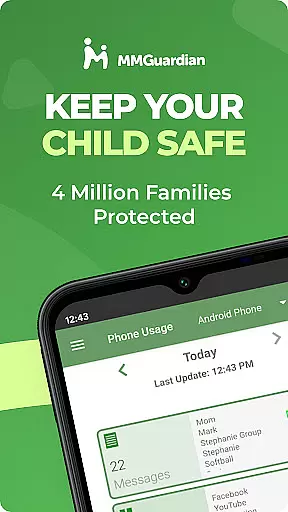
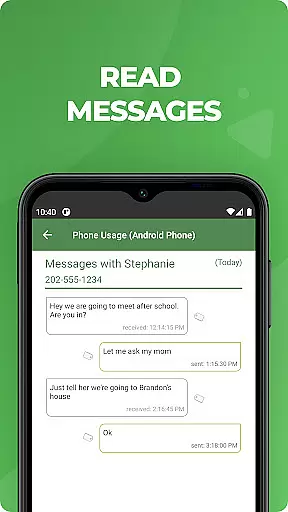
MMGuardian Parental Control is a comprehensive parental monitoring solution designed to ensure children's online safety. This app, installed on the parent's phone, works in tandem with a corresponding child app to provide real-time monitoring and control over various digital activities. Key features include screen time management, app blocking, internet filtering, and text message monitoring.
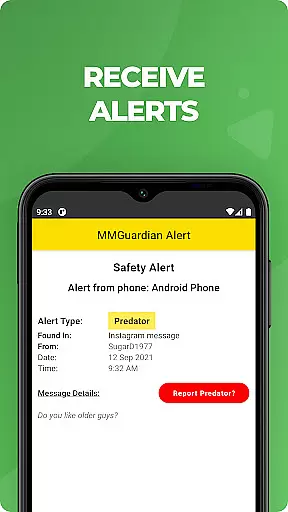
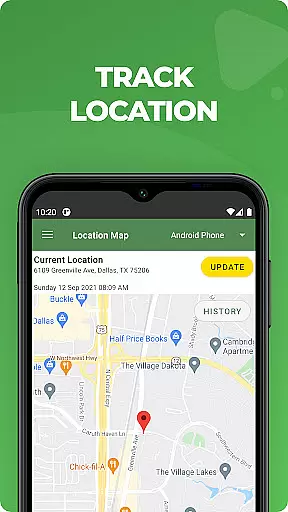
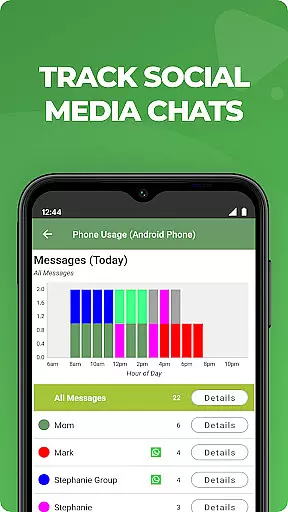
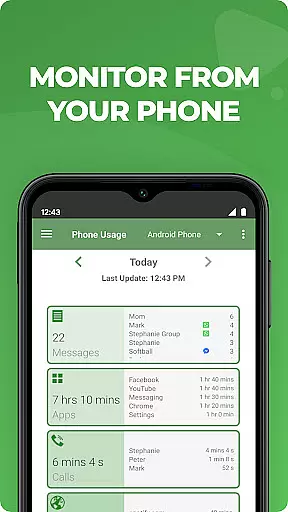
The application's standout capability is its advanced alert system that notifies parents of potential dangers such as cyberbullying, sexting, or suicidal thoughts detected through text messages and social media chats. The app supports monitoring across multiple platforms including Facebook Messenger, WhatsApp, Snapchat, and Instagram. Additionally, MMGuardian offers GPS tracking for location monitoring and provides detailed reports on web browsing activity, application usage, and phone calls.
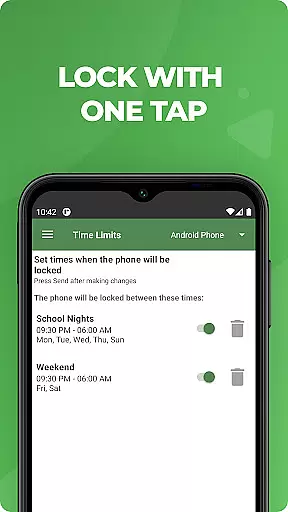
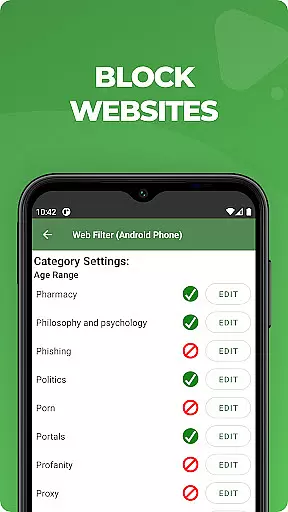
Parents can remotely manage their child's device by setting usage limits, locking the phone instantly, and filtering web content. The app operates on a subscription model starting at $4.99/month after a 14-day free trial. Both parent and child devices require data connectivity for optimal functionality, and registration must be completed using the same email address for both apps.
MMGuardian Parental Control distinguishes itself through its comprehensive feature set specifically designed for modern parenting challenges. The app's remote monitoring capabilities extend across multiple communication platforms, including standard SMS messages and popular social media applications like WhatsApp, Facebook Messenger, and Snapchat. Its intelligent alert system uses keyword detection to identify potentially dangerous situations related to cyberbullying, sexting, and mental health concerns.
A particularly innovative feature is the app's ability to analyze both text content and images in MMS messages, providing an extra layer of protection against inappropriate material. The comprehensive reporting system generates detailed insights into children's digital activities, covering web browsing history, application usage patterns, and call logs. Parents can maintain constant awareness of their child's location through the integrated GPS tracking system.
The application also includes practical device management tools such as remote lock/unlock functionality and customizable screen time scheduling. These features are implemented through a secure connection between the parent and child apps, ensuring reliable performance while maintaining user privacy. The app's intuitive interface makes it easy for parents to adjust settings and view reports, while the subscription model offers flexible pricing options for families with multiple children.
When it comes to parenting applications, the credibility of content and expert validation are paramount. MMGuardian Parental Control stands out by offering a comprehensive suite of features designed and endorsed by child safety experts. The app provides advanced monitoring tools that have been developed based on extensive research into online behavior patterns among children and teenagers.
The application's alert system is engineered using expert-validated algorithms that can detect potential dangers such as cyberbullying, sexting, and even signs of suicidal thoughts within text messages and social media interactions. This ensures that parents receive accurate and meaningful notifications that truly require their attention. By trusting MMGuardian, parents are relying on a system that has been fine-tuned by professionals who understand the digital landscape and its impact on young minds.
Furthermore, MMGuardian offers detailed reports on various activities including web browsing, app usage, and call logs. These reports are not only data-driven but also contextual, providing insights that are shaped by expert analysis to help parents make informed decisions about their child's digital environment. With this level of professional backing, MMGuardian establishes itself as a credible and indispensable tool in modern parenting strategies.
Growth tracking accuracy in parental control apps refers to the precision with which an application can monitor and report on a child's developmental progress through their digital activity. MMGuardian Parental Control excels in this area by providing meticulous tracking of screen time, application usage, and web browsing habits. This allows parents to gain a clear understanding of how their children are interacting with technology over time.
The app employs sophisticated algorithms to ensure that the data collected is both accurate and actionable. For instance, it can set precise limits on screen time and app usage, helping parents enforce healthy boundaries without guesswork. Additionally, MMGuardianu2019s GPS location tracker offers real-time updates about a child's whereabouts, ensuring that parents always have reliable information at their fingertips.
By consistently delivering precise data, MMGuardian empowers parents to track their child's growth in terms of digital responsibility accurately. This ongoing assessment helps identify trends or issues early on, allowing for timely interventions that support balanced development. Ultimately, MMGuardianu2019s commitment to accuracy makes it an essential ally for parents striving to foster responsible tech use within their families.
Comprehensive monitoring
Real-time alerts
Multi-platform support
Detailed activity reports
Remote device management
Requires dual installation
Paid subscription needed
Complex setup process
Limited iOS functionality
Privacy concerns possible

Free symptom & med tracker with expert-reviewed tips.
 4.30
4.30
GPS phone tracker: find kids on map. Location tracking and parental control.
4.50
Discover fun videos, kids songs, bedtime stories and games
3.60
With BabyCam you can monitor your baby using your mobile phone, tablet, PC or TV
4.40
SemLog aims to raise awareness among families and their children
3.40
Introduce real food to baby with First Foods® Database, baby led weaning BLW
4.80
Screen Time, App and Web Block & Monitoring, Location Tracker
3.60
Parental control: child monitoring app, screen time control, GPS child tracker
4.40
FamilyAlbum helps you share, save, and remember your child's special moments.
4.80
All-In-One Pregnancy Tracker, Your Baby's Milestones, Growth Stages & Parenting.
4.90
A simple way to track your baby’s breastfeeding, diaper changes, sleep patterns.
4.90
Pinardin - Smart Parental Control, Online Safety & GPS Tracking!
4.80
SENSORYSOOTHE and SENSORSAFE: Making car seats smarter and families safer.
4.70
Family GPS locator app — child location tracker. GPS kids tracker, family safety
4.70
Block apps, set screen time limits, and customize usage schedules
4.50
All-in-one pregnancy app, contraction timer, kick counter & due date calculator
4.40
Fake call application designed for parents and adults to discipline their children through the children's police.
4.20
The 10 development leaps of your baby | newborn milestones & leap days tracker
4.10
Monitor screen time and build healthy habits with Family Safety
3.90


User Reviews