
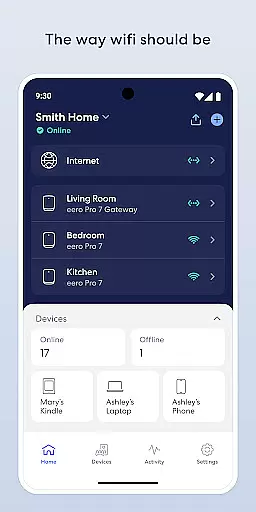
eero wifi system is a comprehensive home networking solution designed to provide fast and reliable internet coverage throughout your entire home. The eero app allows users to easily set up and manage their eero devices, ensuring optimal performance and security.
With features like automatic updates, remote network management, and advanced parental controls through eero Plus subscription, this lifestyle app caters to both tech-savvy users and those new to home networking solutions. Whether you're streaming, working, or playing, eero ensures consistent connectivity from every corner of your home.
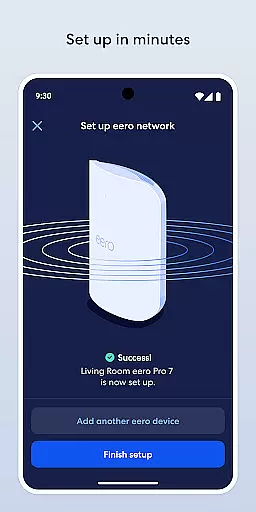
The eero app offers an impressive array of features that make managing your home wifi both convenient and secure. Users can complete setup within minutes and enjoy automatic updates that bring new functionalities, performance enhancements, and strengthened security protocols.
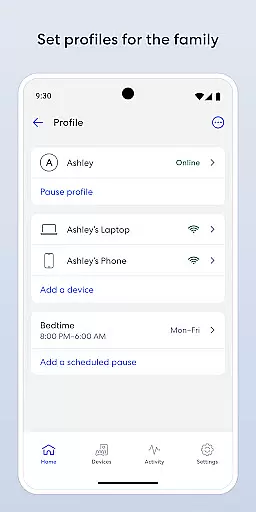
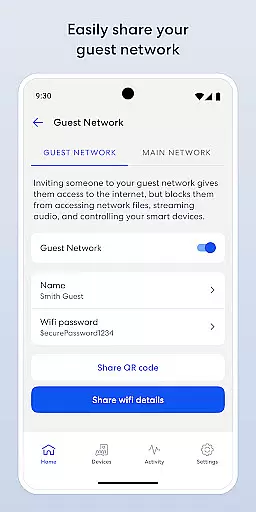
One standout feature is the ability to control your network from anywhere - view connected devices, share access with guests, and even pause internet for specific devices. Advanced options include scheduling internet access for better screen time management and blocking unwanted devices from connecting to your network.
The optional eero Plus subscription adds another layer of protection with advanced security features, including a password manager, antivirus software, and a VPN powered by Guardian, making it an ideal solution for privacy-conscious users.
In today's fast-paced world, having a comprehensive lifestyle app is essential for managing various aspects of your digital life. The eero WiFi system app excels in providing extensive lifestyle category coverage, ensuring that users can enjoy a connected home environment tailored to their needs.
The app offers features that cater to different facets of modern living. From seamless internet connectivity across your entire home to advanced parental controls and guest network management, eero has you covered. It allows users to schedule or pause internet access, helping manage screen time effectively, which is crucial for families aiming to maintain a healthy balance between online and offline activities.
Moreover, the inclusion of eero Plus, a subscription service offering enhanced security measures and VIP support from WiFi experts, showcases the app's commitment to not only meeting basic connectivity needs but also enhancing overall digital safety and convenience. This holistic approach ensures that every corner of your living space remains connected, supporting both work and leisure activities without compromise.
When it comes to managing your home network, content authenticity and expert credibility are paramount. The eero app stands out by delivering genuine, reliable information and services that are backed by industry experts, ensuring users receive top-notch guidance and support.
eero's dedication to transparency is evident through its regular updates, which introduce new features, performance enhancements, and stringent security protocols. These updates are crafted by professionals who understand the evolving landscape of digital security, thus providing peace of mind to users concerned about potential cyber threats.
Additionally, the option to contact eerou2019s support team at support@eero.com for feedback or inquiries further reinforces the company's commitment to maintaining high standards of expertise and customer satisfaction. By adhering to eerou2019s Terms of Service and Privacy Policy, the app guarantees that all interactions and data exchanges are handled with utmost professionalism and integrity, making it a trustworthy companion for your smart home journey.
Easy setup process
Comprehensive network control
Regular security updates
Remote management capabilities
Advanced parental controls
Premium features require subscription
Physical hardware sold separately
Limited free security features
VPN service needs activation
Advanced settings may overwhelm beginners

Chat, meet genuine singles in your area. Real connections start with being real.
 4.30
4.30
Turn your watch into a key fob for your Tesla
2.90
Earn points with every purchase with Moe Rewards.
4.20
The all-new Cync app. The simple, connected app for Cync and C by GE.
4.50
Use your device sensors to detect energy and convert it into spoken words.
4.10
Get the news, events and savings that matter to you with AARP Now.
4.80
My Diary - Daily Journal with lock: Diary journal app and secret diary with lock
4.80
Vehicle ownership simplified. Get the myChevrolet® app today.
4.60
The Wyze app is your gateway to a smarter life and a safer home.
4.40
Simple, stylish & fresh watch face. Customize colors, gradients & complications.
4.70
Crochet made easy: step-by-step tutorials, beginner patterns & projects
4.60
Colorful minimal digital watch face for Wear OS
4.60
PARAVOX 4 is a professional ITC paranormal research application.
4.50
Zodiac & Horoscope Launcher: Daily Sign Predictions & Astrology
4.40
Material You inspired colors with BIG and Bold looks for Wear OS watches.
4.20
Unique informative Dial with Live Moon Phase at a glance!
3.60
LineLearner, the quick way to learn lines.
2.90
Immerse yourself in the serenity of lavender fields and white butterflies
4.5
A uniquely designed isometric digital watch face made for Wear OS
4.0


User Reviews