
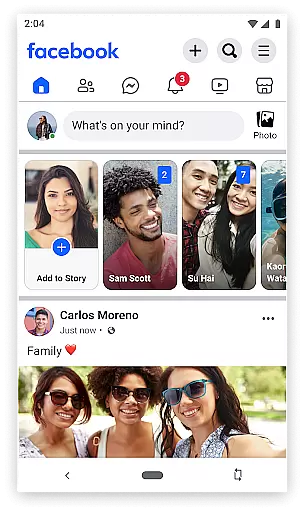
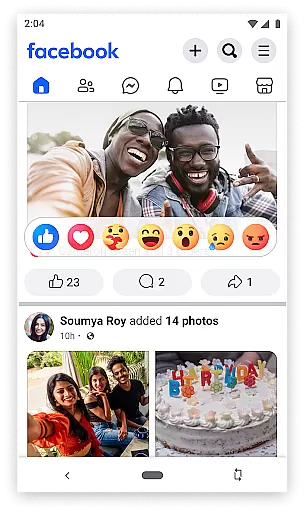
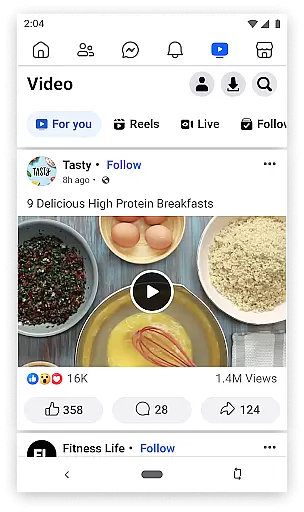
Facebook Lite is a streamlined version of the classic Facebook app, designed specifically for users with limited storage space or those operating in 2G network conditions. This social networking app allows you to stay connected with friends and family while using minimal phone storage. The app offers essential features such as posting status updates, sharing photos, liking posts, and engaging with your social circle through comments and reactions.
Despite its smaller size, Facebook Lite retains many core functionalities that make it an excellent choice for users who want to maintain their social connections without compromising on device performance. It supports key interactions like finding friends, joining groups, following pages, and even buying and selling items through Facebook Marketplace. With its lightweight design and efficient performance, Facebook Lite ensures you can access your social network anytime, anywhere, even with slower internet connections.
Facebook Lite stands out with its unique set of features tailored for optimal performance on low-end devices and slow network conditions. The app allows users to perform essential social networking tasks such as posting status updates with Facebook emoji, sharing photos and memes, and interacting with friends' content through likes and comments. Its notification system keeps you updated when friends engage with your posts, ensuring you never miss important social interactions.
One of the app's notable strengths is its ability to function seamlessly in 2G environments while consuming minimal data and storage space. Despite its reduced size, Facebook Lite maintains crucial features like event discovery, photo album creation, and local business exploration. Users can still access Facebook Marketplace for buying and selling items locally, follow favorite pages for news updates, and manage their privacy settings effectively. This combination of essential features and efficient performance makes Facebook Lite a practical solution for users seeking a simplified yet functional social media experience.
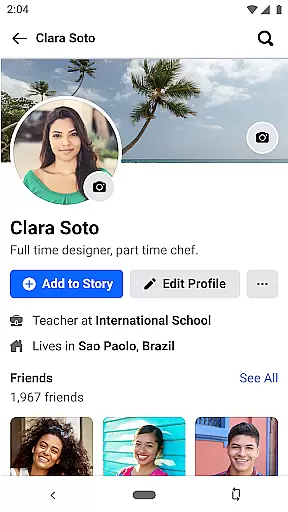
User profile customization is a fundamental aspect of any social networking app, including Facebook Lite. This feature allows users to personalize their profiles by adding profile pictures, cover photos, and personal information such as interests and educational background.
Facebook Lite ensures authenticity verification through various means. Users can verify their accounts via phone numbers or email addresses, which helps maintain the integrity of the social network. Additionally, the platform employs advanced algorithms to detect fake accounts and remove them, ensuring that users interact with real people.
The ability to customize and verify profiles enhances user engagement on the platform. When users have control over their online presence, they are more likely to participate actively in the community. Moreover, verified profiles contribute to a safer environment where misinformation and fraudulent activities are minimized.
For users in regions with limited internet connectivity, Facebook Lite offers an optimized experience without compromising essential features like profile customization and verification. This inclusivity empowers individuals from diverse backgrounds to connect and share experiences while maintaining trust within the network.
Connection discovery is a pivotal feature in Facebook Lite, enabling users to find and connect with friends, family, and acquaintances effortlessly. The app utilizes sophisticated algorithms to suggest potential connections based on mutual friends, shared interests, and geographical proximity.
One of the primary methods for discovering connections is through the search functionality. Users can look up individuals by name, email, or phone number, making it convenient to locate old friends or new contacts. Furthermore, Facebook Lite provides personalized friend suggestions, enhancing the likelihood of meaningful interactions.
Beyond individual connections, Facebook Lite also facilitates group discovery. Users can join groups related to their hobbies, professional interests, or local communities. These groups serve as platforms for discussion, collaboration, and support, thereby enriching the overall social experience.
By prioritizing connection discovery, Facebook Lite fosters a vibrant and interconnected user base. Even with its lightweight design tailored for 2G networks, the app delivers robust tools for expanding one's social circle and engaging with relevant communities worldwide.
User-friendly interface
Minimal storage required
Works well on 2G networks
Core Facebook features included
Efficient data usage
Limited advanced features
No video calling support
Reduced image quality
Fewer customization options
Slower loading on 3G/4G

Looking for a date or a friend? Swipe to match and meet open-minded singles.
 4.20
4.20
Swipe, Meet & Chat Real People
3.80
Dating for singles. Meet lonely people nearby online. Find your match here!
4.20
Get notifications of FREE Stuff for Nextdoor, Letgo, offerup & TrashNothing
4.70
The world's leading social networking app for gay, bi, trans, and queer people.
4.10
Random chat & meet online. Find your soulmate or someone special and have fun!
3.90
Watch 24/7 great live stream, or go live to boost your social followers!
4.50
A little connection can go a long way
4.60
TikTok Lite - Designed for speed, simplicity, and saving your phone’s space!
4.40
Date single & make friend
4.60
Connection Beyond Content
4.50
Global short video platform: epic effects, trending videos & vibrant community!
4.40
Live Chat & Match! Explore Real-Time Dating and Make Friends!
4.40
Watch 24/7 live stream, and make real friends nearby
4.30
FREE calling and texting (SMS texts + MMS) in US & Canada with FREE phone number
4.30
Chill and Chat with Tagged Live Video with millions of peeps
4.10
Watch, Edit, Upload and Share Gaming Clips
4.00
Find your next obsession.
3.50
Follow the Truth! Join America's leading free-speech social platform.
3.10


User Reviews