
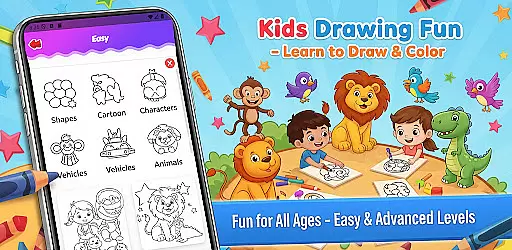
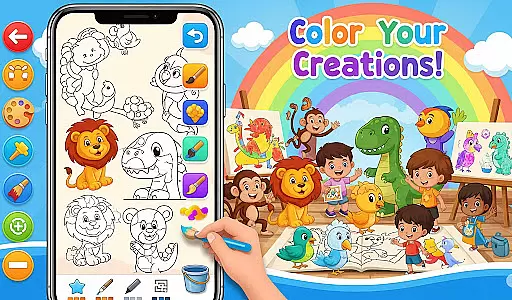
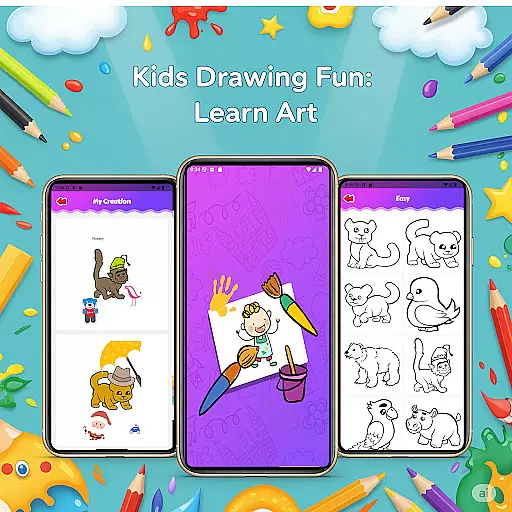
Fun Drawing & Color: Learn Art is an innovative educational app that brings the joy of art to users of all skill levels. Designed for both beginners and experienced artists, this app offers a complete package of creative tools and structured learning resources. The app's standout feature is its collection of step-by-step drawing guides, which break down complex subjects into simple shapes and lines, making it easy to learn how to draw animals, vehicles, objects, food items, and characters.
In addition to guided lessons, the app provides a rich selection of coloring tools, brush types, text styles, and decorative stickers. These features allow users to customize their artwork with vibrant colors, unique fonts, and playful embellishments. With compatibility across phones and tablets, a personal gallery for saving work, and an ad-free experience, Fun Drawing & Color: Learn Art ensures a seamless and enjoyable creative process for everyone.
This app is perfect for children who are just starting to explore their artistic abilities as well as adults looking to refine their skills. By offering multiple difficulty levels and intuitive editing tools like undo, redo, and erase, it caters to various learning paces while fostering creativity in a fun and engaging way.
One of the most impressive aspects of Fun Drawing & Color: Learn Art is its diverse set of features designed to enhance the user's artistic journey. At the core of the app are the step-by-step drawing guides, which provide clear instructions on creating detailed illustrations from basic shapes. This systematic approach helps users build confidence and improve their technique over time.
Beyond the tutorials, the app boasts a variety of customization options. Users can experiment with different brush types, such as pencil, magic brush, and standard brushes, each offering distinct textures and effects. The color palette tool allows for precise shading and filling, while the text feature lets users add captions or labels in fun fonts. Additionally, the inclusion of stickers adds an element of playfulness, enabling users to decorate their creations with whimsical designs.
The app also prioritizes convenience and accessibility. Its compatibility with both smartphones and tablets ensures a smooth experience regardless of device type. Furthermore, the absence of ads and locked features makes it an appealing choice for those seeking uninterrupted creativity. With all these capabilities combined, Fun Drawing & Color: Learn Art stands out as a versatile platform for artistic expression.
In the realm of educational drawing applications, content authority and curriculum alignment are crucial for ensuring that users receive accurate and pedagogically sound instruction. Fun Drawing & Color: Learn Art positions itself as not just a creative outlet but also an educational tool.
The app offers step-by-step drawing guides that teach users how to draw various subjects using simple shapes, which aligns with foundational art education principles. This methodical approach ensures that each lesson builds upon the previous one, fostering a deeper understanding of drawing techniques.
Moreover, the inclusion of multiple skill levels from beginner to advanced indicates a structured learning path that can cater to a wide audience with varying degrees of prior knowledge. This tiered approach supports curriculum alignment by providing progressive challenges that are akin to traditional art education syllabi.
By offering lessons on drawing diverse objects such as animals, vehicles, and food, the app covers a broad spectrum of themes that could easily be integrated into an art curriculum, thus enhancing its appeal as an educational resource.
Gamification in learning has been shown to increase engagement and motivation among learners. Fun Drawing & Color: Learn Art incorporates elements of gamification to enhance the educational experience it provides.
One way this is achieved is through the use of playful stickers and fun fonts which allow users to add creative flourishes to their work. These features serve as rewards that encourage continued use and exploration within the app, mimicking the positive reinforcement found in game design.
Additionally, the ability to save artwork in a personal gallery creates a sense of achievement and progression. Users can look back at their creations, seeing visible proof of their improvement over time, much like leveling up in a game.
The app's compatibility across tablets and smartphones also means that learning can happen anywhere, anytime, breaking free from traditional classroom constraints. This flexibility mirrors the on-demand nature of many popular games today, further blurring the lines between gaming and learning environments.
User-friendly interface
Wide range of tools
Step-by-step tutorials
No ads or subscriptions
Suitable for all ages
Limited advanced features
Requires ample storage
Premium price tag
Occasional bugs
Few sharing options

Creating emotional connections
 4.4
4.4
Daycare full of baby games! Take care of cute toddlers & play fun mini-games!
3.90
Create stories and build your own virtual world for your avatar!
3.00
A world for little builders to create, imagine, and learn through play.
4.20
Fun educational jigsaw puzzles for kids and preschoolers.
4.50
Master your phonics letters and sounds with the Alphablocks!
3.80
Play pretend & explore at the doctor's & school in Daniel Tiger's Neighborhood.
3.30
Safe, fun, ad-free games for kids! For babies, toddlers, & kids age 2-6
3.60
Create, design & explore Mia’s avatar game world! Dress up a dreamhouse you love
3.80
Explore Dopples World, build your avatar life & create endless stories!
4.70
Play educational games for preschool toddlers—plus more to discover ►AdsFree◄
4.60
Kids coloring games for boys! Fun drawing, painting & learning book for kids.
4.60
Fun educational game: Learn, imagine, create, draw and color!
4.20
OG Trail - Lets you play the classic Oregon Trail simulation game on Android
4.20
Where the beloved world of Peppa Pig meets the creativity of LEGO DUPLO!
4.00
The kids phonics and reading app that's helped millions of kids learn to read
4.00
Baby Phone Game for Kids & Toddlers to Learn Sounds, Numbers, ABCs, Phone Calls
3.80
Companion app for Cozmo, the educational toy robot who’s got a mind of his own.
3.30
Join Rus and his friends to save Pear Island!
4.0


User Reviews