
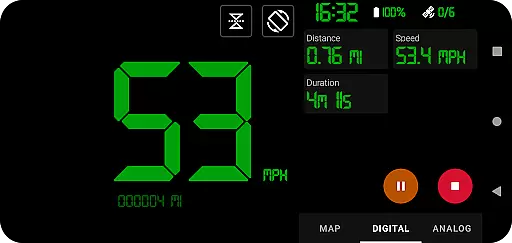
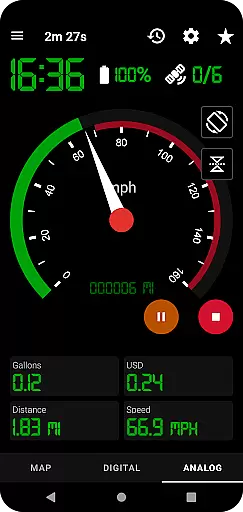
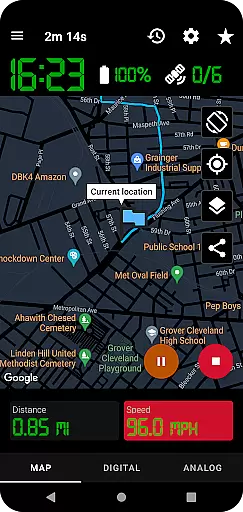
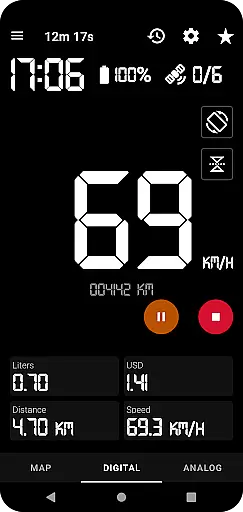
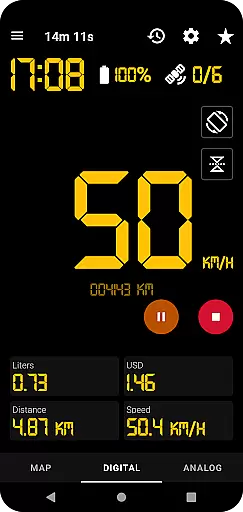
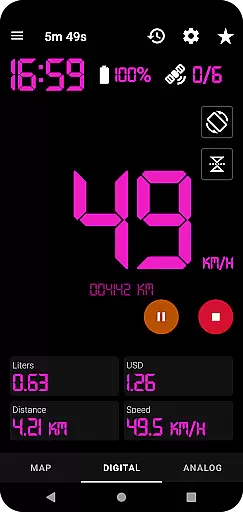
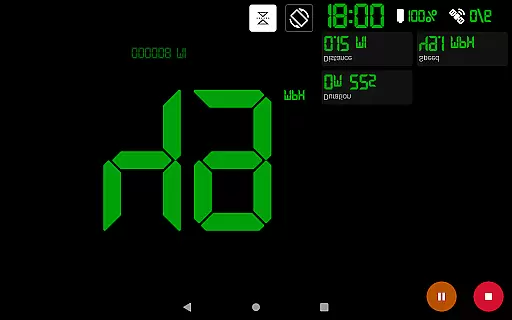
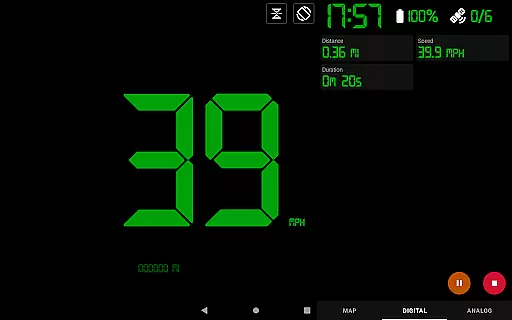
GPS Speedometer Pro is a comprehensive navigation and tracking application designed to monitor your speed, distance, and routes using your phone's built-in GPS. The app offers multiple display modes including analog, digital, and head-up display (HUD) options, making it versatile for various activities such as driving, running, or cycling.
One of the standout features of this app is its ability to operate seamlessly in the background, allowing users to multitask on their phones without interrupting the tracking process. Whether you're commuting, exercising, or exploring new terrains, GPS Speedometer Pro provides accurate real-time data while offering advanced functionalities like fuel cost estimation, over-speed alerts, and route history management.
The app also supports downloading tracked routes in .gpx file format, enabling users to analyze their journeys through third-party software. With privacy at its core, GPS Speedometer Pro ensures that no personal information is collected or shared, giving users complete control over their data.
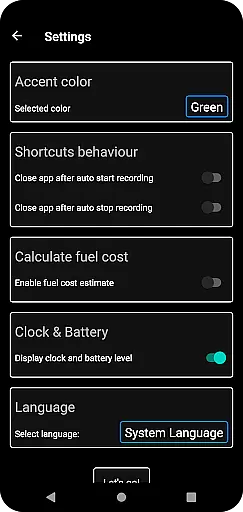
GPS Speedometer Pro boasts an impressive array of features tailored for both casual and power users. The app includes customizable speedometers with analog, digital, and HUD modes, catering to different preferences and use cases. Additionally, it allows users to switch between light and dark themes, ensuring optimal visibility in varying lighting conditions.
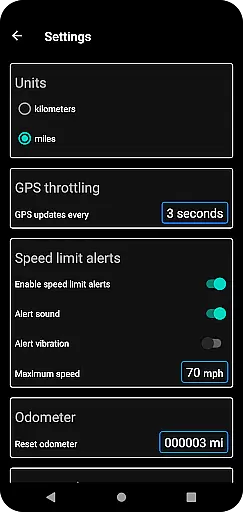
Advanced tools such as odometer readings, fuel cost estimations, and maximum speed alerts enhance the overall user experience by providing valuable insights into travel patterns. Users can also download their tracked routes in .gpx format and replay them within the app, gaining a detailed view of their recorded speeds and paths.
Other notable features include map customization options, orientation adjustments for portrait or landscape views, and the ability to share locations or routes via images or text. These capabilities make GPS Speedometer Pro not only functional but also highly adaptable to individual needs.
Map accuracy is crucial for any navigation or tracking application, and GPS Speedometer Pro excels in this area. The app leverages your phone's built-in GPS to provide precise location data, ensuring that your routes are recorded with high fidelity.
The app offers multiple map types including light, dark, and terrain views, allowing users to select the most suitable option for their environment. This versatility ensures optimal readability and accuracy regardless of time of day or terrain type.
While tracking, the map dynamically follows your current location, providing real-time updates and ensuring you always know where you are. This feature is particularly useful when traveling through unfamiliar areas or during long journeys.
With its ability to download routes in .gpx file format, users can verify the accuracy of recorded tracks using third-party software. This level of transparency builds trust and demonstrates the app's commitment to providing reliable mapping data.
Effective route planning is essential for optimizing travel time and ensuring a smooth journey. GPS Speedometer Pro offers several features that enhance the route planning experience, making it more than just a speed tracking tool.
Users can set maximum speed limits and receive over-speed alerts, even when the app runs in the background. This safety feature helps drivers maintain appropriate speeds and plan their routes accordingly, avoiding potential hazards or traffic violations.
The app allows pausing, stopping, and resuming tracking at any time, giving users flexibility in managing their routes. This functionality is particularly valuable when encountering unexpected stops or changes in plans during a journey.
Additionally, the history of saved tracks provides valuable insights for future route planning. By reviewing past journeys, users can identify optimal paths, estimate travel times more accurately, and make informed decisions about their upcoming trips.
User-friendly interface
Accurate GPS tracking
Customizable display modes
Background operation
Privacy-focused design
Limited offline functionality
Occasional GPS inaccuracies
Requires constant internet
No social integration
Premium feature lock

Turn your Android device into a real off-road GPS using off-line topo maps!
 4.40
4.40
Easy, Moderate and difficult offroad adventures.
4.00
Complete offline 1:50k South Island topo map including DOC Hunting Permit Areas
4.60
Find EV & Tesla charging stations with PlugShare
4.70
Use GPS maps or search by property owner, address or parcel to view parcel data
4.30
Drive safe with real-time speed camera radar, police, and traffic alerts
3.80
GPS Navigation: Get map directions and find the shortest routes to avoid delays!
4.00
Truck Safe GPS Navigation & Maps: Parking, Fuel, Diesel, Weight Station
4.80
Gas Station & Fuel Rewards Points
3.70
This app is military GPS coordinate systems helper. (MGRS, UTM & DMS Maps)
4.80
Find AI powered cameras, ALPRs, and other surveillance infrastructure near you
4.70
Find shortest way and save energy . Distance and area calculator.
4.70
GPS Speedometer & Odometer: Track car, bike, truck speed & distance in real-time
4.70
Ride or drive at YOUR price
4.70
Voice GPS with driving directions, offline maps navigation GPS for safe travel
4.50
Instant diesel discounts - save big with each fill up!
4.40
Explore Earth with live GPS, satellite view & street navigation
3.60
Explore the world with Live Satellite View, 3D Maps, GPS Navigation & Earth Map.
2.90
All of NHSA's trail information at your fingertips for the 2025-2026 season
4.0


User Reviews