
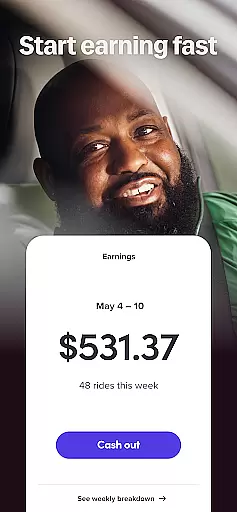
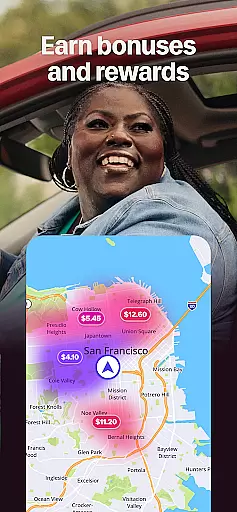
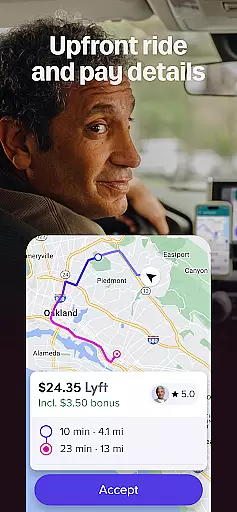
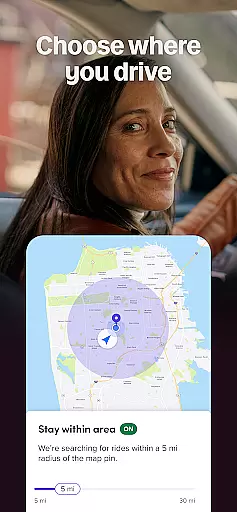


Lyft Driver is a business application designed for individuals seeking flexible earning opportunities through driving. The app allows drivers to connect with riders and earn money on their own schedule, offering features like instant cash-out options, upfront pay visibility, and location filters for trip selection.
With a strong focus on driver support and experience, Lyft ensures that drivers interact with highly-rated, friendly riders. Additionally, the app provides essential tools such as Android Auto integration, which consolidates directions, ride details, and music into one accessible interface. This makes it easier for drivers to navigate while staying informed about their earnings and schedules.
The true value of Lyft Driver lies in its ability to offer drivers both financial benefits and peace of mind. With 24/7 support, safety features, and flexible work hours, this app empowers drivers to manage their time efficiently while maximizing their income potential.
One of the standout features of Lyft Driver is its robust payment system. Drivers can choose from various payout methods including instant, daily, or weekly payments, ensuring they have control over their finances. The app also displays earnings upfront, allowing drivers to make informed decisions before accepting rides.
Another key feature is the flexibility it offers. Drivers can use location filters to select where they want to operate, avoiding areas they prefer not to drive through. This level of customization enhances the overall user experience by giving drivers more autonomy over their work environment.
Additionally, Lyft Driver incorporates advanced technology such as Android Auto compatibility, which simplifies navigation and keeps drivers focused on the road. Safety and support are prioritized with round-the-clock assistance, making sure drivers feel secure at all times. These comprehensive features collectively contribute to a seamless and empowering driving experience.
Collaborative work features are essential for modern business applications, enabling seamless teamwork and communication. Lyft Driver excels in this area by providing drivers with tools to manage their schedules and earnings collaboratively. The app allows drivers to view potential earnings upfront, which fosters transparency and trust between the platform and its users.
Furthermore, Lyft offers flexible location filters that let drivers choose where they want to operate, promoting a personalized and cooperative work environment. This feature empowers drivers to optimize their routes and working hours, aligning with their personal preferences and enhancing productivity.
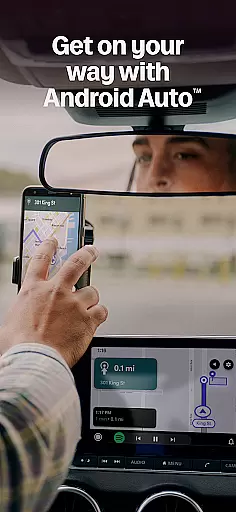
The integration of Android Auto is another collaborative aspect, ensuring that drivers can focus on the road while still accessing necessary information. By connecting to the car's system, Lyft provides a unified interface for navigation, ride details, and entertainment, all without compromising safety or efficiency.
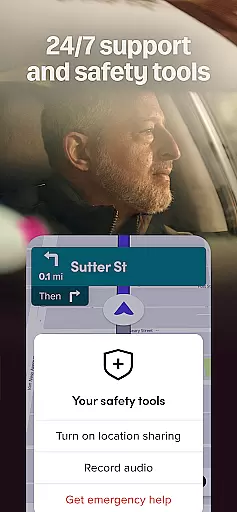
With 24/7 support and on-demand help, Lyft ensures that drivers are never alone on the road. These collaborative safety features give drivers peace of mind, knowing that assistance is always available. Such comprehensive support systems highlight Lyftu2019s commitment to creating a cooperative ecosystem where drivers can thrive.
Effective task management is crucial for any business application, allowing users to organize, prioritize, and execute their tasks efficiently. Lyft Driver stands out by offering robust task management features tailored specifically for drivers. One key aspect is the ability to see earnings and trip details before accepting rides, empowering drivers to make informed decisions about their workloads.
Additionally, Lyft provides various options for cashing out earnings, including instant, daily, and weekly payouts. This flexibility in managing finances helps drivers maintain better control over their income flow, making it easier to plan and prioritize personal and professional commitments.
Location filters further enhance task management by letting drivers decide where they wish to accept rides. This feature not only streamlines the process of finding suitable trips but also minimizes unnecessary travel, saving both time and resources. As a result, drivers can focus on more profitable areas, improving overall efficiency.
Finally, the appu2019s integration with Android Auto exemplifies advanced task management by consolidating essential functions into a single, accessible interface. Drivers can navigate, check ride details, and control music without distraction, ensuring that they remain focused on driving safely while efficiently managing their tasks.
User-friendly interface
Flexible scheduling
Instant payment options
Highly-rated rider pool
Comprehensive support system
Battery consumption issues
Limited city availability
Background GPS usage
Potential push notifications
Language setting collection

Completed Course Lectures on how to use IBM Maximo in Maintenance issues
 4.1
4.1
Scan Business Cards & Conference Badges - Capture Leads at Events & Tradeshows
4.20
The MyWalmart App is available for all associates in stores.
4.70
Paychex Flex - Save Time and Stay Connected
4.60
Drive and earn extra money
4.50
Build a store in minutes with our full suite of AI tools. Start for free!
4.20
view, manage, and share every PDF file you have
3.60
On the go? Take FedEx with you.
4.00
Work happy with AI Companion
4.10
FaxCover - Create fax cover pages. Works with any app or fax machine.
4.90
Employee Management Made Easy
4.80 4.70
4.70
Find the right fit, faster.
4.70
Grow your business and connect with more people with Meta Business Suite.
4.60
Ship, Track, Find a Location or Get a Quote with UPS. Anytime. Anywhere.
4.60
The revolutionary flexible staffing platform
4.40
All Your Gig Work. One App.
4.30
Find part-time earning opportunities near you that pay within days.
3.20
Convert Your Lovable.dev Website into a Mobile App Instantly!
4.4


User Reviews