
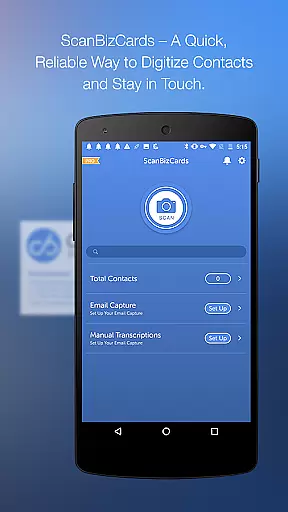
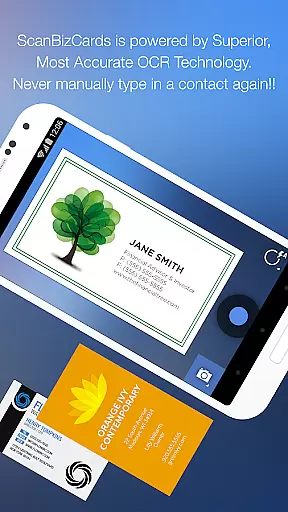
ScanBizCards Premium is a versatile business card management app for Android users. This app allows you to digitize and organize your scattered business cards efficiently, keeping them all in one place on your mobile device. With features like email signature capture, direct CRM exports, and an upgraded OCR engine, it offers both speed and accuracy in managing contacts.
The app provides unique functionalities such as human transcription for 100% accuracy, batch scanning, and the ability to scan conference badges. These features make it particularly useful for sales professionals and frequent conference attendees who need to manage large volumes of contacts seamlessly. By integrating with CRMs like Salesforce and SugarCRM, ScanBizCards ensures that your customer data remains up-to-date across platforms.
Whether you're capturing contacts from email signatures or scanning business cards at trade shows, this app streamlines the process, making it easy to convert new leads into actionable contacts. Its support for 22 languages also makes it a flexible tool for international use, providing significant value to its users.
ScanBizCards Premium boasts a wide array of features designed to enhance business card and contact management. One of its standout capabilities is the email signature capture, which automatically extracts contact information from incoming emails and updates your address book. This feature saves time and reduces manual entry errors, ensuring your contacts are always current.
The app's latest OCR engine upgrade enables faster and more accurate scanning, processing cards up to five times quicker than before. Additionally, the batch scanning functionality allows users to scan multiple cards simultaneously, significantly speeding up the digitization process. Users can also export unlimited business cards directly to Salesforce CRM, a feature previously limited to seven cards per month.
Other notable features include double-sided business card scanning, 3D gallery view mode, and custom folder organization. The ability to add personal notes and create Quick Intro emails further enhances user engagement. With these comprehensive tools, ScanBizCards Premium positions itself as an indispensable asset for efficient contact management.
Collaborative work features are essential for modern business applications, enabling teams to work together efficiently regardless of location. ScanBizCards Premium excels in this area by offering seamless integration with popular CRM platforms like Salesforce and SugarCRM.
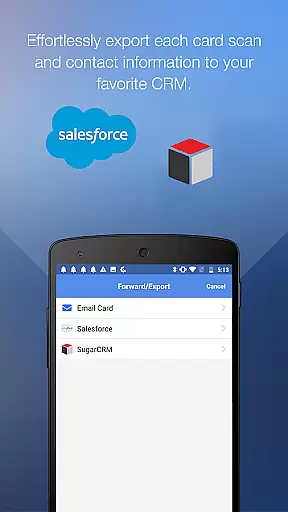
The app allows sales professionals to export scanned business cards directly to their preferred CRM system. With the latest update, users can now enjoy unlimited exports to Salesforce, a significant improvement from the previous limit of seven cards per month. This ensures that your customer-relationship management database stays up-to-date with minimal effort.
Another innovative feature is the Email Signature Capture functionality. By connecting their email accounts, users can automatically capture new contacts and updates from incoming emails. This not only saves time but also helps maintain an accurate and comprehensive contact list across the entire team.
The batch scanning capability further enhances collaboration by allowing multiple business cards to be processed simultaneously. Teams attending conferences or trade shows can quickly convert stacks of physical cards into digital contacts, ready to be shared across the organization. These features collectively create a powerful toolset for collaborative work environments.
Effective task management is crucial for maintaining productivity in business settings. ScanBizCards Premium offers robust solutions for managing contact-related tasks through its comprehensive feature set designed specifically for sales professionals and business managers.
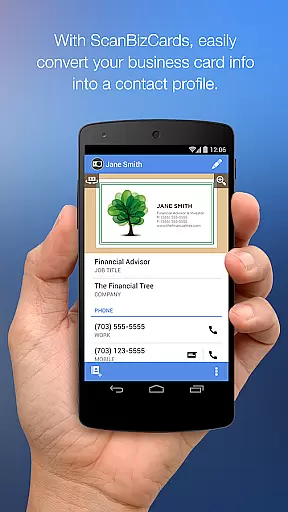
The application streamlines the process of capturing and organizing business contacts. Users can snap photos of business cards, review scanned information alongside the original image, and make necessary edits before adding the contact to their address book. This four-step process ensures accuracy while saving valuable time.
For enhanced task management, the app supports creating personal notes for each card and organizing them using custom folder names. These features help users categorize and retrieve contacts based on specific projects or events, making follow-ups more systematic and efficient.
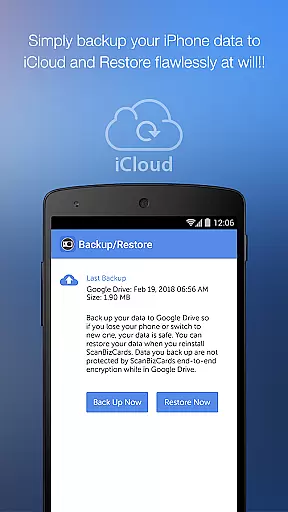
Additionally, the ability to scan double-sided business cards and utilize 3D gallery view mode provides flexibility in handling various card formats. The search function enables quick retrieval of specific contacts from large collections, while backup and restore options to Google Drive ensure data security. These capabilities transform routine contact management into a well-organized task management system.
Accurate OCR scanning
Unlimited CRM exports
Email signature capture
Batch scanning option
Multi-language support
Premium version costly
Limited free features
Occasional OCR errors
Heavy app size
Learning curve

Formerly Facebook Ads Manager. Manage and create ads on the go.
 4.20
4.20
Ask Accio anything about business. Alibaba-backed, built by experts, not just AI
4.60
Find flexible, hourly jobs hiring near you in restaurant, retail & hospitality!
4.00
Quickly open and manage PDF files on your device.
3.80
All your team communication in one place
4.70
Build a store in minutes with our full suite of AI tools. Start for free!
4.20
Permission Guard is a security app that helps you manage app permissions.
4.80
Work happy with AI Companion
4.10
Make money as a delivery driver with DoorDash and work when you want as a Dasher
4.30
Job search app that finds jobs for you! Takes the work out of looking for a job!
4.90
The MyWalmart App is available for all associates in stores.
4.70
Find the right fit, faster.
4.70
Chat, meet, and collaborate to achieve more together, all in one place on Teams
4.60
Amazon A to Z is the place to manage your work-life at Amazon.
4.50
The app that lets you deliver with Amazon.
4.50
All Your Gig Work. One App.
4.30
Find work, shifts and gigs near you. Jobs lasting a few hours to a few months.
4.30
All-in-one Mobile solutions for employees & managers to succeed at work
4.30
Roadie connects people with stuff to send with drivers already going that way.
3.50


User Reviews