




Zoom for Chromebook is a comprehensive business communication tool that combines team chat, video meetings, phone capabilities, and virtual whiteboard functionalities into a single web application. Designed specifically for Chromebook users, this app enables seamless collaboration from anywhere, making remote work more efficient.
The application's key features include one-tap meeting scheduling and joining, AI-powered meeting summaries, and integrated team chat channels. It also supports phone calls and SMS messaging, virtual whiteboarding, and customizable virtual backgrounds. With automatic updates and remote installation options for administrators, Zoom ensures both convenience and security while providing an optimized experience on Chrome OS 91+.
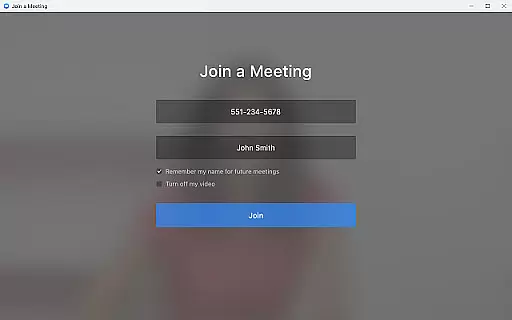
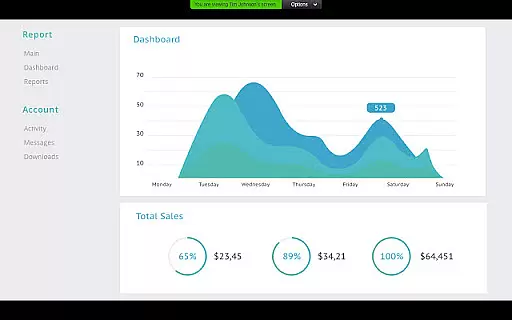
Zoom for Chromebook stands out with its rich feature set tailored for modern business needs. The app allows users to schedule or join video meetings instantly with a single tap, streamlining the meeting process. Its AI Companion feature provides automated meeting summaries, helping teams stay organized and informed.
The application's integrated team chat supports communication in both public and private channels, facilitating collaboration with colleagues and external contacts. Additionally, the virtual whiteboard functionality enables creative brainstorming sessions, while the virtual background feature helps maintain professionalism during video calls. With support for phone calls, SMS messaging, and automatic updates, Zoom delivers a complete business communication solution that evolves with user needs.
Collaborative work features are essential for modern business applications, enabling teams to work together efficiently regardless of location. Zoom for Chromebook excels in this area by integrating multiple communication tools into a single platform.
The application allows users to schedule or join video meetings with a single tap, streamlining the collaboration process. Its team chat functionality supports communication in both public and private channels, ensuring that users can interact with colleagues and external contacts seamlessly.
One of the standout collaborative features is the virtual whiteboard, which provides a space for brainstorming sessions and visual collaboration. This tool helps teams to share ideas dynamically and work together on projects in real-time, enhancing productivity and creativity.
With automated meeting summaries powered by AI Companion, teams can easily review key discussion points and action items. This ensures that all members stay aligned and informed, even if they cannot attend every meeting, thus maximizing overall team efficiency.
Effective task management is crucial for maintaining productivity and ensuring that projects progress smoothly. Zoom for Chromebook offers several features that contribute to efficient task management within a business environment.
The ability to schedule meetings and receive automated summaries helps users keep track of their tasks and deadlines. These summaries, generated by AI Companion, provide concise overviews of meetings, allowing users to quickly identify follow-up actions and responsibilities.
In addition to meeting management, the app's chat functionality enables users to create task-oriented conversations. By organizing discussions into public or private channels, teams can focus on specific projects or tasks, making it easier to manage workflows and maintain clear communication.
Furthermore, administrators have remote installation options, which allow for centralized configuration and security management. This feature ensures that all team members are using the latest version of the app, promoting consistency and reducing potential disruptions in task management processes.
Seamless integration
User-friendly interface
Advanced AI features
Robust security options
Regular feature updates
Paid features required
Limited AI availability
Chrome OS dependency
Occasional connectivity issues
Resource-intensive

GoTo Mobile is a simple & secure calling, messaging & meetings solution
 4.80
4.80
Scan Business Cards & Conference Badges - Capture Leads at Events & Tradeshows
4.20
VSD Viewer - Visio Drawings Viewer for Android Preview VSD, VDX, VSDX drawings
4.10
TurboScan turns your phone into a full-featured PDF document scanner.
4.80
viewing and sharing PDFs and other files—anytime, anywhere!
4.3
Recover what matters — quickly and easily.
4.70
Find jobs near you and temp work in minutes, from your phone.
4.50
On the go? Take FedEx with you.
4.00
Chat, meet, and collaborate to achieve more together, all in one place on Teams
4.60
Make invoices, bills, receipts & estimates on the go with Invoice Generator.
4.70
Find jobs and make money fast with JobStack.
4.60
Paychex Flex - Save Time and Stay Connected
4.60
Earn money with the driver & delivery partner app for Uber, UberEats & Postmates
4.60
Drive and earn extra money
4.50
Deliver and earn money
4.30
Make money as a delivery driver with DoorDash and work when you want as a Dasher
4.30
Work happy with AI Companion
4.10
Roadie connects people with stuff to send with drivers already going that way.
3.50
Completed Course Lectures on how to use IBM Maximo in Maintenance issues
4.2


User Reviews