
PDF Reader is a versatile business application designed to streamline document management for professionals on the go. This app allows users to view, organize, and share PDF files with ease, making it an essential tool for anyone dealing with digital documents.
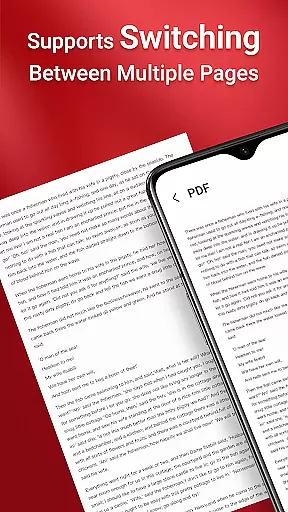
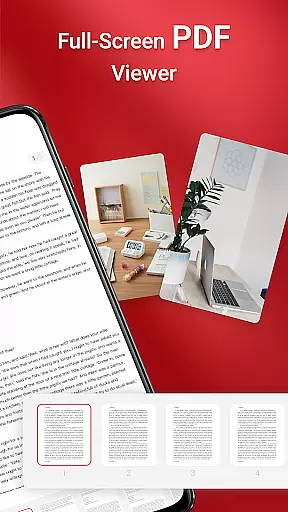
The application features a clean and intuitive interface that simplifies navigation and file access. Key functionalities include one-click PDF reading, support for multiple document formats, and quick page navigation. Whether you're reviewing reports or managing contracts, this app ensures your documents are always accessible.
With its seamless sharing capabilities and reliable performance across devices, PDF Reader is particularly useful for business professionals who need instant access to important files during meetings or while traveling.
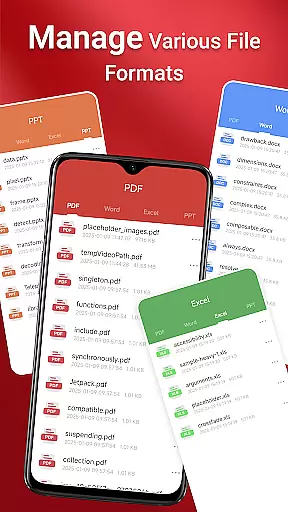
PDF Reader stands out with its comprehensive feature set tailored for business users. The app supports not only PDF files but also integrates document types like Doc, PPT, and Excel, providing a unified platform for all your document needs.
One of the standout features is the quick page navigation, which allows users to effortlessly scroll through lengthy documents. The app also enables cross-folder operations without constant user interaction, thanks to the MANAGE_EXTERNAL_STORAGE permission on Android 11 and later.
Additional capabilities include multi-file merging, offline document management, and persistent access to stored files. These features ensure users can reliably work with their documents regardless of location or network availability.
Collaborative work features are essential for modern business applications, enabling teams to work together efficiently regardless of location. PDF Reader excels in this area by providing integrated support for various document types, including PDF, Doc, PPT, and Excel files. This ensures that team members can access and share different file formats seamlessly within the app.
The application allows users to manage all their PDF files on their device with ease, making it simple to collaborate on documents. With quick page navigation, teams can review and discuss specific sections of a document without hassle. The one-click PDF reading feature further enhances the collaborative experience by simplifying document access.
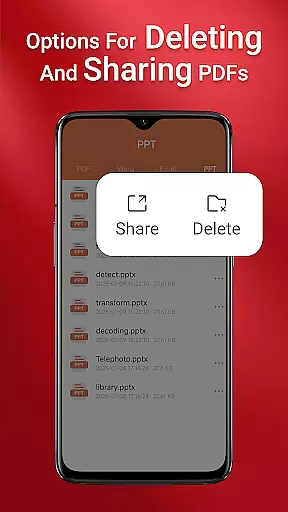
Sharing capabilities are another crucial aspect of collaboration, and PDF Reader offers seamless sharing options. Users can effortlessly send PDFs to colleagues or clients directly from the app, streamlining communication and document exchange. This functionality is particularly valuable for businesses that rely on timely information sharing and joint document editing.
Effective task management is vital for productivity, and PDF Reader incorporates features that help users organize and prioritize their document-related tasks. The app's ability to access all PDF files on a device ensures that users can quickly locate and manage their documents, which is crucial for maintaining an efficient workflow.
With its sleek and intuitive interface, PDF Reader simplifies the process of navigating through numerous files. Quick page navigation allows users to jump to specific sections of a document, saving time when dealing with lengthy PDFs. This feature is especially beneficial for task management, as it enables users to focus on relevant content without distraction.
Moreover, the app's request for MANAGE_EXTERNAL_STORAGE permission on Android 11 and later highlights its commitment to reliable document management. This permission supports essential file operations such as multi-file merging and persistent access to stored documents, ensuring that users can manage their tasks effectively even when working offline or with files stored in non-standard locations.
User-friendly interface
Multi-format document support
Quick page navigation
Seamless file sharing
Reliable offline access
Requires special permissions
Limited free features
Occasional performance lag
No cloud integration
Basic editing tools

Find flexible, hourly jobs hiring near you in restaurant, retail & hospitality!
 4.00
4.00
TurboScan turns your phone into a full-featured PDF document scanner.
4.80
enjoy effortless PDF reading anytime, anywhere
3.90
A secure, all-in-one team collaboration app
4.30
Use Generative Summary to understand your rental or insurance docs in seconds.
4.70
All your team communication in one place
4.70
USPS Mobile®Access USPS.com’s most popular tools on-the-go.
4.70
Permission Guard is a security app that helps you manage app permissions.
4.80
Roadie connects people with stuff to send with drivers already going that way.
3.50
Employee Management Made Easy
4.80
Access to Paylocity, empowering employees with information they need 24/7.
4.70
Amazon A to Z is the place to manage your work-life at Amazon.
4.50
ADP Mobile Solutions is an employee self service app
4.50
Earn crypto with secure cloud mining. Monitor, track & withdraw easily
4.40
Find work, shifts and gigs near you. Jobs lasting a few hours to a few months.
4.30
Shop, deliver, and earn with the Spark Driver™ App
4.10
Simple, Fast & Lightweight
3.90
Get your benefits on-the-go.
3.80
view, manage, and share every PDF file you have
3.60


User Reviews