
Connecteam is a comprehensive employee management app designed specifically for businesses with non-desk employees. It combines essential HR functions like work scheduling, time tracking, internal communication, task management, and employee training into one unified platform. The app stands out for its ease of use, affordability, and rich feature set that addresses the needs of small to medium-sized businesses.
The application offers advanced tools such as GPS-based job tracking, automated shift scheduling, and an intuitive internal communication system. These features enable managers to efficiently coordinate teams, track productivity, and maintain clear communication channels. Connecteam's versatility makes it especially valuable for industries like healthcare, retail, and field services where workforce coordination is critical.
By streamlining administrative tasks and enhancing team connectivity, Connecteam helps business owners save time and reduce operational costs. Its all-in-one approach ensures that companies can focus more on growth while maintaining optimal workforce management.
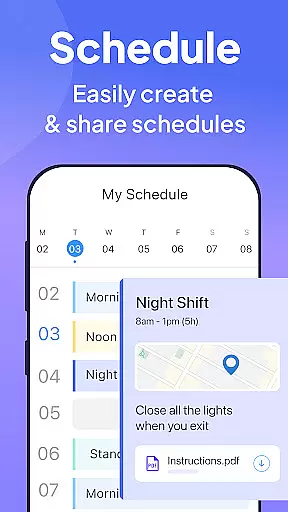
Connecteam provides a robust suite of features tailored for effective workforce management. One of its key strengths is the intelligent work scheduling system that allows creating single, multiple, or team shifts with GPS status updates and detailed job information. This functionality is complemented by the auto-scheduling tool that simplifies shift planning through automation.
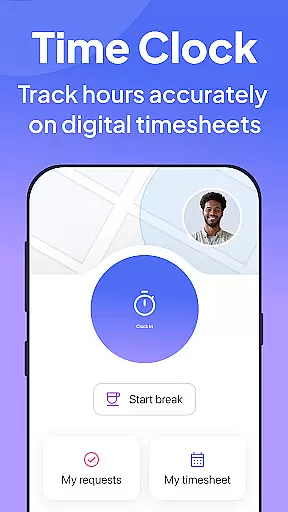
The employee time clock feature offers precise time tracking with GPS location verification, automated break calculations, and seamless payroll software integration. Additionally, the internal communication platform includes live chat, company directories, and engagement tools like surveys and feedback forms. These elements collectively enhance workplace transparency and collaboration.
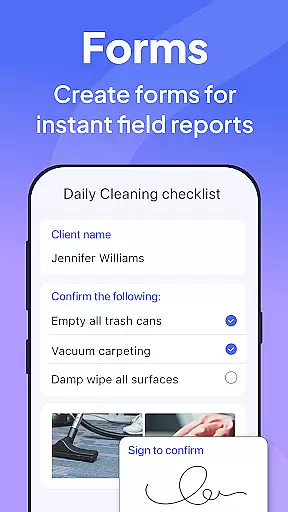
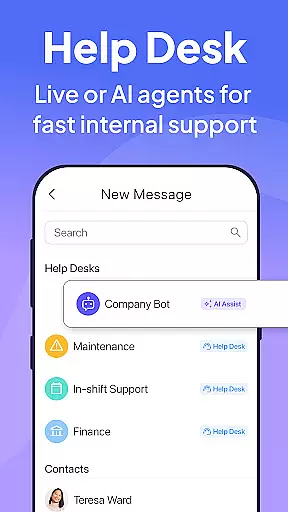
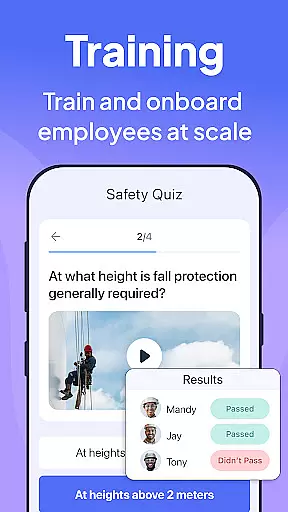
Task management capabilities allow businesses to digitize procedures using customizable checklists, online forms, and read-and-sign options. The app also supports employee training through easily accessible digital materials and quizzes. With its help desk ticketing system and digital ID cards, Connecteam creates a complete ecosystem for managing various aspects of employee operations efficiently.
Collaborative work features are essential for businesses aiming to streamline communication and task management across teams. Connecteam's employee management app excels in this area by offering a comprehensive suite of tools designed to enhance team collaboration.
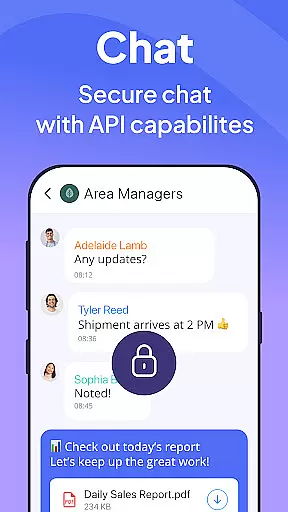
The app provides live chat functionality, enabling both one-on-one and group conversations, ensuring that team members can communicate effectively regardless of their location. Additionally, the chat API allows integration with external data sources, further enriching the communication experience by bringing relevant information directly into conversations.
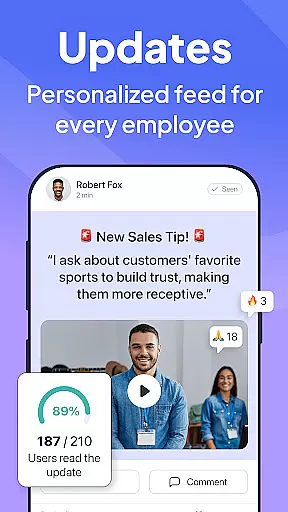
Connecteam also includes a directory for all work contacts, making it easy for employees to find and connect with colleagues. This feature is complemented by posts and updates that support comments and reactions, fostering a culture of engagement and interaction within the company.
Moreover, the app offers employee feedback surveys, which are invaluable for gathering insights and improving workplace dynamics. These collaborative features collectively contribute to a more connected and productive workforce, ultimately driving business success.
Effective task management is crucial for maintaining productivity and ensuring that all team members are aligned with the company's goals. Connecteamu2019s employee app stands out by providing robust task management capabilities that transform traditional processes into streamlined, digital workflows.
The app allows users to create daily checklists with auto-reminders, ensuring that no task is overlooked. These checklists can be fully customized, offering flexibility to suit various operational needs. Furthermore, the inclusion of online forms, tasks, and checklists with read and sign options enhances compliance and accountability within the team.
Connecteam supports multimedia uploads, enabling users to attach images and report geolocation, which is particularly useful for field operations. This feature not only improves accuracy but also facilitates better documentation and tracking of tasks.
By going paperless and automating daily procedures, Connecteam helps businesses reduce administrative burdens and focus on core activities. The app's intuitive interface and live mobile preview make it easy to use, ensuring that all team members can efficiently manage their tasks and contribute to the company's success.
User-friendly interface
Affordable pricing plans
Comprehensive feature set
Excellent customer support
Highly customizable options
Limited advanced analytics
Occasional syncing issues
Basic free version limitations
Learning curve for new users
Device compatibility constraints

Scan Business Cards & Conference Badges - Capture Leads at Events & Tradeshows
 4.20
4.20
Create curriculum vitae, a professional cover letter creator and resume designer
4.80
BuildCalc - the easiest AND the most advanced construction calculator app.
4.80
Get your benefits on-the-go.
3.80
Find work, shifts and gigs near you. Jobs lasting a few hours to a few months.
4.30
Recover what matters — quickly and easily.
4.70
A secure, all-in-one team collaboration app
4.30
Smarter career moves start here. AI job alerts, insights & the right tools.
4.20
On the go? Take FedEx with you.
4.00
Make invoices, bills, receipts & estimates on the go with Invoice Generator.
4.70 4.70
4.70
Your employer must have UKG Ready software configured for Mobile.
4.60
Mobile POS for any business: sales, invoices, retail, restaurants & appointments
4.60
Earn money with the driver & delivery partner app for Uber, UberEats & Postmates
4.60
No more passwords, easier sign-in, and greater protection for your accounts.
4.60
Find jobs near you and temp work in minutes, from your phone.
4.50
Say hello to the mobile work experience built to help you thrive at work.
4.30
Simple, Fast & Lightweight
3.90
Windows App allows you to connect to remote PCs and virtual apps.
3.70


User Reviews