
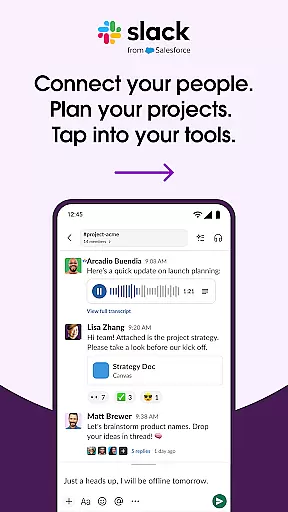
Slack is a comprehensive business communication platform designed to streamline collaboration and enhance productivity. It serves as a centralized hub where teams can seamlessly interact through channels, direct messages, and integrated tools.
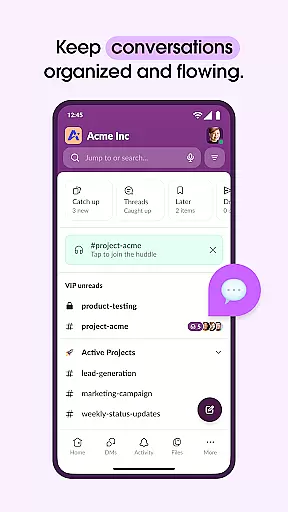
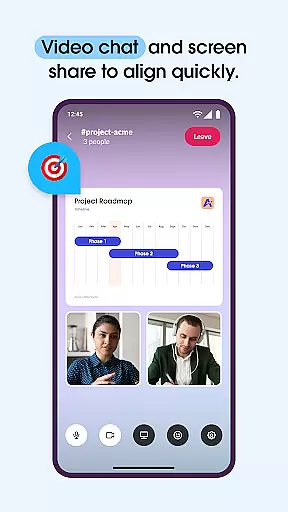
The application's core functionality revolves around organized communication - offering dedicated channels for projects, direct messaging capabilities, and the ability to collaborate with external partners. Additionally, Slack incorporates features like video conferencing, screen sharing, and the option to send audio or video clips, making remote work more efficient.
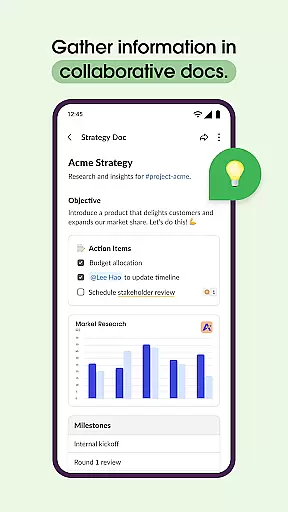
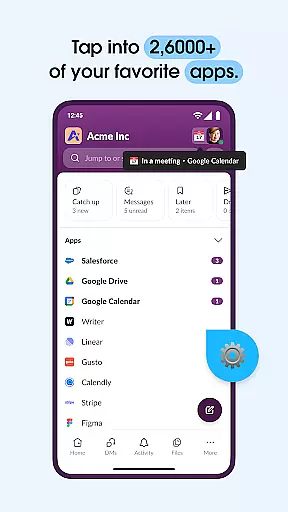
Beyond basic communication, Slack supports project management with templates, shared documents, task assignment features, and milestone tracking. Its integration ecosystem connects users to over 2,600 apps, including major platforms like Google Drive and Salesforce, while AI-powered functionalities aid in search and meeting documentation.
Slack stands out with its robust feature set tailored for modern businesses. The platform offers traditional messaging alongside advanced capabilities such as video conferencing and screen sharing, which are crucial for distributed teams.
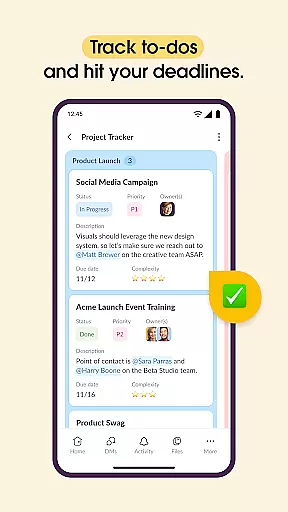
Project management within Slack is facilitated by customizable templates and collaborative document editing. Teams can track progress using built-in task management tools that allow assigning to-dos and setting milestones (available in upgraded plans).
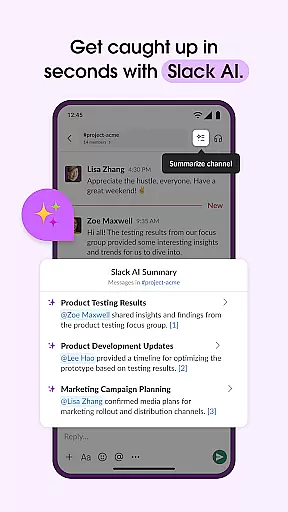
The app's extensive integration library sets it apart, providing access to thousands of third-party applications directly from the interface. Furthermore, Slack employs AI to enhance user experience through features like instant content search and automated meeting notes, ensuring teams stay organized and informed.
Collaborative work features are essential for modern businesses looking to enhance team productivity and communication. Slack excels in this area by providing a unified platform where teams can seamlessly interact and collaborate.
The application offers dedicated channels for every project, ensuring that discussions, files, and tasks are organized and easily accessible. This structure allows team members to focus on specific projects without losing context or information.
Slack also supports real-time communication through video chats and screen sharing, enabling live presentations and discussions. Additionally, users can send audio or video clips for clearer communication when typing is insufficient.
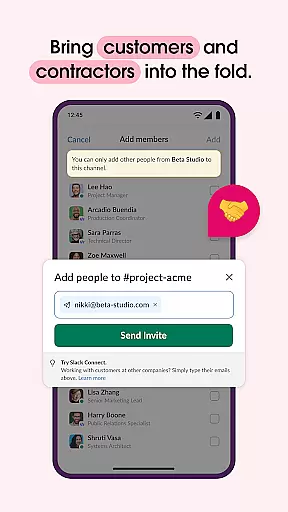
With the ability to work alongside external partners, customers, and contractors, Slack breaks down barriers and fosters a cohesive work environment regardless of geographical location.
Effective task management is crucial for keeping projects on track and ensuring timely delivery. Slack addresses this need with robust project management tools that help teams stay organized and efficient.
Users can leverage pre-made and customizable templates to set up projects for success. These templates provide a structured starting point, making it easier to define goals, assign tasks, and establish timelines.
In addition to templates, Slack offers shared documents that live alongside team conversations. This integration allows for real-time collaboration on marketing plans, product specs, and other critical documents without switching contexts.
Furthermore, Slack's task management features include tracking to-dos, assigning tasks, and mapping out milestones. These capabilities ensure that everyone is aligned and accountable, ultimately driving projects toward successful completion.
User-friendly interface
Robust integration options
Efficient team collaboration
Comprehensive project tools
Advanced AI functionalities
Paid features necessary
Steep learning curve
High cost for small teams
Limited free storage
Occasional connectivity issues

Scan Business Cards & Conference Badges - Capture Leads at Events & Tradeshows
 4.20
4.20
The MyWalmart App is available for all associates in stores.
4.70
Earn free swag, G-Cards & food • Enter sweepstakes • Find stores • So much more.
4.70
Manage work life on the go
4.50
One marketplace. Hundreds of services. Unlimited possibilities. All on Fiverr.
4.40
Grow your business and connect with more people with Meta Business Suite.
4.60
All-in-one Mobile solutions for employees & managers to succeed at work
4.30
The app that lets you deliver with Amazon.
4.50
No more passwords, easier sign-in, and greater protection for your accounts.
4.60
Recover what matters — quickly and easily.
4.70
Find the right fit, faster.
4.70
We help people get jobs
4.70
ANDROID'S TOP MOBILE OFFICE - Word, Excel, PowerPoint and PDF at your fingertips
4.50
Amazon A to Z is the place to manage your work-life at Amazon.
4.50
Find work, shifts and gigs near you. Jobs lasting a few hours to a few months.
4.30
Smarter career moves start here. AI job alerts, insights & the right tools.
4.20
Shop, deliver, and earn with the Spark Driver™ App
4.10
Zoom built for Chrome OS
3.90
Completed Course Lectures on how to use IBM Maximo in Maintenance issues
4.3


User Reviews