


LinkedIn is the world's largest professional networking platform, connecting over 1 billion members worldwide. This business app serves as a comprehensive career development tool, enabling users to build their professional profiles, search for job opportunities, and expand their business networks. The platform allows professionals to showcase their skills through online resumes, connect with industry experts, and stay informed about the latest business news and trends.
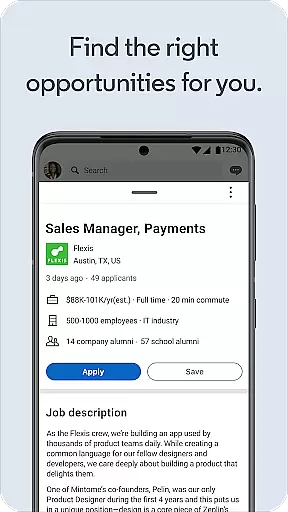
A key feature of LinkedIn is its robust job search functionality. Users can browse millions of job listings across various industries, set up personalized job alerts, and directly apply for positions using their LinkedIn profiles. The app also facilitates meaningful connections by allowing users to engage with posts, join industry-specific groups, and follow companies they're interested in. Whether you're a freelancer looking for remote work or a full-time professional seeking career advancement, LinkedIn provides the tools needed to achieve your professional goals.
LinkedIn offers an impressive array of features designed to enhance professional growth. The app's job search functionality stands out with its advanced filtering options, allowing users to find perfect matches based on location, industry, and job type. The platform's sophisticated algorithm suggests relevant job openings and notifies users about new opportunities matching their preferences and search history.
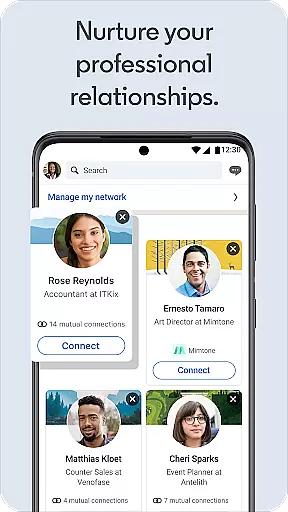
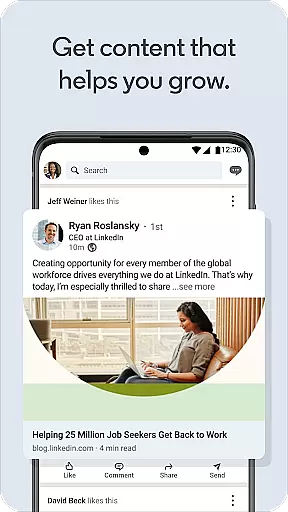
Beyond job searching, LinkedIn excels as a professional networking tool. Its social networking capabilities enable users to build and maintain valuable business connections. The app's news feed delivers curated business insights and industry updates, while its content creation tools allow professionals to share their expertise through posts and articles. Additionally, LinkedIn's premium subscription offers exclusive features such as enhanced profile visibility, detailed analytics, and advanced search capabilities, making it an indispensable tool for career advancement in today's competitive job market.
Collaborative work features are essential for modern professionals who need to connect and work with others seamlessly. LinkedIn offers a robust platform where users can engage in collaborative efforts through its extensive network. The app allows you to join groups, participate in discussions, and follow industry leaders, which fosters an environment of shared knowledge and teamwork.
Through LinkedIn's collaborative work features, users can create and be part of specialized groups that align with their professional interests or industries. This facilitates networking opportunities and enables members to share insights, post jobs, and even collaborate on projects without the constraints of geographical boundaries.
The value derived from these collaborative environments is significant. Users can leverage the collective expertise of a global network, gaining access to diverse perspectives and solutions. Moreover, engaging actively in these communities enhances visibility among peers and potential employers, opening doors to career advancement and business growth.
Ultimately, LinkedIn's approach to collaboration empowers professionals to build meaningful relationships and contribute to a dynamic ecosystem of shared professional growth and opportunity.
Task management within LinkedIn is designed to streamline the professional workflow by integrating job search functionalities and networking capabilities into a cohesive experience. The app provides tools that help users organize their career-related activities efficiently, ensuring they never miss an important update or opportunity.
One key aspect of task management on LinkedIn is the ability to set up job alerts tailored to specific preferences and criteria. This feature ensures that users receive timely notifications about new job postings relevant to their skills and interests. Additionally, the app allows for easy tracking of job applications, providing updates on application statuses and recruiter interactions.
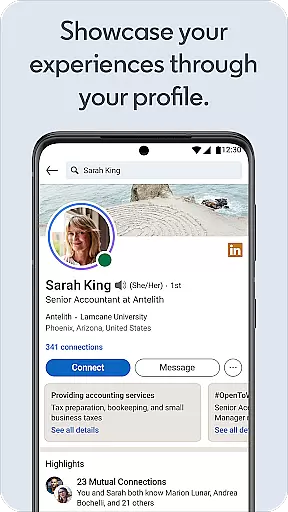
Another advantage of using LinkedIn for task management is the integration of professional milestones and achievements directly into user profiles. This not only helps in maintaining an updated resume but also serves as a reminder of past accomplishments and future goals. By keeping all this information organized, users can better manage their career progression and personal development plans.
In summary, LinkedIn's task management features offer a comprehensive solution for professionals looking to optimize their job search and career planning processes while staying connected with a vibrant community of like-minded individuals.
User-friendly interface
Extensive job database
Professional networking
Career development tools
Industry insights
Premium features costly
Interface can be complex
Job application limitations
Privacy concerns
Learning curve

Zoom built for Chrome OS
 3.90
3.90
Take the stress out of storage with the all-in-one app to manage your space.
3.70
Finance, Investing, Stocks, Trading and Stock news
4.60
Paychex Flex - Save Time and Stay Connected
4.60
enjoy effortless PDF reading anytime, anywhere
3.90
Find jobs near you and temp work in minutes, from your phone.
4.50
Access All PDF Files
3.40
No more passwords, easier sign-in, and greater protection for your accounts.
4.60
Chat, meet, and collaborate to achieve more together, all in one place on Teams
4.60
BuildCalc - the easiest AND the most advanced construction calculator app.
4.80 4.70
4.70
Recover what matters — quickly and easily.
4.70
We help people get jobs
4.70
Ask Accio anything about business. Alibaba-backed, built by experts, not just AI
4.60
Grow your business and connect with more people with Meta Business Suite.
4.60
The revolutionary flexible staffing platform
4.40
Scan Business Cards & Conference Badges - Capture Leads at Events & Tradeshows
4.20
FX Plus adds media, networking, and cloud capabilities to FX File Explorer.
4.10
Simple, Fast & Lightweight
3.90


User Reviews