
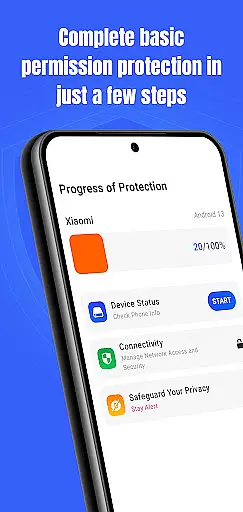
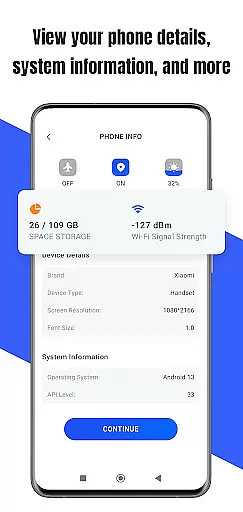
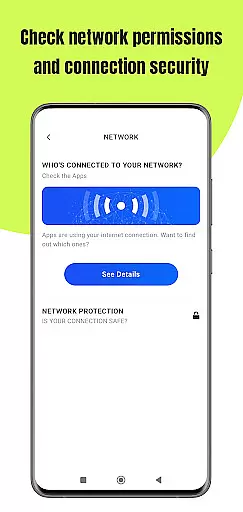
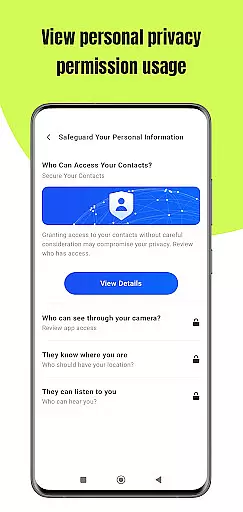
Permission Guard is a specialized security application within the Business category, designed to help users manage app permissions effectively. The core functionality revolves around monitoring and controlling the access rights of other applications on your device. This ensures that apps only access necessary data, protecting both personal and business information.
The app provides detailed insights into permission settings, allowing users to review and modify access for each installed application. It serves as an essential tool for businesses that handle sensitive data, ensuring compliance with privacy standards while maintaining operational efficiency. With its intuitive interface, Permission Guard makes permission management straightforward and accessible for all users.
Permission Guard offers several key features that set it apart in the Business app category. First, it provides real-time monitoring of app permissions, alerting users whenever an app attempts to access sensitive information. This proactive approach helps prevent unauthorized data access.
Another notable feature is the ability to create custom permission profiles. Users can define specific access rules for different apps or user groups, which is particularly useful in corporate environments. Additionally, the app includes detailed reporting tools that generate usage statistics and permission history, helping administrators maintain optimal security protocols.
All these features are presented through an easy-to-navigate interface, making complex permission management tasks simple and efficient. The app's design emphasizes usability without compromising on advanced functionality, catering to both individual professionals and enterprise users.
In today's interconnected work environments, collaborative work features are essential for seamless teamwork. Permission Guard enhances this aspect by ensuring that collaboration does not come at the cost of security.
The app meticulously monitors and manages permissions granted to collaborative tools and platforms. This ensures that while your team enjoys the benefits of shared resources and real-time communication, they are not exposed to unnecessary risks.
Users can expect a balance between functionality and protection, allowing teams to focus on their projects without worrying about data breaches or privacy violations.
By integrating Permission Guard into your business processes, you maintain robust control over who has access to what, thereby safeguarding sensitive information during collaborative efforts.
Effective task management is crucial for productivity, and Permission Guard plays a pivotal role in securing this process. The app provides comprehensive oversight of permissions related to task management tools.
It allows users to track which apps have access to their task lists, calendars, and other organizational resources. By doing so, Permission Guard ensures that only authorized applications can interact with these critical components of your workflow.
This level of security empowers users to manage their tasks efficiently without compromising their personal or business data. You can rest assured that your schedules and to-do lists remain private and protected.
With Permission Guardu2019s task management features, you gain peace of mind knowing that your organizational tools are fortified against unauthorized access, thus maintaining the integrity of your business operations.
Enhanced security
Real-time alerts
Custom profiles
Detailed reports
User-friendly UI
Limited free version
High system requirements
Occasional false positives
No cloud backup
Complex setup

Zoom built for Chrome OS
 3.90
3.90
AI-powered document scanner with auto enhance for perfect PDFs.
4.60
The All-in-One File Manager for Phone, TV, Watch, Cars, XR / VR, Chromebook
4.10
Manage work life on the go
4.50
Recover what matters — quickly and easily.
4.70
Job search app that finds jobs for you! Takes the work out of looking for a job!
4.90
Collaborate seamlessly with Google Chat, part of Google Workspace
4.50
All-in-one Mobile solutions for employees & managers to succeed at work
4.30
Say hello to the mobile work experience built to help you thrive at work.
4.30
Start earning fast. Apply Today.
4.80
GoTo Mobile is a simple & secure calling, messaging & meetings solution
4.80
Manage Your Shop
4.70
No more passwords, easier sign-in, and greater protection for your accounts.
4.60
Amazon A to Z is the place to manage your work-life at Amazon.
4.50
One marketplace. Hundreds of services. Unlimited possibilities. All on Fiverr.
4.40
All Your Gig Work. One App.
4.30
All document reader, pdf viewer app, read docs & excel files
3.80
Take the stress out of storage with the all-in-one app to manage your space.
3.70
viewing and sharing of PDFs
3.60


User Reviews