
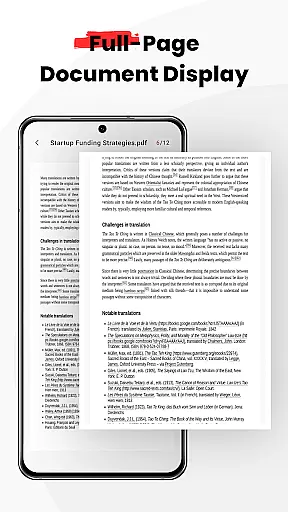
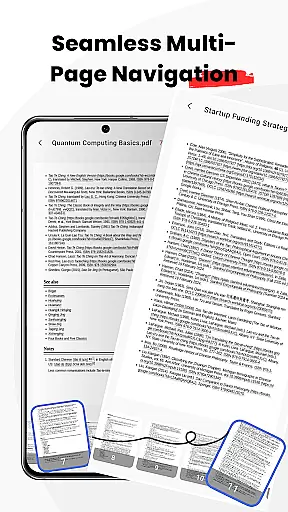
PDF Jumper is a versatile document management solution designed for seamless PDF reading and sharing across all devices. This business-oriented app allows users to instantly access and view PDFs stored on their device, offering smooth navigation through intuitive swipe controls.
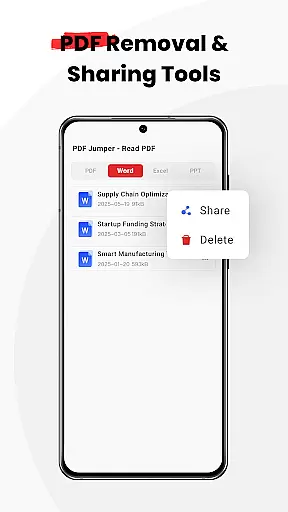
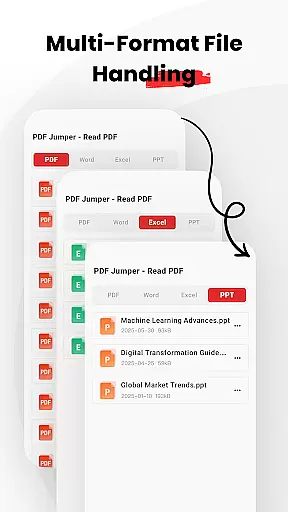
Beyond basic viewing, PDF Jumper supports multiple document formats including PDF, DOC, PPT, and Excel files. The app's smart sharing feature enables quick document transfer in various supported formats. Additionally, comprehensive file management capabilities allow users to organize, share, or delete documents directly within the application.
For professionals who need efficient document handling on-the-go, PDF Jumper provides a complete solution that enhances productivity and streamlines workflow across different platforms and devices.
PDF Jumper distinguishes itself through its comprehensive feature set tailored for business users. The app's instant access functionality allows users to open and read PDFs within seconds, while its universal compatibility supports multiple document formats including PDF, DOC, PPT, and Excel files.
The app's smooth navigation system features intuitive swipe controls for effortless page flipping. Its smart sharing capability enables users to quickly send documents in any supported format. The built-in file management system provides robust tools for organizing, sharing, and deleting documents directly within the app.
These features collectively create a powerful document management solution that helps business professionals maintain productivity and efficiency while working with various document types across different devices.
Collaborative work features are essential for modern business applications, enabling teams to work together efficiently regardless of location. PDF Jumper supports this by allowing users to share documents in various formats quickly.
The app's smart sharing functionality ensures that team members can send PDFs, DOCs, PPTs, and Excel files effortlessly. This seamless exchange facilitates real-time collaboration, ensuring everyone has access to the latest document versions.
Additionally, the universal compatibility of PDF Jumper means that all team members, regardless of their device or operating system, can participate without worrying about format issues. This inclusivity enhances productivity and ensures smooth communication across different platforms.
By integrating these collaborative features, PDF Jumper not only simplifies document sharing but also empowers teams to maintain efficient workflows and stay connected, ultimately driving better project outcomes.
Effective task management is crucial for maintaining productivity and meeting deadlines in a business environment. PDF Jumper offers full file management capabilities, allowing users to organize, share, or delete documents directly within the app.
This feature enables users to keep their workspaces tidy and efficient. By organizing documents systematically, users can easily locate and access the files they need, reducing time spent searching and increasing time spent on actual tasks.
Moreover, the ability to manage files directly within the app streamlines workflows. Users can perform necessary actions such as renaming, moving, or deleting files without switching between multiple applications, thus maintaining focus and enhancing overall efficiency.
PDF Jumper's task management features ensure that users can handle their documents with ease, contributing to a more organized and productive work environment. This capability is vital for businesses looking to optimize their operations and improve team performance.
User-friendly interface
Multi-format support
Intuitive navigation
Smart sharing options
Comprehensive file management
Requires file permissions
Limited advanced features
No cloud integration
Basic editing capabilities
Premium version needed

AI-powered document scanner with auto enhance for perfect PDFs.
 4.60
4.60
Earn crypto with secure cloud mining. Monitor, track & withdraw easily
4.40
TurboScan turns your phone into a full-featured PDF document scanner.
4.80
Employee Management Made Easy
4.80
A secure, all-in-one team collaboration app
4.30
Access to Paylocity, empowering employees with information they need 24/7.
4.70
From Gone to Back Again — In Just a Few Taps
4.50
All-in-one Mobile solutions for employees & managers to succeed at work
4.30
The app that lets you deliver with Amazon.
4.50
Job search app that finds jobs for you! Takes the work out of looking for a job!
4.90 4.70
4.70
We help people get jobs
4.70
Ship, Track, Find a Location or Get a Quote with UPS. Anytime. Anywhere.
4.60
ANDROID'S TOP MOBILE OFFICE - Word, Excel, PowerPoint and PDF at your fingertips
4.50
Drive and earn extra money
4.50
Find jobs near you and temp work in minutes, from your phone.
4.50
Scan Business Cards & Conference Badges - Capture Leads at Events & Tradeshows
4.20
Build a store in minutes with our full suite of AI tools. Start for free!
4.20
Quickly open and manage PDF files on your device.
3.80


User Reviews