
Turbo PDF is a practical and lightweight PDF reader designed specifically for Android devices. With its intuitive interface and essential tools, the app simplifies reading and managing PDF documents. Whether you're using a phone or tablet, Turbo PDF offers smooth scrolling, zooming, and page navigation, ensuring an efficient and enjoyable experience. Its document management features allow users to organize files effortlessly, while bookmarking functionality ensures quick access to important documents.
Designed for professionals and students alike, Turbo PDF provides a reliable solution for handling PDFs on the go. The app's clean layout and responsive design make it easy to use, even for those unfamiliar with advanced document management tools. By supporting essential functions like file sharing and deletion, Turbo PDF helps users maintain an organized digital workspace, enhancing productivity in business and academic settings.
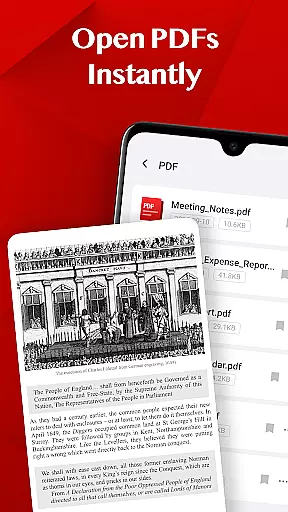
Turbo PDF stands out with its comprehensive set of features tailored for efficient PDF management. One of its key strengths is the ability to open PDF files instantly, eliminating loading delays and providing immediate access to documents. This feature is particularly useful for users who need quick access to information without compromising performance.
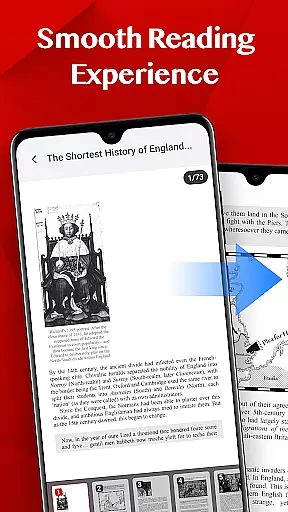
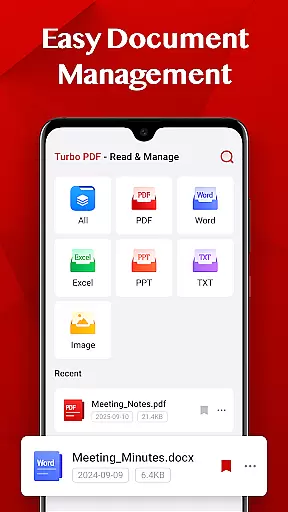
The app also excels in delivering a smooth reading experience. With fluid scrolling, responsive zooming, and intuitive page navigation, users can focus on content without distractions. Additionally, Turbo PDF includes easy document management tools, allowing users to share, delete, or bookmark files with minimal effort. These features collectively ensure that users can organize their PDF libraries effectively while maintaining accessibility to critical documents.
Another notable aspect is the app's compatibility with modern Android permissions. For devices running Android 11 and above, Turbo PDF utilizes the MANAGE_EXTERNAL_STORAGE permission to access and manage PDF files securely. This ensures that users can work with their documents seamlessly while maintaining control over storage permissions.
Collaborative work features are essential for modern business applications, enabling teams to work together efficiently regardless of location. Turbo PDF offers practical tools that support collaboration without overcomplicating the process.
The app allows users to share PDF documents effortlessly with colleagues or team members directly from their device. This seamless sharing functionality ensures that important files can be distributed quickly and accessed by relevant stakeholders in real-time.
While Turbo PDF focuses on simplicity, it provides enough document management capabilities to keep collaborative efforts organized. Users can delete unnecessary files or bookmark key documents, ensuring that shared resources remain easy to locate and manage.
By combining these features, Turbo PDF enhances productivity in collaborative environments, making it a reliable choice for businesses that need straightforward yet effective PDF handling solutions.
Task management is a critical component of productivity, especially when dealing with multiple documents and workflows. Turbo PDF addresses this need by offering intuitive tools designed to streamline how users interact with their PDF files.
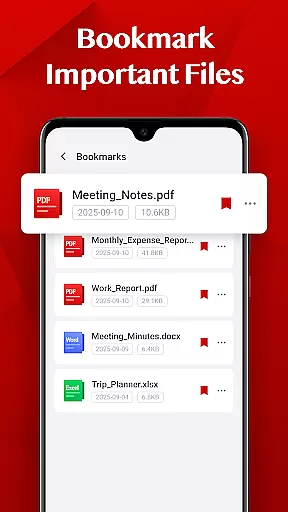
One standout feature is the ability to bookmark important files. This function allows users to mark key documents they frequently access, reducing the time spent searching for specific files and improving overall task efficiency.
In addition to bookmarking, Turbo PDF supports smooth navigation through PDFs, including fluid scrolling and responsive zooming. These features ensure that users can focus on their tasks without being interrupted by sluggish performance or confusing layouts.
With its lightweight design and practical approach to document organization, Turbo PDF proves itself as a valuable tool for managing daily tasks involving PDFs effectively.
User-friendly interface
Fast PDF loading
Smooth navigation
Efficient file management
Bookmarking functionality
Limited advanced editing
No cloud integration
Basic annotation tools
Restricted format support
Android-only availability

Completed Course Lectures on how to use IBM Maximo in Maintenance issues
 4.4
4.4
Measure distances, surfaces and draw plans in seconds with CamToPlan!
4.40
Take the stress out of storage with the all-in-one app to manage your space.
3.70
Get instant construction estimates: accurate home repair & material calculator.
4.70
Use Generative Summary to understand your rental or insurance docs in seconds.
4.70
All your team communication in one place
4.70
Access to Paylocity, empowering employees with information they need 24/7.
4.70
Permission Guard is a security app that helps you manage app permissions.
4.80
Chat, meet, and collaborate to achieve more together, all in one place on Teams
4.60
TurboScan turns your phone into a full-featured PDF document scanner.
4.80
Mobile POS for any business: sales, invoices, retail, restaurants & appointments
4.60
ANDROID'S TOP MOBILE OFFICE - Word, Excel, PowerPoint and PDF at your fingertips
4.50
Drive and earn extra money
4.50
Collaborate seamlessly with Google Chat, part of Google Workspace
4.50
ADP Mobile Solutions is an employee self service app
4.50
All Your Gig Work. One App.
4.30
A secure, all-in-one team collaboration app
4.30
viewing and sharing of PDFs
3.60
Roadie connects people with stuff to send with drivers already going that way.
3.50


User Reviews