
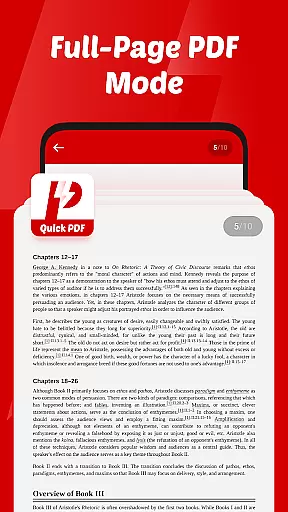
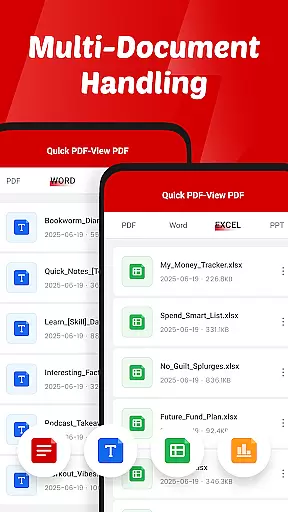
Quick PDF-View PDF is a versatile document management app designed for professionals and students alike. This application allows users to open, view, and manage PDF files with remarkable speed and ease. Additionally, it supports multiple document formats including DOC, PPT, and XLS, making it an all-in-one solution for document handling.
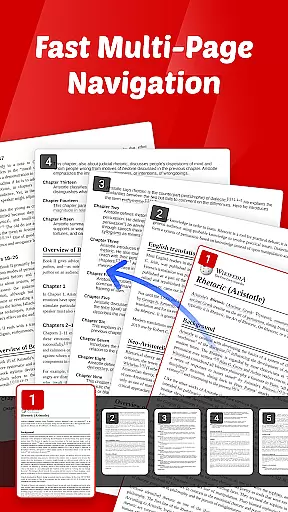
The app's intuitive swipe controls ensure smooth page navigation, while its clutter-free interface helps users focus on their content without distractions. Whether you need to review important business documents or study materials, Quick PDF-View PDF provides a seamless experience across devices, enhancing productivity wherever you go.
Quick PDF-View PDF stands out with its comprehensive feature set tailored for efficient document management. The app allows instant opening of PDFs stored locally on your device, ensuring quick access when you need it most. Its multi-format support covers essential file types like DOC, PPT, and XLS, catering to various professional and educational needs.
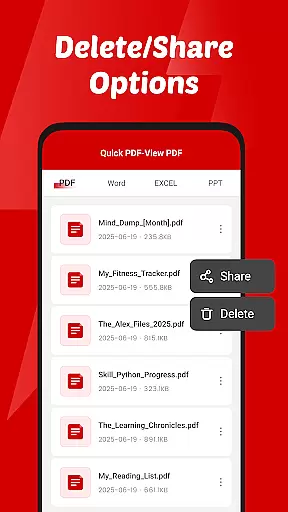
One of the key highlights is the app's intuitive swipe controls, which provide effortless navigation through pages. Sharing documents is also simplified, as users can send files directly from the app. With permissions that enable seamless file management, such as organizing and deleting documents, Quick PDF-View PDF ensures that managing your files is as easy as viewing them.
Collaborative work features are essential for modern business applications, enabling teams to work together efficiently regardless of location. Quick PDF-View PDF supports this by allowing users to share documents directly from the app, streamlining communication and collaboration.
The app's support for multiple formats including PDF, DOC, PPT, and XLS ensures that all team members can access and view files in their preferred format. This versatility promotes seamless document sharing and review processes within teams.
With intuitive swipe controls for smooth page navigation, users can quickly find and reference specific sections of a document during collaborative sessions. This feature enhances productivity by reducing the time spent searching for information.
By providing a clutter-free interface, Quick PDF-View PDF allows teams to focus on the content of their documents rather than navigating complex software. This simplicity encourages more effective collaboration and decision-making.
Effective task management is crucial for maintaining productivity and meeting deadlines in a business environment. Quick PDF-View PDF contributes to this by offering features that help users organize and manage their documents efficiently.
The app's file management access allows users to read, organize, and delete documents as needed. This capability ensures that important files are always accessible and that outdated or unnecessary documents can be removed to maintain an organized workspace.
Quick sharing functionality enables users to send documents directly from the app, facilitating task delegation and progress tracking. Team members can easily distribute assignments and supporting materials without switching between multiple applications.
With its support for various file formats and instant opening of PDFs stored on the device, Quick PDF-View PDF empowers users to handle their tasks with greater speed and accuracy. These features collectively enhance overall task management efficiency.
User-friendly interface
Multi-format support
Instant file access
Smooth navigation
Easy sharing options
Limited advanced tools
No cloud integration
Basic editing features
Occasional bugs
Ads in free version

Formerly Facebook Ads Manager. Manage and create ads on the go.
 4.20
4.20
Convert Your Lovable.dev Website into a Mobile App Instantly!
4.5
Manage Your Shop
4.70
viewing and sharing PDFs and other files—anytime, anywhere!
4.5
One marketplace. Hundreds of services. Unlimited possibilities. All on Fiverr.
4.40
Access All PDF Files
3.40
Say hello to the mobile work experience built to help you thrive at work.
4.30
The app that lets you deliver with Amazon.
4.50
No more passwords, easier sign-in, and greater protection for your accounts.
4.60
Employee Management Made Easy
4.80
The MyWalmart App is available for all associates in stores.
4.70
Find jobs and make money fast with JobStack.
4.60
Grow your business and connect with more people with Meta Business Suite.
4.60
All Your Gig Work. One App.
4.30
Build a store in minutes with our full suite of AI tools. Start for free!
4.20
FX Plus adds media, networking, and cloud capabilities to FX File Explorer.
4.10
Zoom built for Chrome OS
3.90
Get your benefits on-the-go.
3.80
Find part-time earning opportunities near you that pay within days.
3.20


User Reviews