
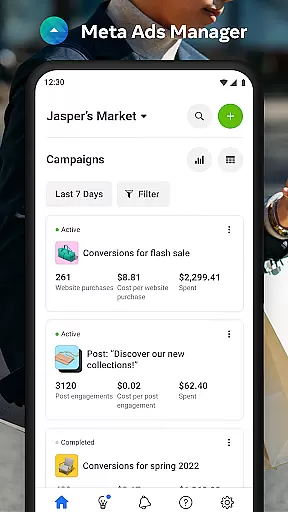

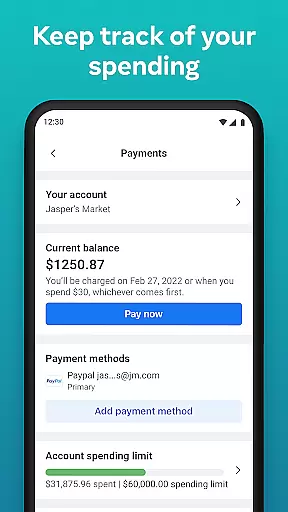
Meta Ads Manager is a comprehensive business tool designed to help advertisers manage their advertising campaigns across Meta's family of apps and technologies, including Facebook, Instagram, Messenger, and WhatsApp. The app enables users to create and edit ad campaigns, access real-time performance insights, and control campaign statuses with ease.
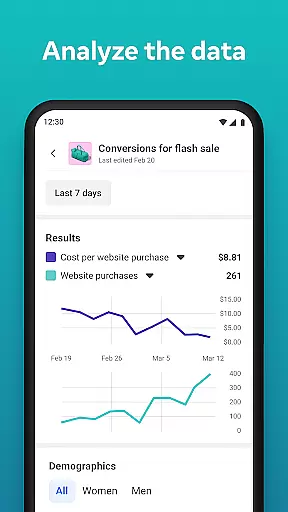
A key feature of the app is its ability to provide detailed analytics and reporting, allowing businesses to make data-driven decisions. Users can also receive instant alerts about their campaigns, compare different ad sets side-by-side, and seamlessly switch between multiple ad accounts and Pages. This makes it an essential companion for marketers who need to stay connected to their campaigns while on the go.
Whether you're running a small business or managing large-scale advertising efforts, Meta Ads Manager offers the flexibility and control needed to optimize your ad performance efficiently.
Meta Ads Manager stands out with its robust set of features tailored for modern digital marketers. One of its primary capabilities is the ability to view real-time insights from all active campaigns, giving users a clear picture of how their ads are performing at any given moment.
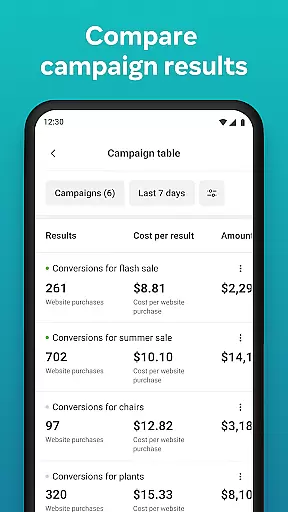
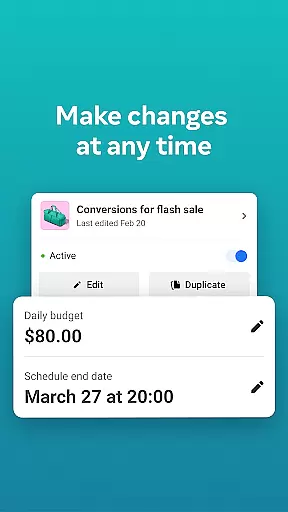
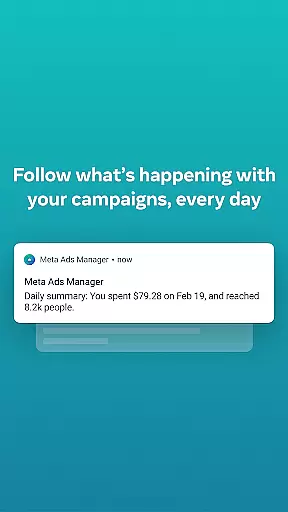
The app allows users to turn campaigns on and off instantly, providing complete control over ad delivery. Additionally, it offers quick alerts that notify users of important changes or issues with their ads, ensuring they never miss critical updates. The side-by-side comparison view is another innovative feature, enabling marketers to analyze and optimize different campaigns and ad sets more effectively.
With support for multiple ad accounts and Pages, Meta Ads Manager ensures smooth navigation and management across various business profiles. This versatility makes it an indispensable tool for businesses looking to maximize their advertising impact.
Collaborative work features are essential for modern business applications, enabling teams to work together efficiently regardless of location. Meta Ads Manager excels in this area by providing a centralized platform where marketing teams can manage campaigns across multiple Meta technologies.
The application allows users to create and edit ad campaigns for platforms like Facebook, Instagram, Messenger, and WhatsApp from a single interface. This unified approach ensures that all team members have access to the same information and can make real-time updates without communication delays.
One of the standout collaborative features is the ability to switch between different Pages and ad accounts seamlessly. This functionality is particularly valuable for agencies handling multiple clients or large companies with various marketing initiatives. The quick alerts system also keeps all stakeholders informed about important campaign events.
By offering side-by-side campaign comparison tools, Meta Ads Manager enables teams to analyze performance metrics collaboratively. This feature facilitates data-driven decision-making and helps teams optimize their advertising strategies more effectively.
Effective task management is crucial for successful advertising campaigns, and Meta Ads Manager provides robust tools to help users stay organized and efficient. The application's intuitive interface allows marketers to view detailed real-time insights from all their campaigns in one place.
Users can easily turn campaigns on and off, making it simple to manage budgets and allocate resources effectively. This granular control over campaign status helps prevent overspending and ensures that marketing efforts align with current business objectives.
The application's organizational features extend to its side-by-side view functionality, which enables users to compare campaigns and ad sets efficiently. This capability streamlines the task management process by allowing marketers to quickly identify top-performing ads and make necessary adjustments.
Additionally, the quick alert system serves as a powerful task management tool by notifying users about important events or changes in campaign performance. These real-time notifications ensure that critical issues are addressed promptly, helping maintain optimal campaign performance.
User-friendly interface
Real-time analytics
Campaign control
Multi-account support
Instant notifications
Limited offline functionality
Advanced features require learning
Occasional syncing issues
Premium features may cost extra
Dependent on Meta platforms

Zoom built for Chrome OS
 3.90
3.90
Find flexible, hourly jobs hiring near you in restaurant, retail & hospitality!
4.00
The revolutionary flexible staffing platform
4.40
Windows App allows you to connect to remote PCs and virtual apps.
3.70
Start earning fast. Apply Today.
4.80
Collaborate seamlessly with Google Chat, part of Google Workspace
4.50
Shop, deliver, and earn with the Spark Driver™ App
4.10
Roadie connects people with stuff to send with drivers already going that way.
3.50
We help people get jobs
4.70
BuildCalc - the easiest AND the most advanced construction calculator app.
4.80
Get instant construction estimates: accurate home repair & material calculator.
4.70
Recover what matters — quickly and easily.
4.70
Measure distances, surfaces and draw plans in seconds with CamToPlan!
4.40
One marketplace. Hundreds of services. Unlimited possibilities. All on Fiverr.
4.40
Build a store in minutes with our full suite of AI tools. Start for free!
4.20
Smarter career moves start here. AI job alerts, insights & the right tools.
4.20
Simple, Fast & Lightweight
3.90
enjoy effortless PDF reading anytime, anywhere
3.90
Access All PDF Files
3.40


User Reviews