





















Meetup is a social networking app that connects people with similar interests, both online and offline. With over 60 million members, it helps users build professional networks, discover tech communities, create personal brands, pursue hobbies, and make friends who share their passions.
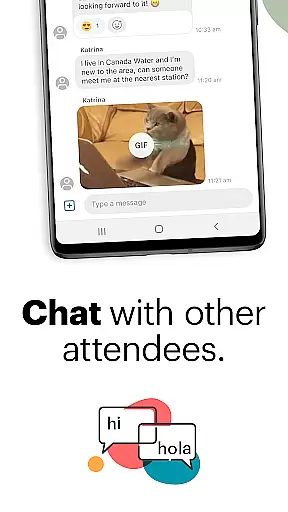
The app offers features for discovering local and online events across 330,000 groups, exploring by category or location, saving preferred events, and engaging in discussions through direct messaging. Users can also start their own groups, host events, personalize schedules, manage communities on-the-go, and maintain connections between events via photos and instant messaging.
Whether you're looking to advance your career, find like-minded individuals for a hobby, or expand your social circle, Meetup provides the tools to connect with people who are excited about the same things as you.
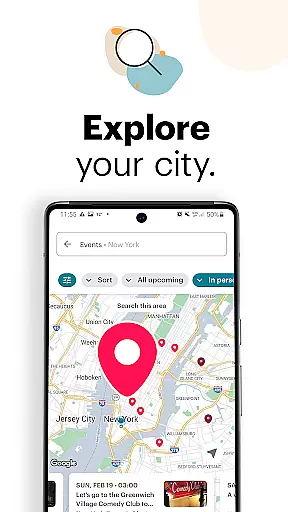
Meetup stands out with its robust event discovery system. Users can browse over 330,000 groups based on specific interests, from tech conferences to yoga classes. The app allows filtering by category, keyword search, and map-based exploration of popular local events.
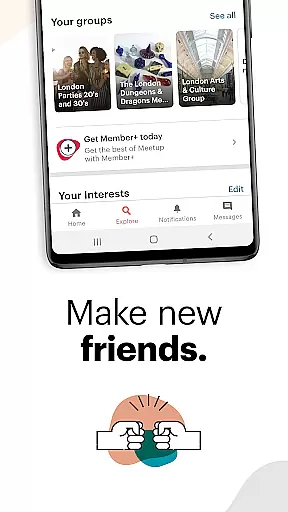
A key feature is the ability to create and manage personalized groups. Hosts can schedule online or in-person events, recommend their groups to potential members, and use discussion boards and direct messaging to keep participants engaged between meetups.
Additional functionalities include saving favorite events for later reference, choosing attendees for specific events, and maintaining momentum within groups through photo sharing and instant messaging. These features collectively enhance user interaction and foster meaningful community building.
User profile customization is a crucial aspect of any social platform, allowing individuals to express their identity and interests. Meetup provides users with the tools to create detailed profiles that showcase their hobbies, professional background, and the type of groups they wish to join.
The authenticity verification process on Meetup adds an extra layer of trust within the community. By confirming email addresses and cross-referencing social media accounts, Meetup ensures that members are real people with genuine interests in connecting with others.
With these features, users can confidently reach out to like-minded individuals, knowing that their profiles reflect true identities. This leads to more meaningful interactions and stronger community bonds.
Ultimately, the combination of customizable profiles and verified authenticity fosters a safe environment where users feel comfortable sharing personal information and engaging in discussions about shared interests.
Connection discovery is at the heart of Meetup's functionality, enabling users to find and connect with groups and individuals who share similar passions. The app employs sophisticated algorithms to match users with over 330,000 groups based on their specified interests.
Through advanced search capabilities, users can explore events by category or keyword, ensuring they find gatherings that truly resonate with their preferences. Whether it's tech conferences or yoga classes, Meetup's extensive network makes it easy to discover relevant local and online events.
This feature not only helps users expand their social circles but also facilitates professional networking and personal growth. By attending events and participating in discussions, members can build valuable relationships that extend beyond the digital space.
Meetup's connection discovery thus plays a vital role in creating opportunities for users to meet new friends, learn from peers, and develop communities around shared activities and goals.
User-friendly interface
Vast community network
Event customization tools
Direct messaging options
Flexible group management
Occasional bugs reported
Premium subscription required
Limited free event hosting
GPS accuracy issues
Ads in free version

The hottest live chat app so far. Video chat and meet great people...
 4.60
4.60
Watch, Edit, Upload and Share Gaming Clips
4.00
Meet Strangers Online, Live Video Chat & Make Random Video Calls on Joi!
4.30
Sell unwanted items and buy preloved stuff in your local community.
4.10
Get notifications of FREE Stuff for Nextdoor, Letgo, offerup & TrashNothing
4.70
Create your personal AI chatbot: talk, roleplay, and connect with characters!
4.10
Free texting (SMS) to US, Canada & more. Free new number. Call free & Text free.
4.30
Calling and texting app. 2nd virtual line plus new phone number. Txt & talk now.
4.40
A video app from OpenAI - AI video generation by the maker of ChatGPT
4.60
Raise cute Pengus with friends
4.70
Date single & make friend
4.60
Dating & make friend to chat, meet, flirt, and make real connections!
4.60
SuperLive is a super popular video-streaming social network
4.60
TikTok Lite - Designed for speed, simplicity, and saving your phone’s space!
4.40
Watch 24/7 live stream, and make real friends nearby
4.30
Looking for a date or a friend? Swipe to match and meet open-minded singles.
4.20
Connect and share ideas
4.10
Random chat & meet online. Find your soulmate or someone special and have fun!
3.90
Swipe, Meet & Chat Real People
3.80


User Reviews