
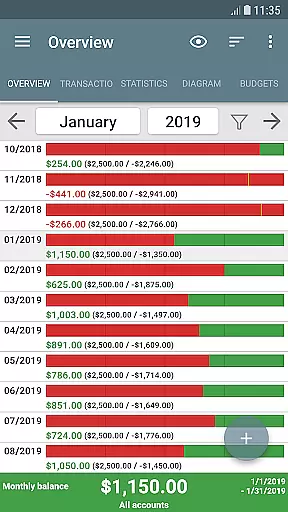
My Budget Book is a comprehensive financial management application designed to help users effectively track and manage their income and expenses. The app offers features for recording individual or recurring transactions, enabling users to forecast balances accurately. With budgeting capabilities, users can set custom limits or goals over specific time periods, helping them control spending habits and achieve savings targets.
The app stands out with its offline functionality, ensuring user privacy by not requiring Internet permission. It provides dynamic data visualization through charts and graphs, multiple account management, and customizable categories. Users can attach photos or receipts to transactions, set payment reminders, and reconcile expenses with bank statements. My Budget Book also supports CSV imports, data exports in various formats, and automatic local backups, making it an all-in-one solution for personal finance management.
Whether you're looking to reduce unnecessary expenditures, save for specific goals, or simply gain better insight into your financial habits, My Budget Book offers the tools to make informed decisions. Its user-friendly interface and customizable features ensure that both novice and experienced users can benefit from this powerful financial tool.
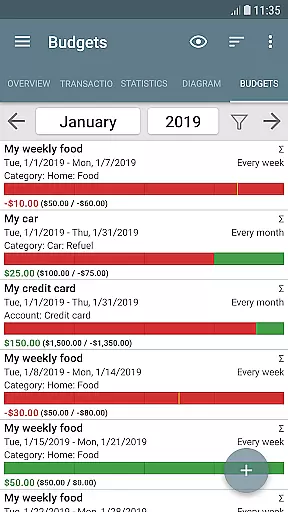
My Budget Book boasts an impressive array of features that cater to diverse financial management needs. One of its key strengths is the ability to set up budgets for different spending categories, allowing users to define limits for weekly, monthly, or custom periods. This feature helps users curb overspending on non-essential items like coffee-to-go or clothing, while also setting savings targets for important goals such as vacations.
The app's offline functionality ensures maximum privacy and security, as it does not require Internet permission. Despite this, users can still share backups to the cloud manually. The Material Design layout is fully customizable, including a configurable dark mode, offering a personalized user experience. Comprehensive views with convenient tabs and sorting options allow users to organize and analyze their financial data efficiently.
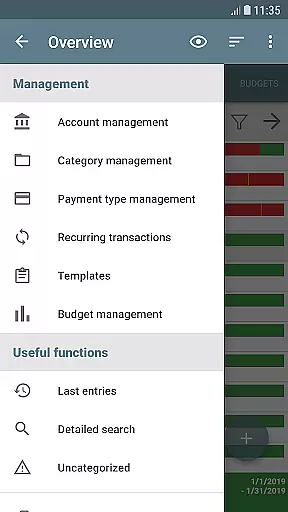
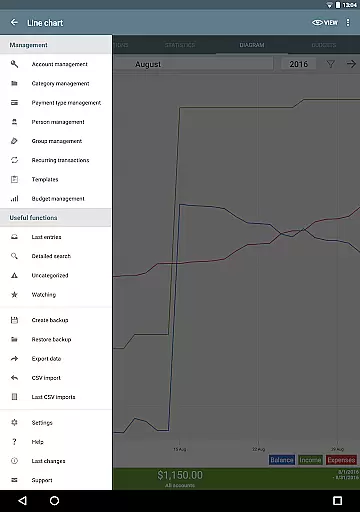
Additional notable features include the ability to manage multiple accounts, make transfers between them, and customize categories and subcategories. Users can attach photos or receipts to transactions, set reminders for pending payments, and reconcile expenses with bank statements. The app also supports CSV imports, data exports in HTML, Excel, or CSV formats, and automatic local backups, ensuring data safety and accessibility.
Account and fund security is a critical aspect of any financial management application. My Budget Book ensures your sensitive data remains protected through multiple layers of security.
The app offers optional password protection and fingerprint authentication, providing users with peace of mind when managing their financial information. This feature prevents unauthorized access to your budgeting data, ensuring only you can view and modify your income, expenses, and account details.
In addition to local security measures, the app operates offline without requiring Internet permission. This design choice protects your privacy by keeping all financial data on your device unless you choose to create a backup. Even then, synchronization occurs only through secure methods detailed in the integrated manual.
Users benefit from automatic local backups, preventing data loss while maintaining complete control over their financial information. The combination of these security features makes My Budget Book a reliable choice for managing personal finances safely and securely.
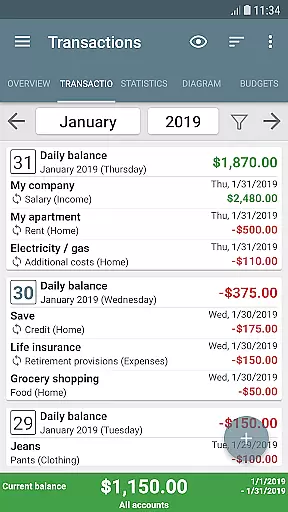
A seamless transaction experience is essential for effective financial management. My Budget Book excels in this area by offering intuitive tools for recording both individual and recurring transactions.
The app's interface allows users to easily input income and expenses, with customizable categories and subcategories that accurately reflect their unique financial situations. This flexibility enables precise tracking of different spending patterns, from daily coffee purchases to monthly rent payments.
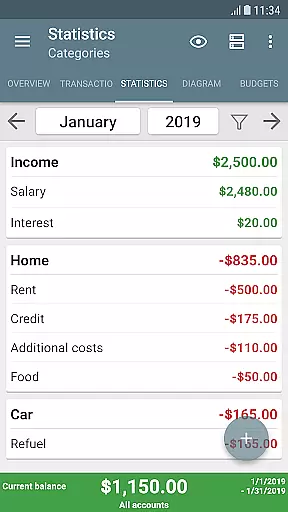
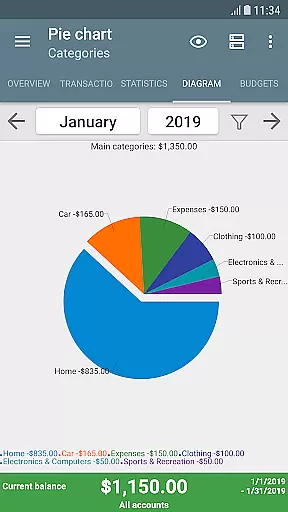
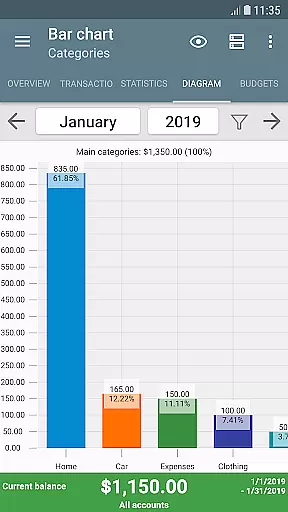
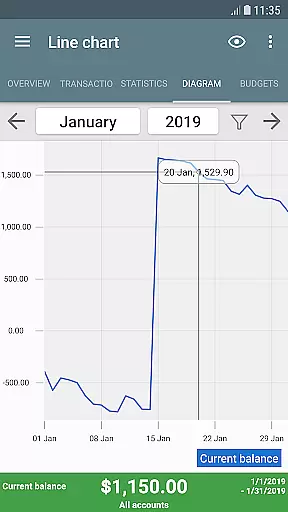
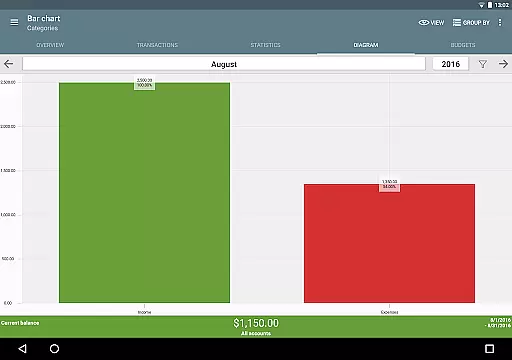
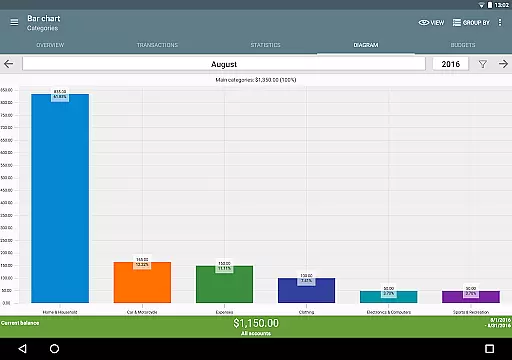
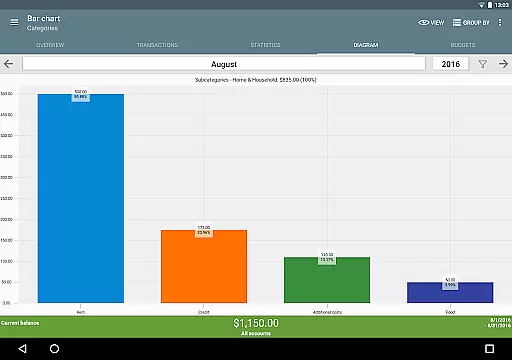
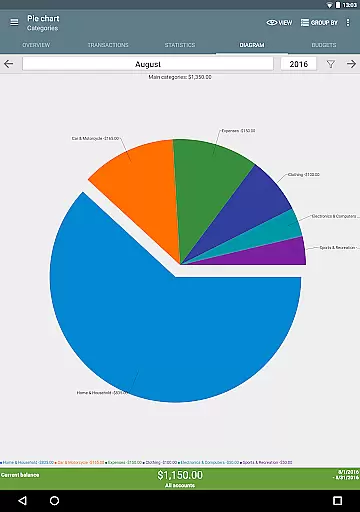
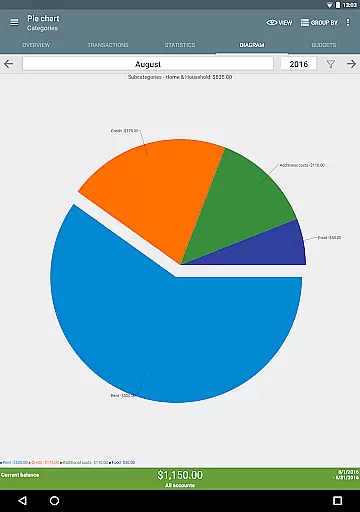
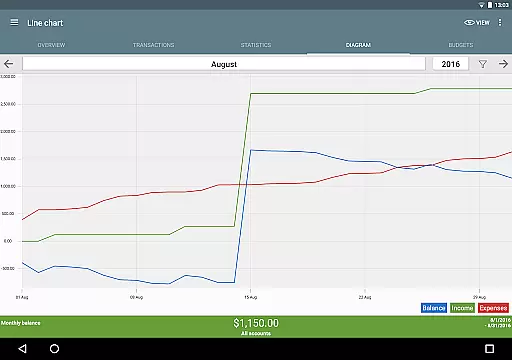
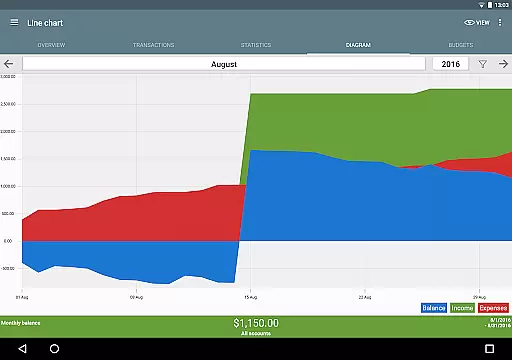
Visual representation of financial data sets My Budget Book apart. Users can view their transaction history through dynamic charts and graphs, gaining valuable insights into their spending habits. These visualization tools help identify areas for improvement and track progress toward financial goals.
Additional features like transaction templates, photo attachments for receipts, and reminder notifications enhance the overall transaction experience. These elements work together to create a comprehensive and user-friendly system for managing personal finances effectively.
User-friendly interface
Comprehensive budgeting tools
Offline functionality
Customizable categories
Data export options
No automatic cloud sync
Limited in-app support
Manual backup process
Occasional bugs reported
Steep learning curve

Bank better with our new app
 3.80
3.80
Need help before payday? Get cash advances with no interest or credit checks.
4.60
Payday cash advance & Instant cash advance: Borrow money instantly, Get cash now
4.60
Manage and cancel subscriptions, lower bills, track expenses, create budgets.
4.60
Car Insurance Made For You.
4.50
Save, spend & get paid faster²
4.50
StockTiles lets you view prices & charts of your favorite stock assets
2.30
Read and extract public data on NFC Contactless banking card (VISA, MasterCard
4.30
Send money and bitcoin easily. Invest, bank and do more with your money
4.70
The Citi Mobile® App lets you manage your accounts virtually anytime, anywhere
4.80
Companies owe you money.
4.80
No credit checked needed.
4.80
No credit check, no interest, no worries.
4.70
Money App - Earn Cash back, Fast Cash Advance, Personal Loan Offers, Banking
4.70
Manage your prepaid cards and add to Google or Samsung Wallet.
4.60
Debt pay off. Build credit history. AI budget tool. Loan offers.
4.60
Get up to 500, get paid early, earn interest and find work with no hidden fees.
4.40
Bitcoin gpu app helps you remote mine using your cell phone easily .
3.60
Retirement plan, IRA, retail and HSA customers serviced by Empower.
3.10


User Reviews