
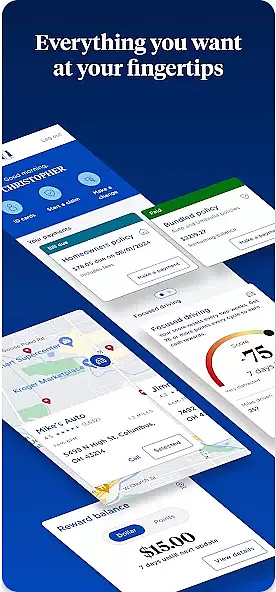

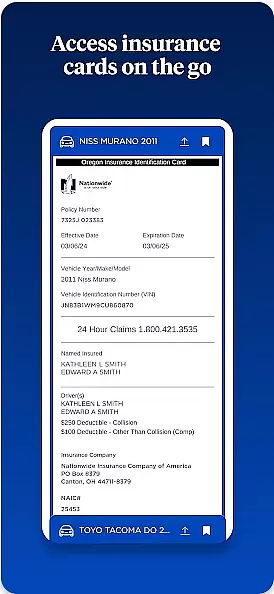
Nationwide Mobile is a finance-focused application designed to provide users with convenient access to their financial accounts and services. The app allows Nationwide members to manage their accounts, view balances, deposit checks, transfer funds, and pay bills from their mobile devices. With its secure login features and intuitive interface, the app ensures that users can safely handle their finances on-the-go. Whether at home or traveling, Nationwide Mobile offers a reliable solution for personal banking needs.
One of the standout features of Nationwide Mobile is its ability to offer users real-time updates and notifications about their account activities. This helps users stay informed about their financial status and take immediate action if needed. Additionally, the app provides tools for budgeting and financial planning, making it an essential tool for anyone looking to better manage their money. Its compatibility with both Android and iOS platforms ensures that a wide range of users can benefit from its services.
Nationwide Mobile boasts a variety of features that cater to the diverse needs of its users. One of the primary functionalities includes secure account management, where users can log in safely using biometric authentication such as fingerprint or facial recognition. This ensures that only authorized individuals have access to sensitive financial information. Furthermore, the app supports multiple account integrations, allowing users to manage all their Nationwide accounts from one place.
In addition to basic banking functions like transferring funds and paying bills, Nationwide Mobile also offers advanced features such as mobile check deposits. Users can simply take a picture of their check, and the app will process the deposit quickly and efficiently. The app also includes budgeting tools and spending insights, helping users make informed financial decisions. These comprehensive features make Nationwide Mobile a versatile and indispensable tool for modern banking.
In the realm of mobile banking, security stands as a paramount concern for users. Nationwide Mobile addresses this by implementing top-tier encryption protocols to safeguard user data. Every transaction and personal information entry is protected against unauthorized access.
The app incorporates multi-factor authentication, adding an extra layer of security. This ensures that only the account owner can access sensitive financial details, significantly reducing the risk of fraud. Biometric login options further enhance ease of access without compromising on safety.
Regular security updates are provided to protect against emerging threats. Users benefit from continuous protection, ensuring their funds and personal information remain secure at all times. This proactive approach to security establishes Nationwide Mobile as a trustworthy financial management tool.
A seamless transaction experience is crucial for any financial application. Nationwide Mobile excels in providing intuitive and swift transaction processes. Users can easily navigate through the app to perform transactions with minimal steps required.
Real-time notifications are sent for every transaction made, keeping users informed about their financial activities. This feature not only enhances transparency but also allows for immediate detection of unauthorized transactions. The app maintains a comprehensive transaction history, enabling users to track their spending patterns effectively.
To further streamline the process, Nationwide Mobile offers personalized transaction limits and customizable alerts. These features empower users to manage their finances according to their preferences while maintaining control over their accounts. Such attention to detail in transaction management sets Nationwide Mobile apart in the finance category.
User-friendly interface
Secure authentication methods
Real-time account updates
Comprehensive budgeting tools
Wide platform compatibility
Limited to Nationwide members
Occasional bugs reported
No investment management
Customer support delays
Dependent on internet connectivity

Need help before payday? Get cash advances with no interest or credit checks.
 4.60
4.60
Managing your money just got easier. Get the new Mobile app.
4.70
Early payday & cash advances with no-fee mobile banking!
4.60
BTC, Crypto, Stocks & Options.
4.20
Change the way you money with Credit Genie
4.30
No credit checked needed.
4.80
Money App - Earn Cash back, Fast Cash Advance, Personal Loan Offers, Banking
4.70
Check EBT, SNAP, WIC balances, manage food stamps, and save money with benefits
4.80
SuperQi, Your all-in-one Super App.
1.30
Companies owe you money.
4.80
Get 250$ Cash Advance to solve emergencies instantly in loan app called LendMe
4.70
Military retirement pay estimation calculator
4.70
Manage your prepaid cards and add to Google or Samsung Wallet.
4.60
Car Insurance Made For You.
4.50
Make Real Cash by Playing Games! Fetch Playful Rewards, Win & Triumph
4.50
Manage budget, save money, or file tax. Build, track & improve your credit score
4.40
Make your paycheck work harder for you with Perpay.
4.10
View BSC Transactions for multiple accounts
3.90
Bank better with our new app
3.80


User Reviews