
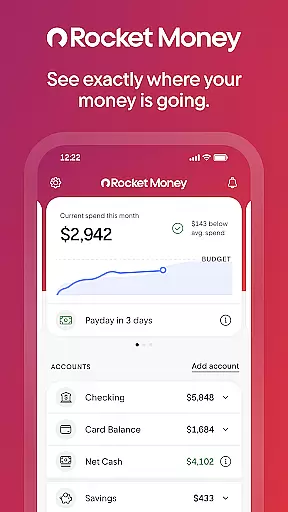
Rocket Money is a comprehensive personal finance application designed to help users take control of their financial lives. With over 5 million members, this app offers tools for subscription management, bill negotiation, expense tracking, budgeting, automated savings, net worth monitoring, and credit score checking. Rocket Money stands out as an all-in-one solution that simplifies the complexities of personal finance management.
The app's intuitive design allows users to link all their financial accounts in one place, providing a holistic view of their financial health. Whether it's canceling unused subscriptions or negotiating better rates on bills, Rocket Money empowers users to save more and spend less. Its bank-level security ensures that your financial data remains safe while you enjoy the convenience of managing everything from your mobile device.
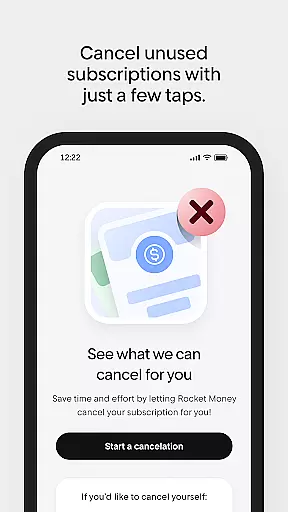
Rocket Money boasts an impressive array of features tailored to optimize personal finance management. One of its standout capabilities is the subscription management tool, which automatically detects and helps cancel forgotten subscriptions directly within the app. This feature alone can save users significant amounts of money by eliminating unnecessary recurring charges.
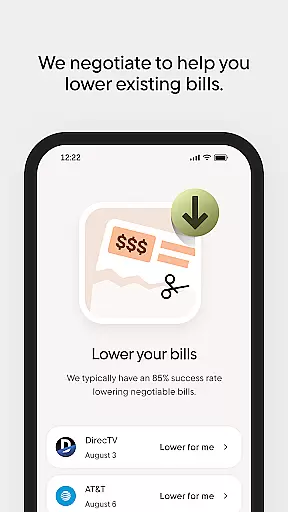
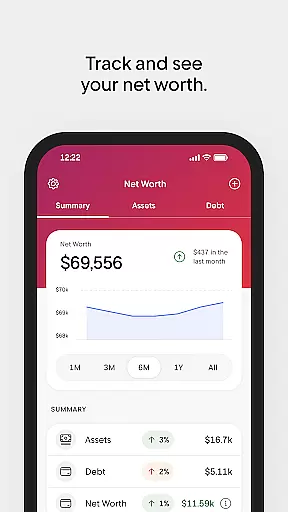
In addition to subscription management, Rocket Money offers bill negotiation services where a dedicated concierge team works on behalf of users to secure better rates on existing bills. The app also provides robust budgeting tools that categorize spending and keep users aligned with their financial goals. Furthermore, the automated savings feature allows users to effortlessly grow their savings by setting aside predetermined amounts at regular intervals. Lastly, the net worth tracking functionality gives users a complete overview of their assets, debts, and investments, enabling them to make informed financial decisions.
Account and fund security is a critical aspect of any financial application, ensuring that users' personal and financial information remains protected. Rocket Money employs bank-level security measures to safeguard your data against unauthorized access and potential threats. This includes advanced encryption protocols for data transmission and storage, which ensures that all sensitive information is securely handled.
In addition to encryption, Rocket Money incorporates robust privacy policies that comply with industry standards. The app provides users with control over their data, allowing them to manage permissions and decide what information is shared. With features like multi-factor authentication, users can further enhance their account security by requiring additional verification steps before accessing their accounts.
The benefits of such stringent security measures are significant for users. They can enjoy peace of mind knowing that their financial activities, including bill payments and subscription management, are conducted in a secure environment. Furthermore, the transparency in Rocket Money's approach to security helps build trust, as users are informed about how their data is protected and used.
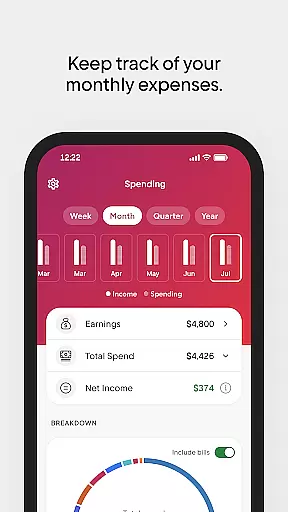
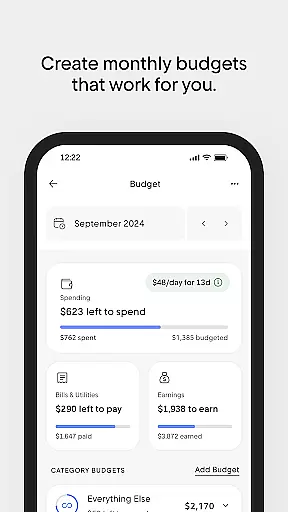
A seamless transaction experience is essential for maintaining user engagement and trust in a finance app. Rocket Money excels in providing an intuitive interface where users can easily track their monthly expenses, avoid overdrafts, and create budgets that align with their financial goals. By categorizing spending and offering real-time updates, the app empowers users to make informed decisions about their finances.
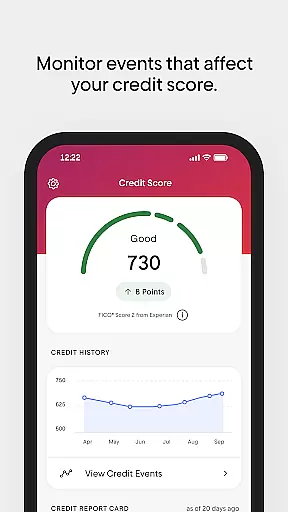
Rocket Money goes beyond basic transaction tracking by offering proactive tools such as automated savings plans and net worth tracking. Users can set specific savings goals and let the app automatically transfer predetermined amounts at regular intervals, streamlining the process of growing their savings without manual intervention. Moreover, the ability to monitor credit scores directly within the app enhances the overall transaction experience by keeping users informed about their financial health.
Ultimately, the value derived from Rocket Money's transaction experience lies in its comprehensive approach to personal finance management. By integrating various aspects of financial planning into one platform, it simplifies complex processes and enables users to take control of their financial future with confidence. The convenience and insight provided by these features contribute significantly to a positive user experience.
User-friendly interface
Comprehensive financial tools
Secure data protection
Efficient subscription management
Proactive bill negotiation
Limited international support
Premium features require subscription
Occasional syncing issues
Some advanced tools need upgrade
Customer support response time

Bank better with our new app
 3.80
3.80
BTC, Crypto, Stocks & Options.
4.20
No credit check, no interest, no worries.
4.70
Invest, bank & save in one app. Trade stocks, earn high APY & budget smarter.
4.00
Money App - Earn Cash back, Fast Cash Advance, Personal Loan Offers, Banking
4.70
NFC mobile payment app Use your phone as a contactless bank card
4.00
“Money Manager” is an optimized application for personal asset management.
4.70
Loan Calculator, Mortgage Calculator, Compound Interest Calculator
4.70
Earn money as a tester with Testerup, get cash testing apps and games
4.20
BA Financial Calculator PRO – Perfect for CFA/FRM/CPA and finance professionals
4.90
PayMe helps you claim money from settlements on companies that harmed you.
4.80
Pay rent on your schedule.
4.70
Get 250$ Cash Advance to solve emergencies instantly in loan app called LendMe
4.70
Navigate your unique financial path confidently with help from Credit Karma.
4.70
Over 180 currencies conversion rates with live exchange rates and offline mode.
4.60
Manage your account, make a payment, and redeem your rewards on the go.
4.50
Car Insurance Made For You.
4.50
All your crypto & stocks in one secure and trusted app.
4.40
The PayPal app is the secure way to send and receive money, shop and pay in 4.
4.20


User Reviews