

MyMoney Pro is a comprehensive personal finance management application designed to help users effectively track and control their spending. The app's core functionality revolves around its powerful expense tracking system, which allows users to categorize income and expenses across various categories such as Cars, Foods, and Clothing. This offline budget planner provides intuitive analysis through clean charts, enabling users to understand their financial habits without requiring an internet connection.
Beyond basic expense tracking, MyMoney Pro offers advanced features like customizable homescreen widgets for quick access to balance information and record additions. The app supports multiple accounts for managing wallets, cards, and savings separately, while also providing personalized settings for currency preferences and category icons. With additional premium features including passcode protection, multiple themes, and extended view modes, this finance app delivers a complete solution for users seeking better financial control.
This application is particularly beneficial for individuals who struggle with overspending on specific categories like coffee or dining out. By setting budget limits and monitoring spending patterns, users can develop healthier financial habits. The app's ability to export worksheets for printing records makes it suitable for both personal and small business use, offering a secure and practical way to manage finances.
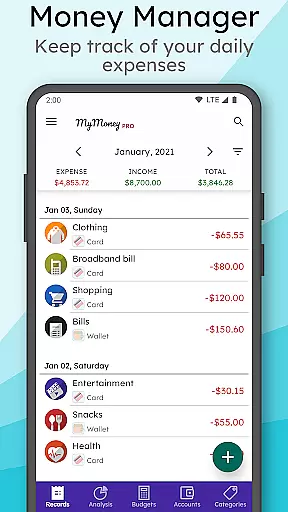
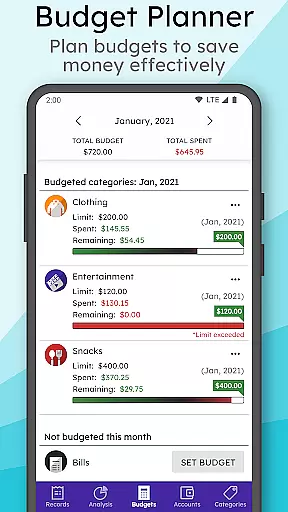
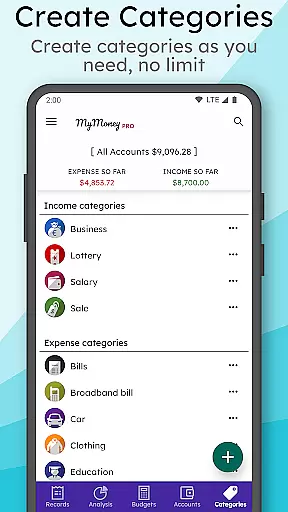
MyMoney Pro distinguishes itself through its robust set of features designed to simplify personal finance management. The app's Expense Manager allows users to create unlimited custom categories for precise tracking of their financial activities. Its Budget Planner helps users establish monthly spending limits and provides visual indicators to ensure they stay within their financial goals, promoting better saving habits.
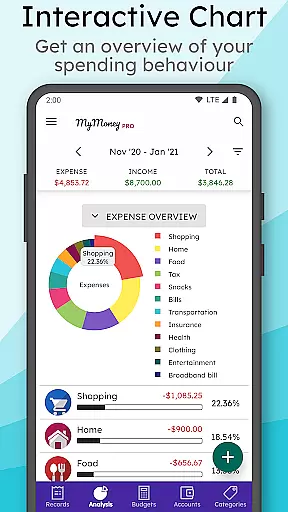
The application's Effective Analysis feature presents users with clear visual representations of their income and expenses through well-designed charts. These analytics tools enable users to identify spending patterns and make informed financial decisions. The Smart Homescreen Widget enhances accessibility by providing instant access to account balances and quick record entry, while the app's offline functionality ensures data privacy and constant availability.
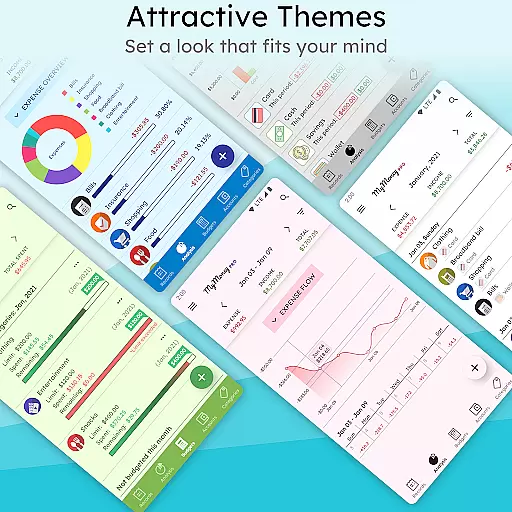
Additional premium features include enhanced security through passcode protection, multiple theme options for personalized aesthetics, and extended view modes that allow users to analyze their financial data over three, six, or twelve-month periods. The app's ability to manage multiple accounts separately, combined with its customizable interface elements and backup restoration capabilities, creates a comprehensive financial management solution that adapts to various user needs.
Account and fund security is a critical aspect of any financial application, ensuring that users' sensitive information and monetary transactions are protected. MyMoney Pro takes this responsibility seriously by implementing robust safety measures to safeguard your data.
The app provides backup and restore functionalities, allowing users to keep their financial records secure and recoverable in case of device loss or damage. With the option to export worksheets, users can maintain physical copies of their financial data for additional peace of mind.
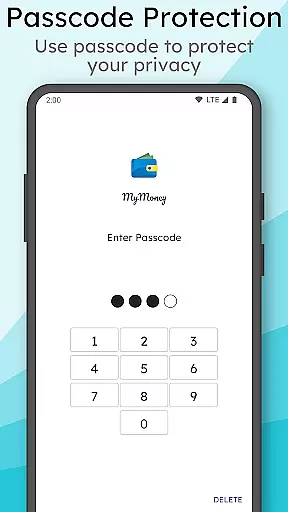
For privacy-conscious individuals, MyMoney Pro offers passcode protection as part of its premium features, adding an extra layer of security to prevent unauthorized access to the app. This ensures that personal financial details remain confidential and are only accessible to the user.
By prioritizing security without compromising on usability, MyMoney Pro creates a trustworthy environment where users can manage their finances with confidence, knowing their accounts and funds are well-protected against potential threats.
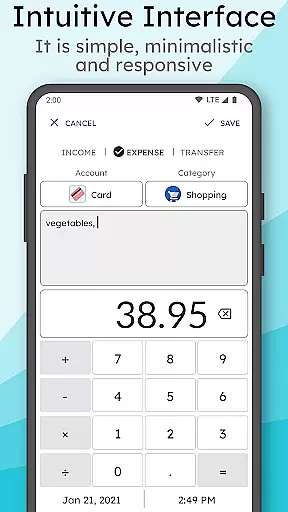
A seamless transaction experience is essential for a finance management app, enabling users to effortlessly track and manage their expenses. MyMoney Pro excels in providing an intuitive platform that simplifies the process of recording every financial transaction.
With features like the smart homescreen widget, users can quickly add expense records on the go, making it convenient to keep track of spending habits throughout the day. The simplicity of the interface ensures that even those new to budgeting can easily adapt to using the app effectively.
MyMoney Pro's powerful analysis tools offer clear insights into monthly income and expenditures through visually appealing charts. Users gain a comprehensive understanding of their financial behavior, empowering them to make informed decisions about future spending and saving strategies.
Moreover, with everything available offline, thereu2019s no need for internet connectivity to access these capabilitiesu2014ensuring uninterrupted service regardless of location or network availability. This reliable performance enhances the overall transaction experience within MyMoney Pro.
User-friendly interface
Comprehensive budgeting tools
Offline functionality
Customizable categories
Secure data management
Premium version costs
Feature learning curve
Limited social features
No automatic bank sync
Manual data entry required

 4.50
4.50
Earn cash & save money daily. Access instant cash advances* - no credit check!
4.50
Retirement plan, IRA, retail and HSA customers serviced by Empower.
3.10
Managing your money just got easier. Get the new Mobile app.
4.70
The Citi Mobile® App lets you manage your accounts virtually anytime, anywhere
4.80
Banking, Budgeting & Investing
4.60
Amazing Financial Calculator. Based on HP 10bII, but easier to use!
4.40
Real-time tracking: Stocks, Indices, Futures, Commodities, ETF, & Funds prices.
4.60
SuperQi, Your all-in-one Super App.
1.30
BA Financial Calculator PRO – Perfect for CFA/FRM/CPA and finance professionals
4.90
Secure, simple money transfer app. Send money to Mexico and worldwide fast.
4.80
Manage your Discover account conveniently from anywhere.
4.80
Pay rent on your schedule.
4.70
Money transfer made easy. Send money to friends and family with great rates.
4.70
Need help before payday? Get cash advances with no interest or credit checks.
4.60
Easily invest, save, and plan—all in one app.
4.60
Save, spend & get paid faster²
4.50
The PayPal app is the secure way to send and receive money, shop and pay in 4.
4.20
Make your paycheck work harder for you with Perpay.
4.10


User Reviews