
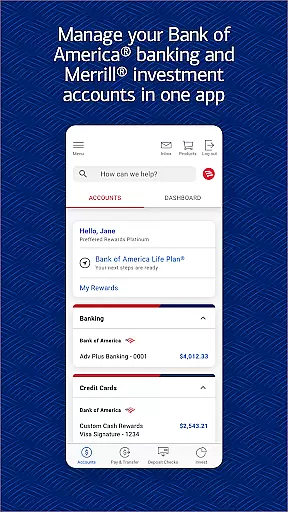

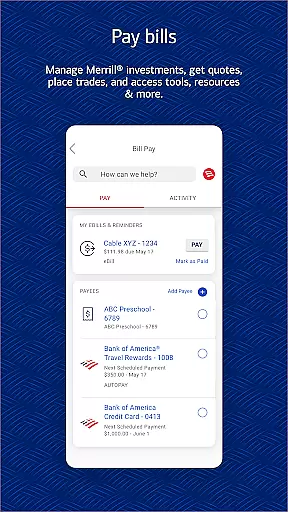
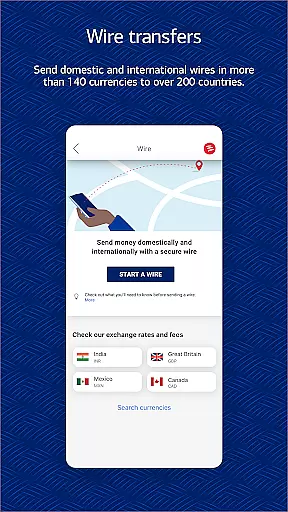
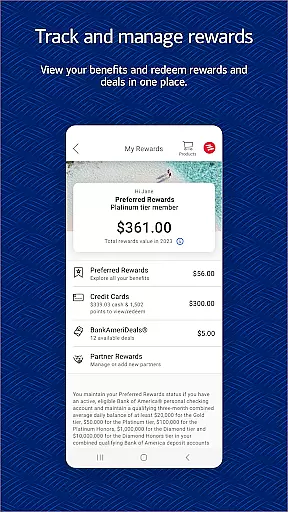
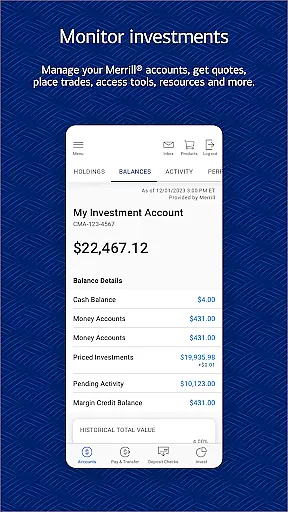
Bank of America Mobile Banking is a comprehensive financial management application designed for U.S.-based customers. The app allows users to conveniently and securely manage their checking, savings, credit card, loan, and investment accounts from their mobile devices. With features like account balance monitoring, bill payments, and Zelle® money transfers, it provides essential banking services at your fingertips.
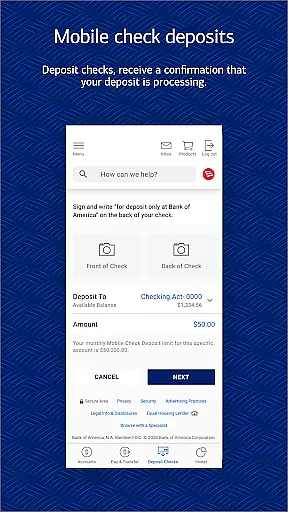
The application stands out with its advanced functionalities such as check deposit through mobile photography, fraud detection alerts, and Erica, the virtual financial assistant. These tools not only simplify banking operations but also enhance security and personal financial management. Whether you're tracking spending habits or monitoring investments, this app offers valuable insights and control over your financial health.
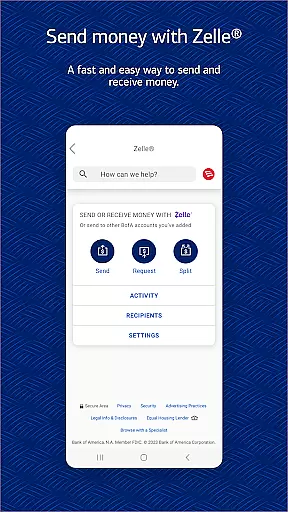
Bank of America Mobile Banking offers an impressive array of features tailored for modern banking needs. Users can activate or replace cards, set important account alerts, and manage all types of accounts including checking, savings, loans, and investments. The integration with Zelle® facilitates quick money transfers using just a U.S. mobile number or email address.
One of the standout features is Erica, the virtual assistant that helps find transactions, pay bills, and provide financial insights. Additionally, the app supports secure login methods like Touch ID® and Face ID®, ensuring top-notch security. Investment management is streamlined with real-time market data and secure communication options with advisors, making it a versatile tool for both everyday banking and investment oversight.
In the realm of mobile banking, security is paramount, and the Bank of America Mobile Banking app excels in providing robust protection for your financial data. The app employs advanced encryption protocols to safeguard your account information from unauthorized access. With features like Touch ID and Face ID, users can enjoy an additional layer of biometric authentication, ensuring that only you have access to your sensitive financial details.
Furthermore, the app actively monitors for any suspicious or fraudulent activity on your accounts. If any irregularities are detected, you will be promptly notified, allowing you to take immediate action. This proactive approach to security empowers users with peace of mind, knowing their funds and personal information are vigilantly protected against potential threats.
The Mobile Banking Security Guarantee reinforces this commitment by ensuring that customers are not liable for unauthorized transactions when reported promptly. By adhering to the recommended security practices and promptly reporting any discrepancies, users can trust that their assets are secure within the Bank of America ecosystem.
The Bank of America Mobile Banking app offers a seamless transaction experience, enabling users to manage their finances with ease and efficiency. Whether it's transferring funds between accounts, depositing checks via the mobile check deposit feature, or paying bills directly through the app, each process is designed to be intuitive and straightforward. This ensures that even those new to mobile banking can navigate the app with minimal learning curve.
One standout feature is Zelle, which allows users to send and receive money quickly using just a U.S. mobile number or email address. This service simplifies peer-to-peer payments, making it easier than ever to split bills or reimburse friends. Additionally, setting up alerts for important account activities helps users stay informed about their financial status in real time, enhancing overall control over their accounts.
Moreover, the app provides immediate confirmation for transactions such as check deposits, giving users reassurance that their financial activities are being processed without delay. These thoughtful touches contribute to a smooth and reliable transaction experience, reinforcing user confidence in managing their day-to-day banking needs through the app.
User-friendly interface
Comprehensive account management
Secure transaction processing
Advanced fraud protection
Integrated investment tools
Limited international functionality
Occasional syncing issues
Dependent on internet connectivity
Some features require registration
Potential learning curve for new users

 4.50
4.50
BA Financial Calculator PRO – Perfect for CFA/FRM/CPA and finance professionals
4.90
PayMe helps you claim money from settlements on companies that harmed you.
4.80
Get, Earn, and Save Money
4.30
The Citi Mobile® App lets you manage your accounts virtually anytime, anywhere
4.80
Get up to 500, get paid early, earn interest and find work with no hidden fees.
4.40
Keep track of your subscriptions with no limitations
4.80
Make your paycheck work harder for you with Perpay.
4.10
The PayPal app is the secure way to send and receive money, shop and pay in 4.
4.20
Currency Converter, Exchange Rates, Widgets
4.90
Manage your Discover account conveniently from anywhere.
4.80
All expenses at a glance.
4.80
Early payday cash advance up to $150 a day with a max of $1,000 per pay period
4.70
Manage your prepaid cards and add to Google or Samsung Wallet.
4.60
Early payday & cash advances with no-fee mobile banking!
4.60
The simplest way to budget, bank, save and invest.
4.50
Car Insurance Made For You.
4.50
Manage budget, save money, or file tax. Build, track & improve your credit score
4.40
Retirement plan, IRA, retail and HSA customers serviced by Empower.
3.10


User Reviews