
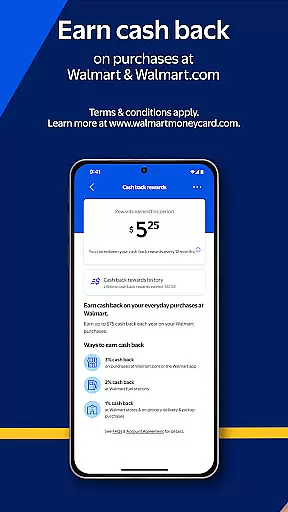
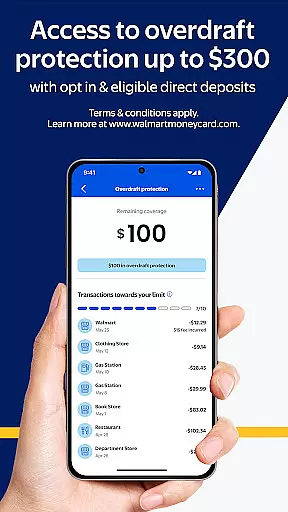
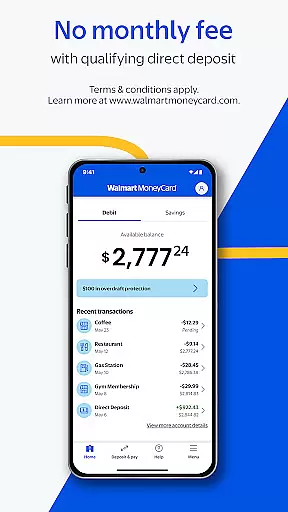
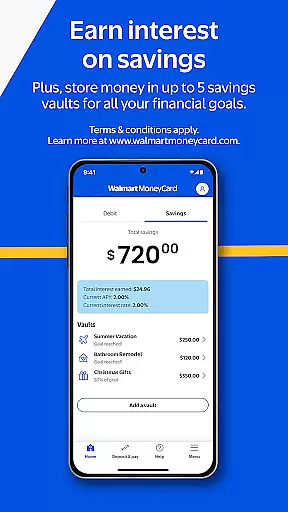
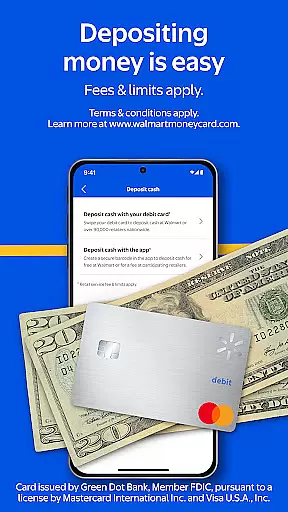
Walmart MoneyCard is a financial management app that provides users with an improved banking experience. The app offers features such as early pay days through direct deposit, cash back on Walmart purchases, and overdraft protection. Users can also enjoy no monthly fees with qualifying direct deposits and earn interest on savings through multiple savings vaults.
This app is ideal for individuals looking to manage their finances effectively without the hassle of traditional banking. With the Walmart MoneyCard, users can make purchases everywhere Debit MasterCard® or Visa® debit cards are accepted in the U.S., making it a versatile tool for everyday transactions.
The Walmart MoneyCard app stands out due to its comprehensive set of features tailored for financial convenience. One key feature is the ability to deposit checks using your smartphone, which streamlines the process of adding funds to your account. Additionally, users can add money to their card from a linked bank account or through cash reloads at Walmart stores nationwide.
Another notable aspect is the availability of up to five savings vaults, allowing users to allocate funds towards different financial goals such as savings, vacations, or education. These features collectively ensure that users have flexible and efficient tools to manage their finances according to their personal needs and preferences.
Account and fund security is a critical aspect of any financial application, ensuring that users' personal and financial information is protected from unauthorized access. The Walmart MoneyCard app employs advanced security measures to safeguard your data.
The app requires identity verification, including SSN, for account activation, adding an extra layer of security. Additionally, mobile or email verification is necessary to access all features, ensuring that only authorized users can make transactions or view sensitive information.
Furthermore, the app provides a Technology Privacy Statement, detailing how user data is handled and protected. This transparency allows users to understand the security protocols in place and feel confident in their financial activities within the app.
A seamless transaction experience is vital for user satisfaction in financial apps. The Walmart MoneyCard app offers various convenient methods for managing funds, making it easy for users to perform transactions anytime, anywhere.
With features like direct deposit, users can enjoy early pay days, while cash reloads at Walmart stores nationwide provide flexibility for adding money to the card. Moreover, the ability to deposit checks using a smartphone enhances the ease of use, allowing users to quickly convert paper checks into spendable funds.
The app also supports purchases everywhere Debit MasterCardu00ae or Visau00ae debit cards are accepted in the U.S., providing a versatile and efficient way to utilize the Walmart MoneyCard for everyday transactions.
User-friendly interface
No credit check required
Direct deposit options
Cash back rewards
Multiple savings vaults
Requires identity verification
Fees may apply for certain services
Limited to U.S. usage
Age restrictions apply
ATM access requires activation

 4.50
4.50
Currency Converter, Exchange Rates, Widgets
4.90
Need help before payday? Get cash advances with no interest or credit checks.
4.60
All your crypto & stocks in one secure and trusted app.
4.40
Change the way you money with Credit Genie
4.30
Invest, bank & save in one app. Trade stocks, earn high APY & budget smarter.
4.00
No credit checked needed.
4.80
Our Chase Mobile App makes it easy for you to bank on the go 24/7.
4.60
The PayPal app is the secure way to send and receive money, shop and pay in 4.
4.20
The DailyPay app lets you access earned wages before your next payday.
4.70
Early payday cash advance up to $150 a day with a max of $1,000 per pay period
4.70
Your Big Financial Friend
4.70
No credit check, no interest, no worries.
4.70
Loan Calculator, Mortgage Calculator, Compound Interest Calculator
4.70
Powerful Money Manager, Expense & Savings Tracker, Budget Planner - Pro Version
4.70
Debt pay off. Build credit history. AI budget tool. Loan offers.
4.60
Real-time tracking: Stocks, Indices, Futures, Commodities, ETF, & Funds prices.
4.60
Registration of your debts and Mdionatk and assembled, as well as a significant reports
4.30
Venmo is the fun and easy way to pay and get paid.
4.10


User Reviews