
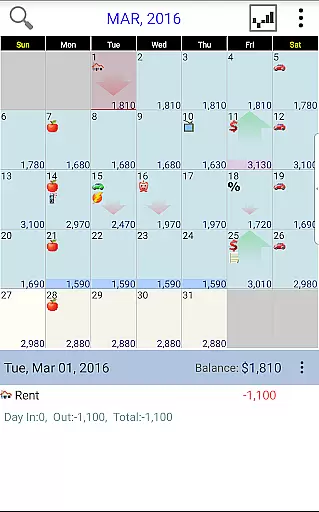
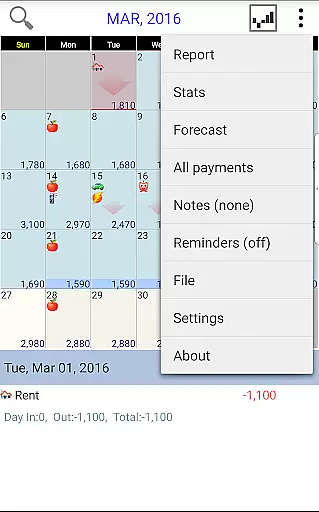
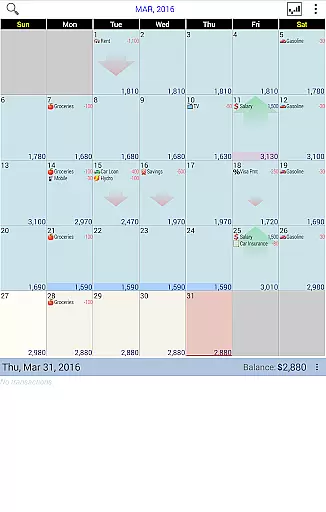
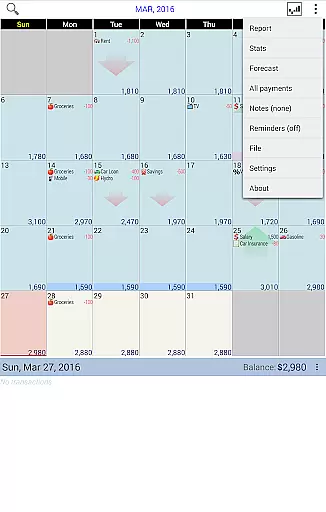
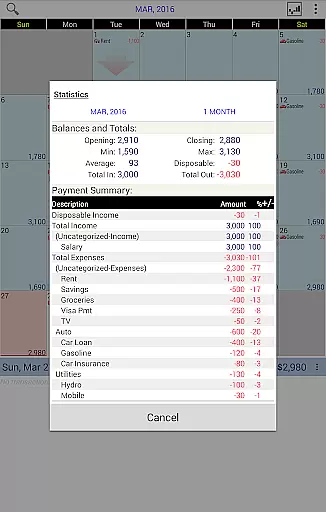
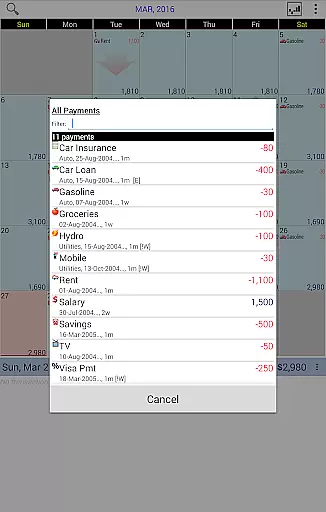
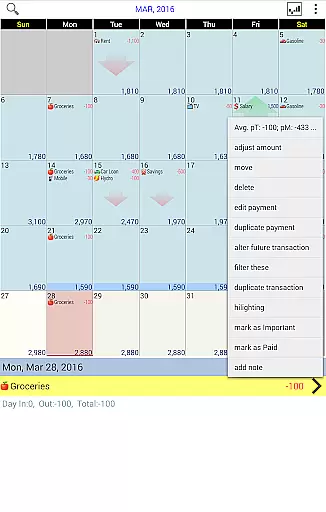
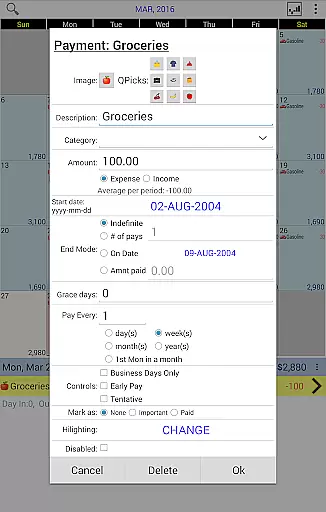
Budget Calendar is a comprehensive financial planning tool designed to simplify budget management through its intuitive calendar-based interface. Unlike traditional ledger systems, this application visually represents all transactions on a calendar, allowing users to effortlessly track their spending and plan future payments. Each transaction can be customized with unique icons for easy identification, and entries can be easily moved to different dates to accommodate changing schedules.
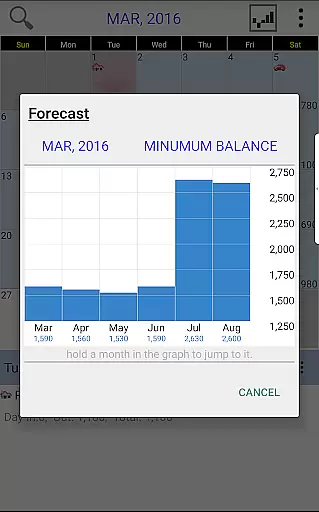
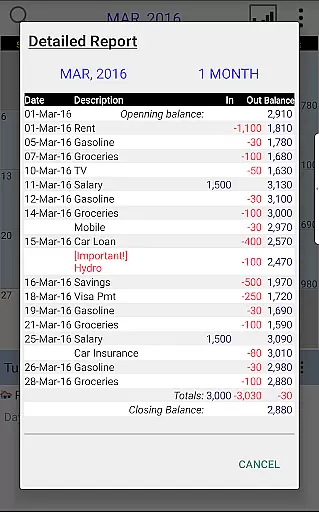
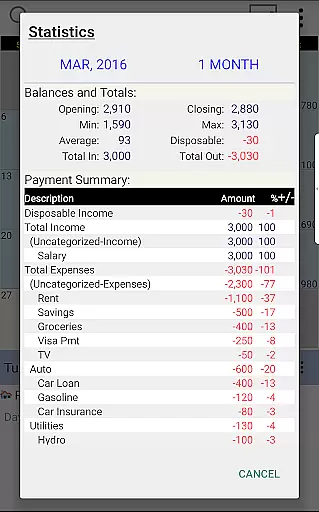
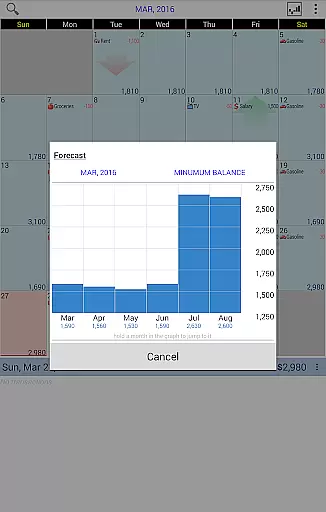
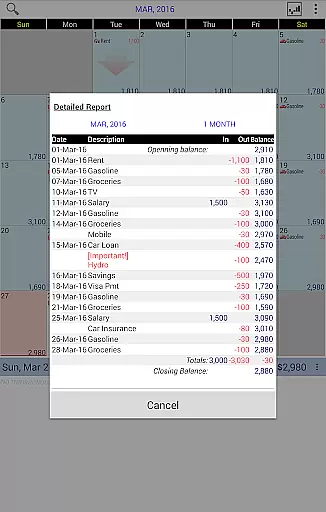
The app provides robust reporting features, offering clear statistics and detailed reports spanning single or multiple months. Users can adjust their budget balance to reflect actual account status, ensuring accurate financial tracking. With cross-device compatibility through Google Drive syncing, Budget Calendar allows seamless integration between smartphones and desktop versions, making it an ideal solution for users seeking a unified budgeting experience across devices.
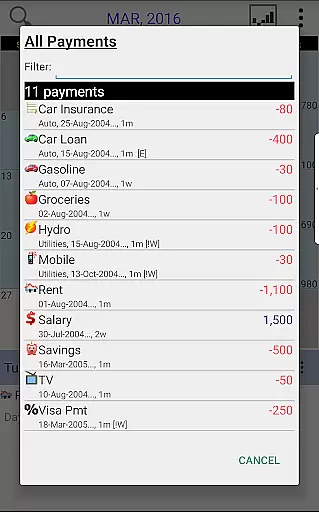
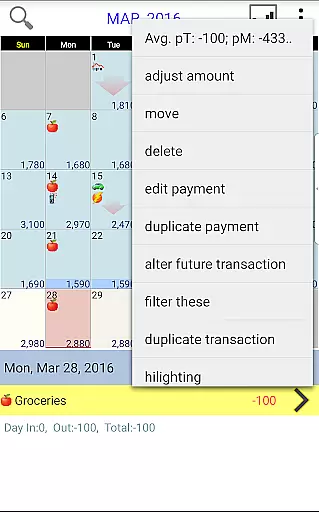
Budget Calendar stands out with its innovative calendar-centric approach to budget management. The app's core feature is its visual transaction display, where each payment entry appears directly on the corresponding date. This design eliminates the complexity of traditional ledger systems and provides an immediate overview of upcoming expenses. The customizable icon system enables users to categorize and identify transactions at a glance, while the drag-and-drop functionality allows flexible scheduling adjustments.
Advanced reporting capabilities are another key strength, providing users with comprehensive monthly statistics and historical data analysis. The app maintains synchronization across devices through Google Drive integration, ensuring consistent data access regardless of platform. Additionally, the desktop version compatibility (available as a separate purchase) extends the app's functionality, creating a powerful ecosystem for managing personal finances across smartphones and computers.
In the realm of financial applications, security is paramount. Budget Calendar ensures that your financial data remains protected through robust encryption protocols. Every transaction you record is safeguarded against unauthorized access, ensuring that your budgeting and payment plans remain confidential.
The app employs advanced privacy protection measures, which means that your personal information and financial details are not accessible to third parties. With secure account verification processes, only you have the authority to make changes to your budget, providing peace of mind when planning your finances.
By using Budget Calendar, users can be confident in the integrity of their data. The application's commitment to security translates into a trustworthy tool for managing your funds without the worry of data breaches or leaks.
A seamless transaction experience is crucial for any finance application, and Budget Calendar excels in this area. The app provides an intuitive interface where all transactions are displayed on a calendar, offering a clear overview of your financial activities. This visual approach simplifies the process of tracking payments compared to traditional ledger systems.
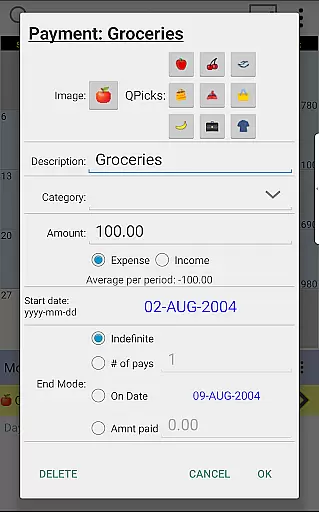
Each transaction can be customized with unique icons, making it easier to identify different types of expenses at a glance. Users also have the flexibility to move transactions to different days, allowing for adjustments based on actual spending patterns or unexpected changes in their financial schedule.
Budget Calendar enhances user experience by providing real-time notifications and detailed transaction histories. These features enable users to stay informed about their spending habits and make necessary adjustments to maintain control over their budget, ultimately leading to better financial health.
User-friendly calendar interface
Customizable transaction icons
Seamless device syncing
Comprehensive reporting tools
Cross-platform compatibility
Desktop version costs extra
Limited free trial period
Requires Google account
No automatic categorization
Learning curve for new users

Companies owe you money.
 4.80
4.80
The DailyPay app lets you access earned wages before your next payday.
4.70
Change the way you money with Credit Genie
4.30
No credit checked needed.
4.80
Earn cash back. Build credit.
4.60
Mine Bitcoin in the cloud! Earn BTC daily with high-speed mining power.
4.30
NFC mobile payment app Use your phone as a contactless bank card
4.00
Powerful Money Manager, Expense & Savings Tracker, Budget Planner - Pro Version
4.70
Make Real Cash by Playing Games! Fetch Playful Rewards, Win & Triumph
4.50
Manage your Discover account conveniently from anywhere.
4.80
PayMe helps you claim money from settlements on companies that harmed you.
4.80
Check EBT, SNAP, WIC balances, manage food stamps, and save money with benefits
4.80
Military retirement pay estimation calculator
4.70
Cash Advance, Credit Cards, Credit Lines, Score Monitoring, Saving, Budgeting
4.70
The all-in-one app to save, earn, travel, and put more money in your pocket
4.50
Earn cash & save money daily. Access instant cash advances* - no credit check!
4.50
Manage budget, save money, or file tax. Build, track & improve your credit score
4.40
Registration of your debts and Mdionatk and assembled, as well as a significant reports
4.30
The PayPal app is the secure way to send and receive money, shop and pay in 4.
4.20


User Reviews