
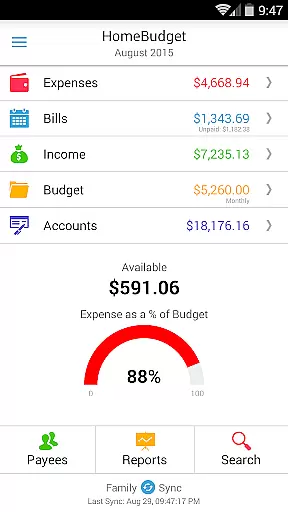
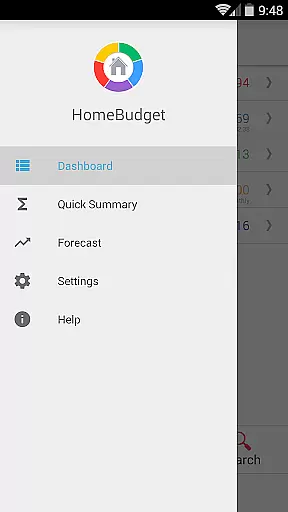
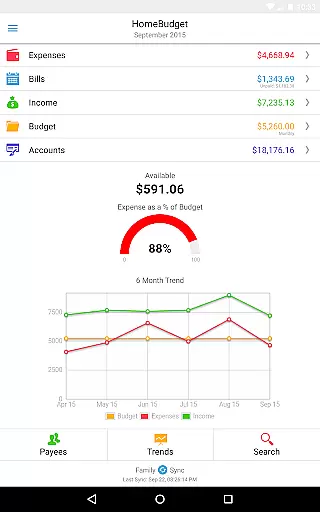
Home Budget with Sync is a comprehensive financial management application designed to help users track expenses, income, bills-due, and account balances across multiple platforms. Available on Android, iPhone/iPad, Windows, and Mac OS, this app offers instant data synchronization between devices, ensuring seamless access to your financial information wherever you are. The app stands out with its integrated feature set that allows bills to become expenses while adjusting account balances simultaneously, providing a holistic view of your finances.
A key differentiating aspect of Home Budget with Sync is its Family Sync functionality. This advanced feature enables multiple devices within a household to exchange expense and income information automatically over the air. By working together within a single budget, Family Sync supports collaborative financial management among family members. Whether you need to manage personal finances or coordinate with your household, Home Budget with Sync provides the tools necessary for effective budgeting and financial analysis.
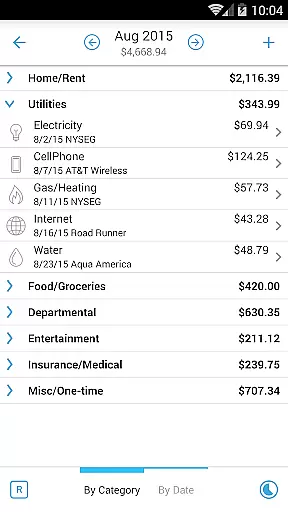
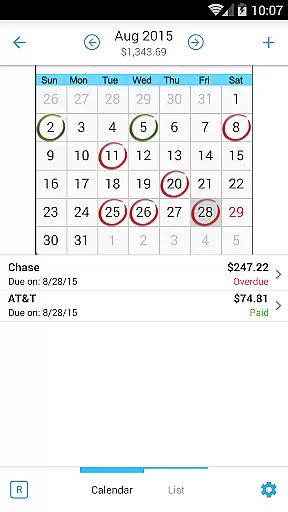
Home Budget with Sync offers an extensive range of features tailored to simplify and enhance personal finance management. Users can create, edit, and delete expenses, income, and bills, including recurring entries, with the ability to associate them with specific accounts and payees. The app's intuitive interface allows for browsing entries by month or category, attaching receipt images, and searching past transactions, making expense tracking both thorough and user-friendly.
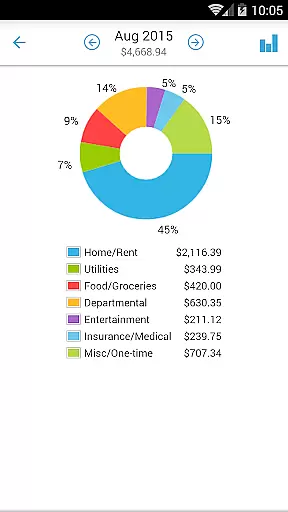
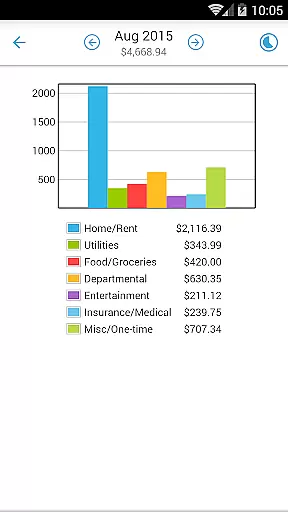
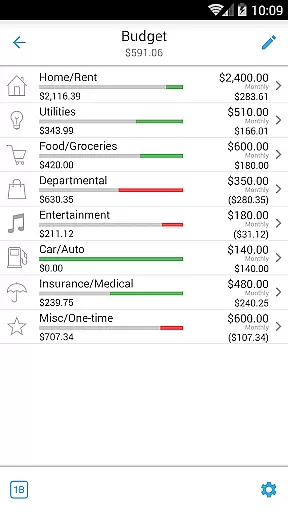
Beyond basic expense tracking, Home Budget with Sync provides robust support for budgeting and financial analysis. It includes creating budgets at category levels, classifying expenses into fixed, variable, and discretionary, and computing disposable income. With visual aids like trend charts, pie/bar charts for expense breakdowns, and exportable reports, users gain clear insights into their financial habits. Additionally, the app's Family Sync feature ensures all household members work within the same budget, promoting coordinated financial planning and management.
Account and fund security is a critical aspect of any financial management application. Home Budget with Sync ensures the safety of your financial data through multiple layers of protection. The app provides password protection, allowing only authorized users to access sensitive information.
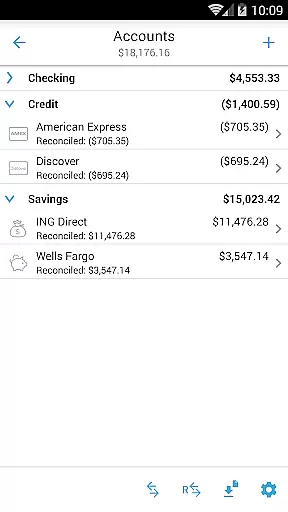
The application supports various account types including checking, savings, credit, debit, and cash accounts. Each transaction made within the app is accurately tracked and reflected in the respective account balance, ensuring that users have an up-to-date view of their financial status. This meticulous tracking helps prevent unauthorized transactions and discrepancies.
Additionally, Home Budget offers a backup and restore feature for complete application data, including all receipts. This means that even if your device is lost or damaged, your financial records remain safe and can be restored on a new device. The ability to export data via email or WiFi also adds another layer of security by allowing users to keep their records outside the device.
By combining these features, Home Budget with Sync not only protects user data but also enhances overall financial management, providing peace of mind and confidence in managing personal finances.
A seamless transaction experience is essential for effective financial management. Home Budget with Sync excels in this area by offering intuitive tools for tracking expenses, income, and bills. Users can create, edit, and delete transactions easily, making day-to-day financial management straightforward and efficient.
The app allows users to associate accounts and payees with transactions, providing a detailed view of where money is coming from and going to. This level of detail helps users understand their spending habits better and make informed financial decisions. Additionally, the ability to attach photo images of receipts adds another layer of verification and ease in tracking expenses.
Home Budget with Sync also includes robust reporting features. Users can generate trend charts for expenses, budgets, and income over the last six months. Pie and bar charts offer visual breakdowns of spending patterns, while the option to export reports via email or WiFi ensures that users can share their financial insights easily.
Overall, Home Budget with Sync transforms the often tedious task of financial tracking into a smooth and insightful experience, empowering users to take control of their finances with confidence.
User-friendly interface
Comprehensive budgeting tools
Instant cross-platform sync
Advanced family sharing options
Detailed financial reporting
Separate purchase for each OS
No free full version available
Limited integration with banks
Occasional sync issues reported
Steep learning curve for beginners

The all-in-one app to save, earn, travel, and put more money in your pocket
 4.50
4.50
Get 250$ Cash Advance to solve emergencies instantly in loan app called LendMe
4.70
Get, Earn, and Save Money
4.30
Change the way you money with Credit Genie
4.30
The Citi Mobile® App lets you manage your accounts virtually anytime, anywhere
4.80
View BSC Transactions for multiple accounts
3.90
Currency Converter (200+ currencies) with live exchange rates and offline mode.
4.70
Amazing Financial Calculator. Based on HP 10bII, but easier to use!
4.40
Make your paycheck work harder for you with Perpay.
4.10
Wells Fargo Mobile allows you to access your investment and bank accounts.
4.80
No credit checked needed.
4.80
The DailyPay app lets you access earned wages before your next payday.
4.70
No credit check, no interest, no worries.
4.70
Cash Advance, Credit Cards, Credit Lines, Score Monitoring, Saving, Budgeting
4.70
Banking, Budgeting & Investing
4.60
Earn cash & save money daily. Access instant cash advances* - no credit check!
4.50
Make Real Cash by Playing Games! Fetch Playful Rewards, Win & Triumph
4.50
Invest, bank & save in one app. Trade stocks, earn high APY & budget smarter.
4.00
Bank better with our new app
3.80


User Reviews