
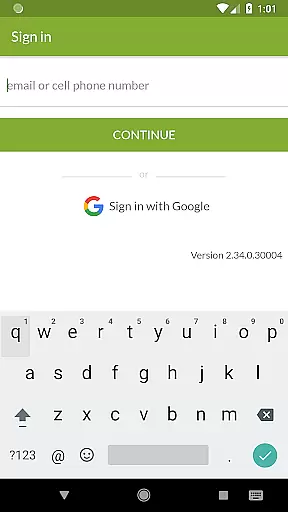
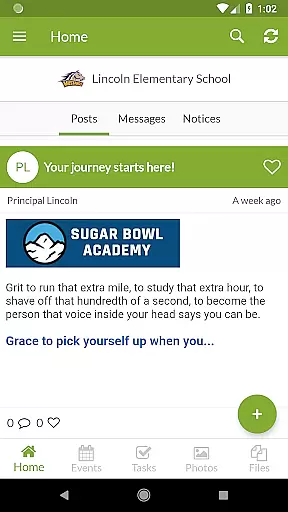
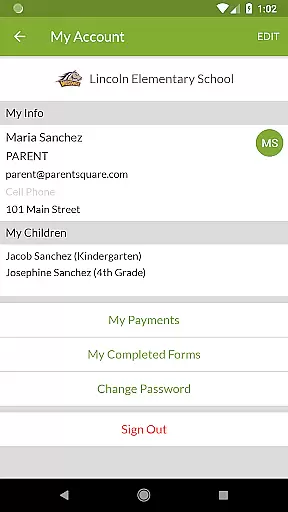
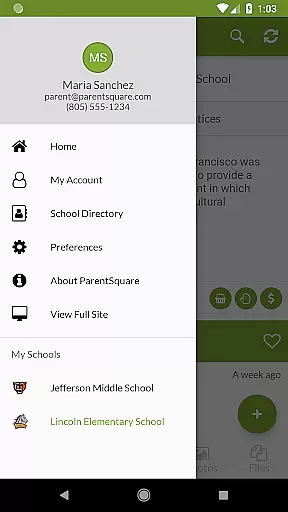
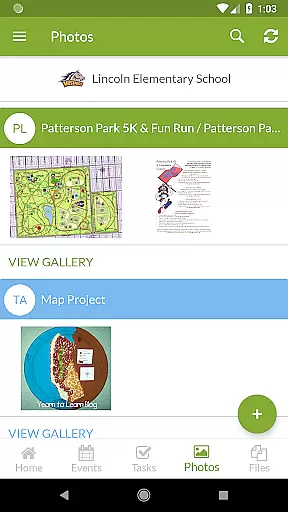
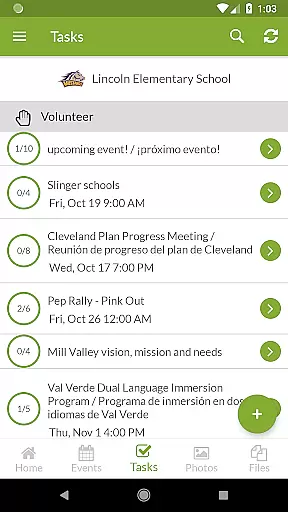
ParentSquare is an all-in-one communication platform designed specifically for educational institutions to streamline interactions between schools and families. The app serves as a centralized hub where parents can access school news, receive real-time alerts, and engage in direct messaging with teachers. With support for automatic translation into over 190 languages, it ensures that language barriers do not hinder effective communication.
Apart from basic messaging, ParentSquare offers advanced features such as attendance notifications, group conversations, and the ability to sign up for school events or volunteer opportunities. Parents can also manage school-related payments and respond to attendance issues directly through the app. This makes ParentSquare particularly valuable for non-English speaking households and busy families who need instant access to important updates about their child's education.
The app’s user-friendly interface and robust security protocols ensure that sensitive information remains protected while keeping families informed and engaged. By consolidating all school-related communications into one platform, ParentSquare saves time for both educators and parents, allowing them to focus on supporting student success.
ParentSquare stands out due to its comprehensive feature set tailored for modern educational needs. One of its key strengths is the automatic translation feature, which supports over 190 languages, making it accessible for diverse communities. This ensures that all families, regardless of their native language, can stay informed about school activities and emergencies.
The app provides multiple ways for parents to interact with their child's school environment. They can view classroom updates, receive critical alerts like attendance notifications, and even participate in group discussions. Additionally, ParentSquare allows users to make school-related payments, sign up for volunteering opportunities, and respond to tardiness or absences—all within the same interface. These capabilities significantly reduce the administrative burden on both parents and school staff.
Another notable feature is the app’s commitment to safety and security. ParentSquare employs industry-leading practices to protect sensitive data, ensuring that private communications and financial transactions remain secure. This reliability fosters trust among users, encouraging more active participation in school activities and enhancing overall community engagement.
In the realm of education, the precision and reliability of information are paramount. ParentSquare ensures content accuracy and authority by serving as a centralized communication platform where all school updates, alerts, and messages are streamlined. This consolidation minimizes the risk of misinformation and ensures that families receive authentic and verified information directly from educational institutions.
The app's dedication to best-in-class safety and security practices further underpins its commitment to authoritative content delivery. By implementing stringent data protection measures, ParentSquare safeguards sensitive communications between teachers, staff, and families. This creates a secure environment where accurate information regarding attendance, cafeteria balances, and other important notices is conveyed without compromise.
Moreover, ParentSquareu2019s capability to automatically translate messages into over 190 languages not only broadens its accessibility but also maintains message integrity across different linguistic backgrounds. This feature ensures that non-English speaking families receive the same level of accurate and authoritative information, fostering an inclusive educational community where every parent can stay informed and engaged in their child's academic journey.
ParentSquare facilitates personalized learning paths by enabling direct communication between parents and educators, allowing for tailored educational experiences that cater to individual student needs. Through features such as direct messaging and group conversations, teachers can provide specific feedback and suggestions to parents, ensuring that each childu2019s unique learning requirements are met with precision.
The application further supports personalized engagement through its comprehensive suite of tools designed to keep families in sync with their child's educational progress. Parents can respond to absences or tardies, sign up for volunteering opportunities, and even pay school-related fees directly through the app. These functionalities empower parents to actively participate in their child's education, adapting their involvement according to the evolving needs of their children.
Additionally, ParentSquare enhances personalization by providing timely access to classroom updates, photos, and school news. This ongoing stream of personalized information enables parents to track milestones and achievements while staying abreast of any challenges their child may face. By integrating these dynamic interaction points within one accessible platform, ParentSquare fosters a responsive educational ecosystem where personalized learning paths are not just encouraged but seamlessly integrated into daily family-school interactions.
User-friendly interface
Multi-language support
Secure communication
Comprehensive updates
Time-saving tools
Limited customization
Premium feature costs
Device compatibility
Learning curve
Occasional bugs

Ignite curiosity, spark learning: All babybus videos &games
 4.30
4.30
Latest TLC Practice Questions! Multiple languages available!
4.50
The official CCM Glossary app, including 700+ terms and definitions.
2.90
Pass your FAA written with flying colors - Study Buddy can help.
4.30
Your best partner for learning Japanese words. Based on a best-selling textbook.
2.90
Your best partner for learning Japanese words. Based on a best-selling textbook.
2.80
Visit Daniel's house & make believe. Play doctor, make music, & feed fish.
3.20
The FE Clock is a way to track sun & moon around the circle of the earth.
4.30
SkyView®, an augmented reality space app, brings stargazing to everyone!
4.40
Guitar chord finder, analyzer, smartly visualized theory, progressions, quizzes.
4.70
Turn scrolling hours into improving your knowledge, communication, intelligence
4.50
Learn math, step-by-step
4.30
THE ESTABLISHED "GO TO" ARMY BOARD PREPARATION APP!
4.30
A magical world of fun, building, and learning with Mickey Mouse and more!
4.20
Nighty Night Circus - Bedtime story for kids
4.10
Break Language Barriers with AI—Learn Language Anytime, Anywhere!
4.00
FAR/AIM, FAR for Flight Crew and FAR for Aviation Maintenance Technicians
3.80
Make your own game and world. Draw and animate characters
3.70
Quiz App to help case managers studying for CCMC Certification, 200+ Questions
3.40


User Reviews