








Skin Bliss is a comprehensive skincare application designed to help users understand and manage their skincare needs through advanced AI technology. The app offers features such as AI face scanning, personalized routine planning, ingredient checks, and daily progress tracking. Whether you are new to skincare or an experienced user, Skin Bliss provides tailored solutions to fit your skin goals and lifestyle.
With its science-backed approach, the app allows users to create detailed skin profiles, build effective routines, and track visible improvements over time. The app's unique capabilities include a Routine Evaluator, AI Photo Comparison, and Weather-Driven Skincare Tips, making it a complete operating system for skincare management.
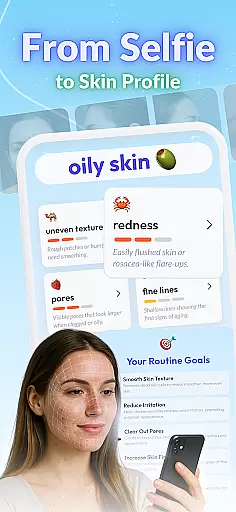
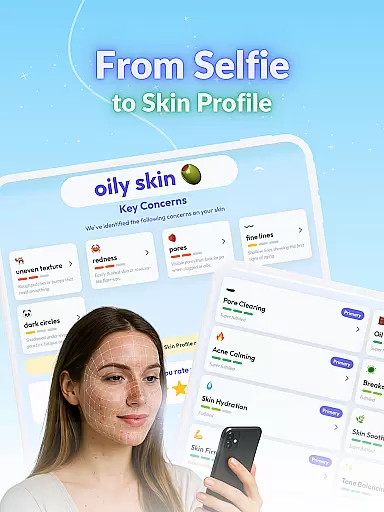
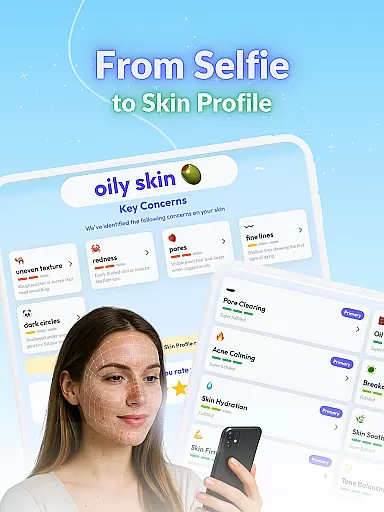
Skin Bliss stands out with its array of specialized features crafted to optimize skincare routines. One of the key functionalities is the AI-powered Face Scanner, which quickly assesses visible skin concerns and builds a personalized profile based on skin type and goals. This feature ensures that users receive accurate and customized recommendations.
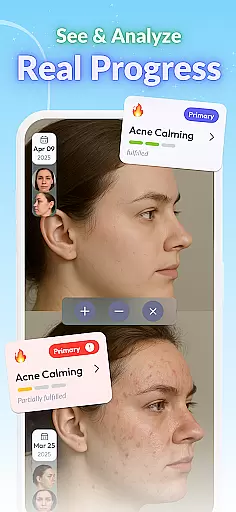
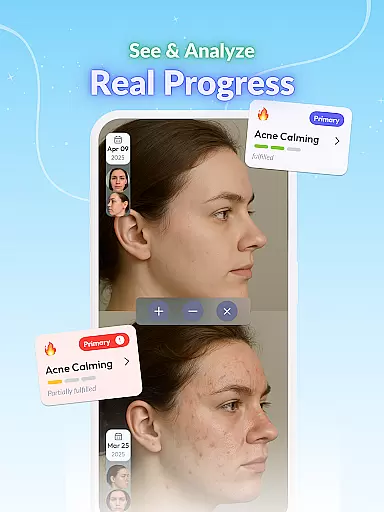
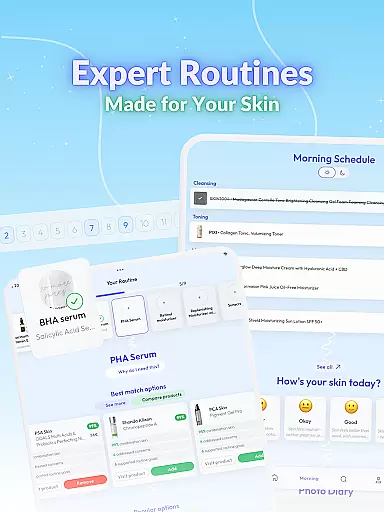
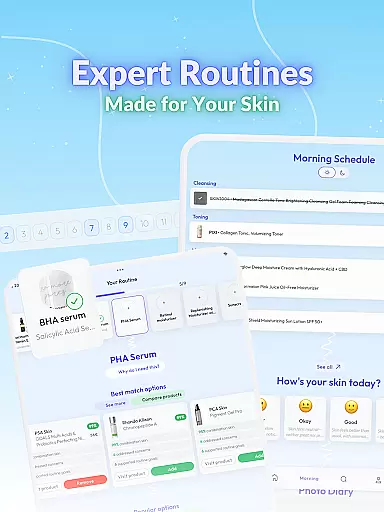
In addition to the Face Scanner, the app includes a Routine Builder with expert templates, a Routine Evaluator to identify gaps in your regimen, and a Routine Player for real-time guidance. Users can also benefit from the Skin Diary for logging symptoms and triggers, and the AI Photo Comparison tool for tracking subtle changes over time. These features collectively enhance user experience by providing data-driven insights and practical tools for effective skincare management.
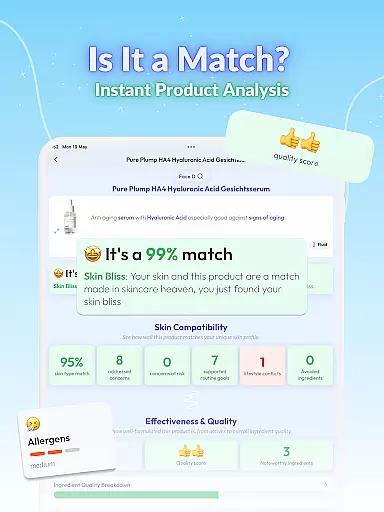
Understanding the importance of a comprehensive product database is crucial for any skincare app. Skin Bliss offers an extensive collection of over 100,000 products, allowing users to scan barcodes, paste ingredient lists, or search for specific items. This vast database ensures that users can find detailed information on virtually any skincare product they encounter.
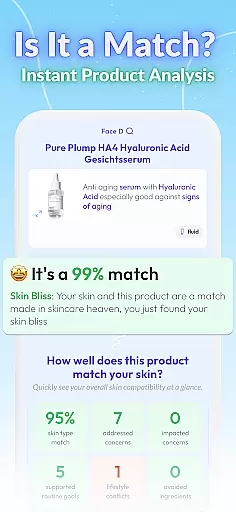
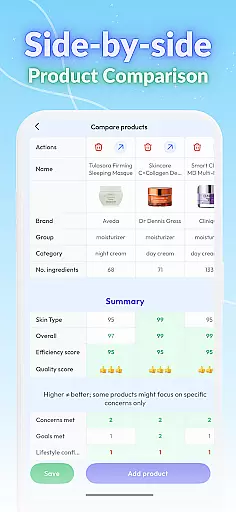
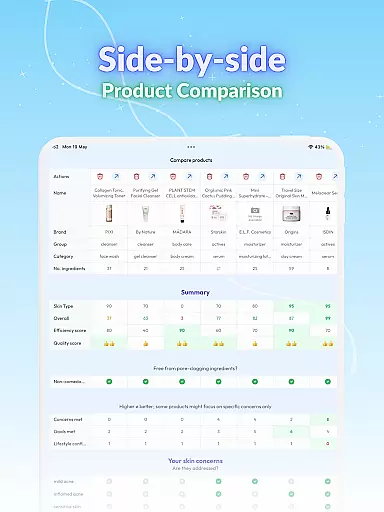
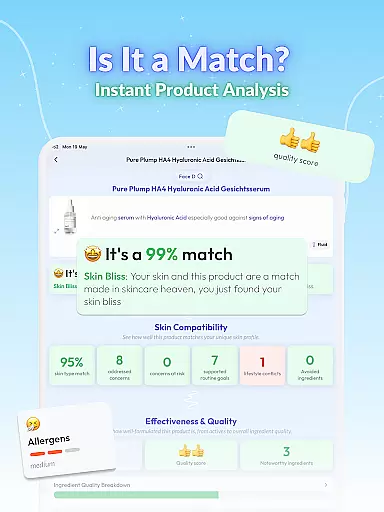
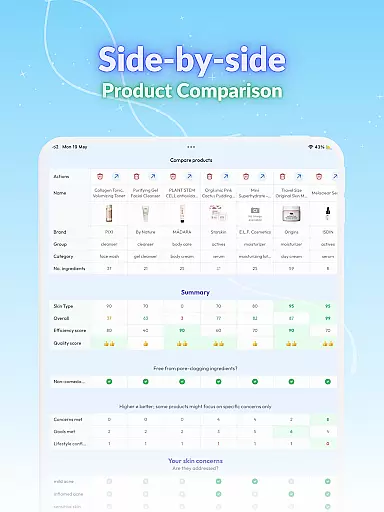
The app's database doesn't just list products; it provides in-depth analysis and compatibility checks. Users can evaluate products based on ingredients, performance, price, and how well they fit individual skin types and goals. This empowers users to make informed decisions about which products to incorporate into their routines.
Additionally, Skin Bliss includes features like Shelf Analysis, where users can snap a photo of their skincare shelf to receive instant analysis of each product both individually and as part of their overall regimen. This level of detail helps users avoid potential clashes, over-use, or missing steps in their skincare routines.
With support for 14 languages and personalized advice based on climate, UV, and humidity levels, Skin Bliss ensures that its product database is not only deep but also highly accessible and relevant to users worldwide. This global approach enhances user experience and promotes better skincare practices across different regions.
Personalization is at the core of effective skincare management, and Skin Bliss excels in delivering precise, tailored recommendations. The app uses AI face scanning technology to create a personalized skin profile for each user. By detecting visible concerns and analyzing skin type, Skin Bliss builds a detailed understanding of what each user's skin truly needs.
Based on this personalized profile, Skin Bliss offers customized routine planning. Users can build routines from scratch or choose from expert templates that align with their specific goals and lifestyle. The app schedules products using ingredient-smart logic, ensuring optimal usage patterns whether on a daily basis or rotation.
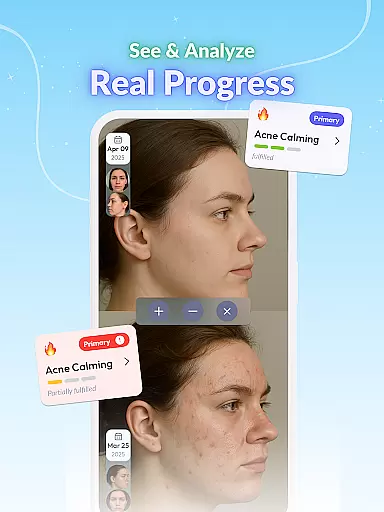
Skin Bliss further enhances personalization through its AI Photo Comparison feature. Users can upload daily photos to track subtle changes over time, receiving insights into their progress. Additionally, the Skin Diary function allows users to log symptoms, note triggers, and identify daily patterns, contributing to a holistic view of their skin health.
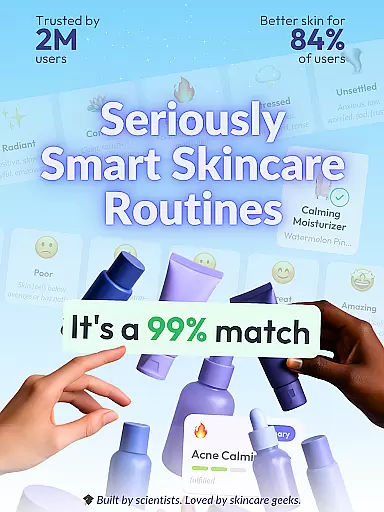
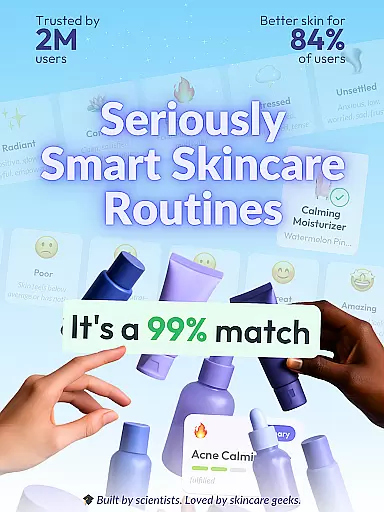
These personalized tools are backed by scientific research and developed by skincare experts, making Skin Bliss a trusted companion for anyone looking to achieve real results. With 84% of users reporting visible improvements, the app's precision in personalization proves effective in helping users attain their skincare goals.
User-friendly interface
Advanced AI technology
Comprehensive skin analysis
Personalized skincare routines
Multilingual support
Premium features require subscription
Limited free trial period
Some features may overwhelm beginners
Dependent on accurate user input
Auto-renewal of subscriptions

Color haircut changer style on
 3.30
3.30
Winter picture editor: Christmas stickers, frames for photos & Christmas cards.
4.40
Shop Smarter, Dress Better, and Shine Brighter!
4.10
Intelligent Beauty calculator tool! Face scale and face symmetry in one app!
3.80
Enhance your selfies with face beauty makeup tool and an easy background remover
4.70
Wacky mirror filter, waves effect & wavy effect to make your own funny videos.
4.60
Edit Your Photos and Videos with Beauty Filters & Get Makeup Artist Tutorials
3.60
Beauty camera & Selfie camera for perfect selfie with filter, sticker, makeup
4.70
Mirror app that shows your image with photo editor, zoom and light!
4.70
Book your appointments
4.90
Beauty Camera & Selfie Camera snap Beauty selfie with filter, makeup, stickers
4.80
Photo enhancer 360, image enhancement, restore old photos, colorize photo ai
4.70
Face Makeup Camera: Photo makeup app and perfect Lipstick app, beauty lip filler
4.70
Transform your sweet selfies with Selfie Beauty Camera Filters And Effects!
4.60
Beauty Camera - Selfie Camera with sweet selfie, makeup, filter, sticker, editor
4.50
Download Today
4.40
Seasonal color palette, my personal color, hair color changer, makeup, wardrobe
4.20
Never run out of your go-to beauty & get 5% off with auto-replenish deliveries!
4.00
Change your hairstyle and color instantly with AI-powered virtual makeovers.
3.90


User Reviews