
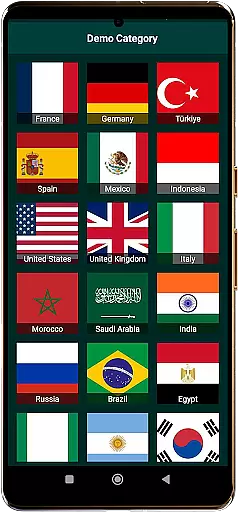
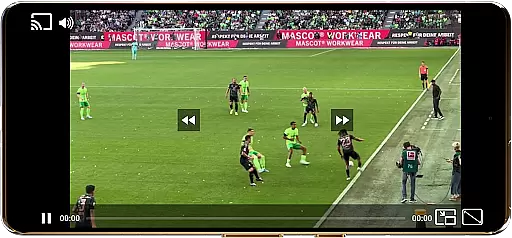
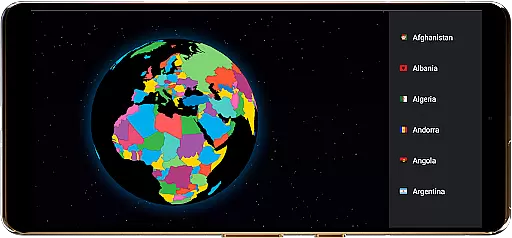
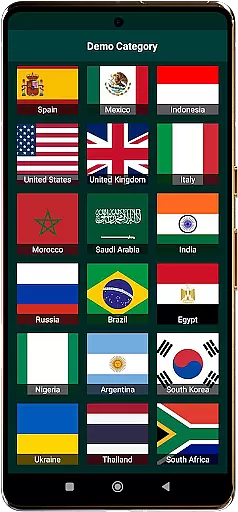
TV Garden World Video Player is a versatile media player app designed for seamless TV viewing experiences. The application allows users to watch global and local live TV channels online using their own private streaming links. It supports a wide range of formats including DASH, HLS, MP4, and direct streaming links, making it compatible with various international TV channels.
The app's key strength lies in its smooth playback capabilities and advanced features like Picture-in-Picture mode, customizable controls, and Chromecast support. These features enable users to create a personalized viewing experience while enjoying lag-free streaming of live news, sports, entertainment, and music channels from around the world.
TV Garden is particularly useful for expats and international travelers who want to stay connected with their home country's TV programs or explore foreign channels. By importing their own legal streaming links, users can access a diverse selection of content categories including documentaries, cultural programs, and regional broadcasts from countries like USA, UK, India, and more.
TV Garden offers an impressive array of features that enhance the TV viewing experience. The app's broad format compatibility supports various streaming protocols and file types, ensuring smooth playback of different international TV channels. Its advanced buffering technology provides lag-free video streaming, even during peak hours or when watching high-bandwidth content like live sports events.
One of the standout features is the Picture-in-Picture mode, which allows users to multitask while keeping an eye on their favorite channels. The customizable control settings let viewers adjust scaling modes and playback preferences according to their needs. Additionally, the app's Chromecast integration enables seamless streaming to larger screens, while the enhanced audio quality ensures an immersive experience with music and documentary channels.
The Favorites List feature helps users organize their preferred streams for quick access, and the full-screen mode delivers a cinema-like viewing experience. These comprehensive features make TV Garden a powerful tool for anyone looking to enjoy personalized international TV content on their mobile devices.
Task creation and detail customization are essential features for any event management app. TV Garden World Video Player offers a unique approach to organizing your viewing schedule by allowing users to create personalized tasks based on their favorite channels or programs. This feature is particularly useful for those who want to keep track of live sports events, international news, or cultural TV programs.
The app enables users to input their own streaming links into the Favorites section, effectively creating a task list of streams they wish to watch. Each entry can be labeled and organized according to the user's preference, ensuring that you never miss an important game or a much-anticipated documentary. The ability to customize these entries with names and categories adds another layer of personalization, making it easier to manage multiple streams from different countries.
By leveraging this functionality, users gain the benefit of a tailored viewing experience. Whether it's setting up alerts for live sports events or organizing global news streams by region, TV Garden empowers viewers to take control of their entertainment schedule. This level of customization not only enhances user engagement but also simplifies the process of navigating through a vast array of international content.
Ultimately, the task creation and detail customization features in TV Garden provide significant value by offering a structured way to enjoy global and local live TV online. Users can efficiently manage their time and prioritize their viewing preferences, leading to a more satisfying and organized entertainment experience.
Reminder settings play a crucial role in ensuring that users do not miss out on their preferred live TV streams or scheduled events. In TV Garden World Video Player, while there isn't a traditional reminder system, the Favorites section acts as an efficient alert mechanism. By saving your favorite TV streams and movies, you create a go-to list that serves as a constant reminder of the content you wish to watch.
This setup allows users to add their streaming links into the Favorites section, which then becomes a personalized TV guide. Whenever you have some free time or during work breaks, you can easily browse through your saved streams and pick up where you left off. The simplicity of accessing your preferred Global TV or Live Sports channels ensures that you stay engaged with the content that matters most to you.
Moreover, the Picture-in-Picture mode enhances the reminder feature by allowing multitasking while watching your favorite channels in a small window. This means you can continue to receive visual cues from your selected streams even while using other apps, keeping you informed and entertained throughout your day.
In summary, the reminder settings within TV Garden, albeit unconventional, offer a practical solution for staying updated with International News, Live Sports, and Entertainment Channels. By integrating customizable controls and seamless casting options, the app ensures that users have a flexible and immersive viewing experience tailored to their preferences.
User-friendly interface
Wide format support
Smooth streaming performance
Advanced PIP functionality
Customizable viewing options
No built-in channels
Requires personal links
Limited free content
Legal responsibility
Technical knowledge needed

PheedLoop Go! is the mobile event app for events powered by PheedLoop.
 4.40
4.40
It is an Event Planning Application.
4.2
Here you can choose tickets for films, performances, concerts and other events
4.60
Find tickets to upcoming concerts, sports events, festivals, shows, attractions
4.70
Watch live football matches and streaming events on our Arabic TV app!
3.50
Create invitation cards for birthdays, weddings, Christmas and more.
4.80
The official app for Sched events! View your event schedule here.
4.20
Discover events, experiences, and things to do near you - Anytime, Anywhere!
4.70
Discover events & experiences in NYC, LA, Chicago, DC, Miami and more!
4.70
Clubs, Festivals, Discounted Tickets, Guest Lists & VIP Tables
4.90
Find EDM shows near you! See your favorite artists live, and discover new music.
4.90
Connect with an ecosystem of 5M+ eventgoers and organizers.
4.50
Freebie Games for Epic Games, Steam, Amazon, Rockstar etc.
4.40
Get live football here
4.30
Local events, contests, and giveaways for local dads
3.70
The Official App
3.70
ETH Mining provides secure way to mine Ethereum & earn ETH in Cloud mining app
3.50
Community for Mods, Addons, Melsaves, Melmods for Melon Playground
4.3
The official app of the Carmel Christkindlmarkt!
4.5


User Reviews